> ## Documentation Index
> Fetch the complete documentation index at: https://hc.saas-manager.biz.nuro.jp/llms.txt
> Use this file to discover all available pages before exploring further.
# AI response language
> How to configure the AI agent's response language and system default language
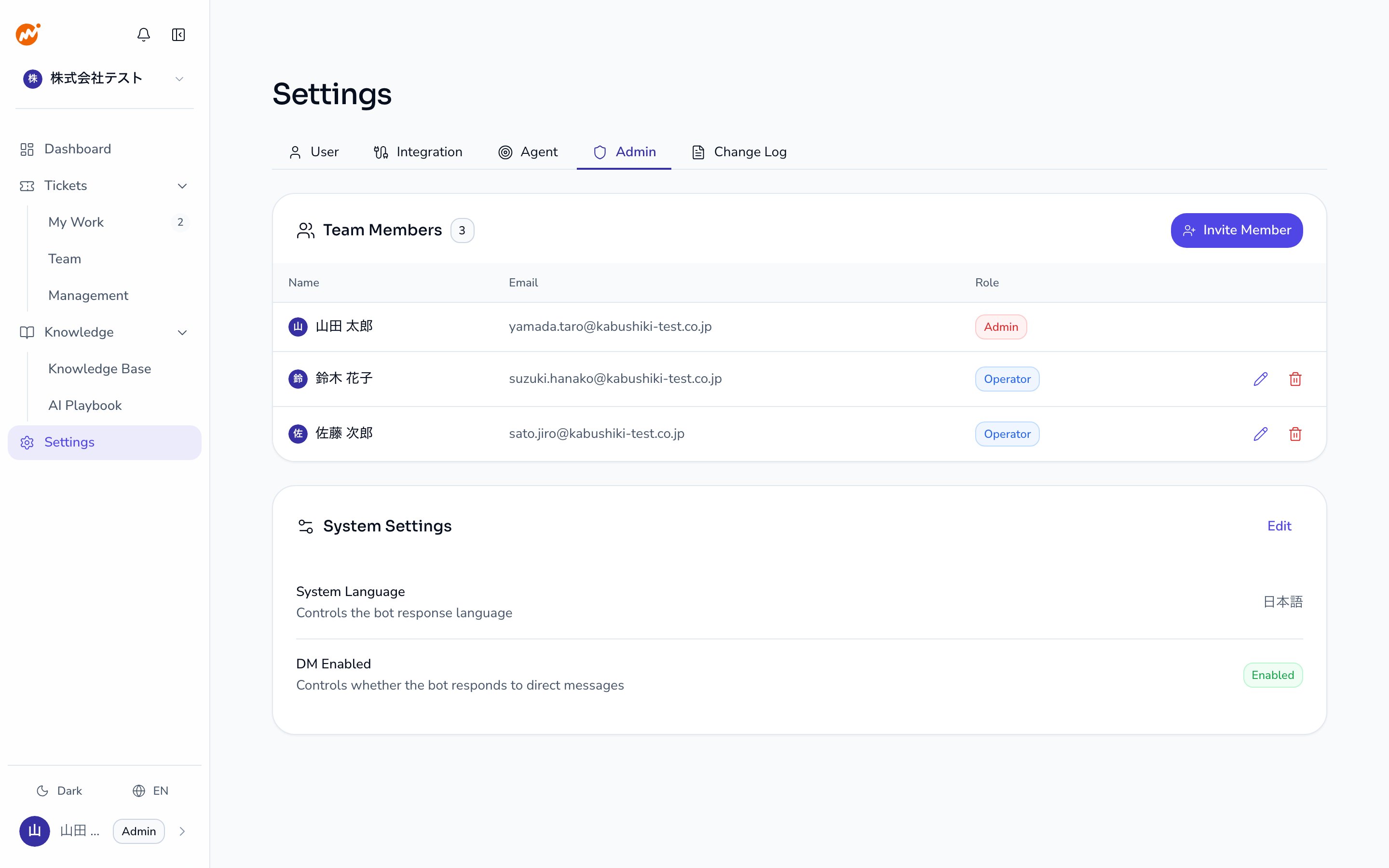
In AI Helpdesk, administrators can configure the language the AI agent uses to respond. Go to **Settings** > **Admin** > **System settings** to make changes.
 ## Language setting types
| Setting | Description | Who can change |
| ----------------------------- | --------------------------------------------------- | -------------- |
| **System default language** | The default response language for the entire tenant | Admin |
| **Personal language setting** | Each employee's preferred language | Each employee |
Personal language settings take precedence over the system default language. If an employee has not set a personal preference, the system default language applies.
## How to change your personal language setting
Employees set their own language preference in AI Helpdesk chat with the `!lang` command, not the admin console.
```text theme={null}
!lang ja
```
You can specify `en` (English), `ja` (Japanese), or `system` (follow the system default language). Omit the argument to show your current setting. See [AI Commands](/en/ai-helpdesk/ai/commands) for details.
## How to change the system default language
Open **Settings** > **Admin** in the admin console.
Click the **Edit** button in the **System settings** section.
Choose a language from the **System language** dropdown. Currently supported languages are **Japanese** and **English**.
Click **Save**. Changes apply to new conversations immediately after saving.
## Supported languages
| Language | Identifier |
| -------- | ---------- |
| Japanese | `ja` |
| English | `en` |
Support for additional languages is planned for future releases.
## Language setting priority
When the AI determines which language to respond in, the priority is as follows:
1. Employee's personal language setting (if configured)
2. System default language
## Related pages
* [AI Commands](/en/ai-helpdesk/ai/commands) — Details on the `!lang` command
* [Admin settings — Session configuration](/en/ai-helpdesk/admin/session-config) — Manage system-wide settings
## Language setting types
| Setting | Description | Who can change |
| ----------------------------- | --------------------------------------------------- | -------------- |
| **System default language** | The default response language for the entire tenant | Admin |
| **Personal language setting** | Each employee's preferred language | Each employee |
Personal language settings take precedence over the system default language. If an employee has not set a personal preference, the system default language applies.
## How to change your personal language setting
Employees set their own language preference in AI Helpdesk chat with the `!lang` command, not the admin console.
```text theme={null}
!lang ja
```
You can specify `en` (English), `ja` (Japanese), or `system` (follow the system default language). Omit the argument to show your current setting. See [AI Commands](/en/ai-helpdesk/ai/commands) for details.
## How to change the system default language
Open **Settings** > **Admin** in the admin console.
Click the **Edit** button in the **System settings** section.
Choose a language from the **System language** dropdown. Currently supported languages are **Japanese** and **English**.
Click **Save**. Changes apply to new conversations immediately after saving.
## Supported languages
| Language | Identifier |
| -------- | ---------- |
| Japanese | `ja` |
| English | `en` |
Support for additional languages is planned for future releases.
## Language setting priority
When the AI determines which language to respond in, the priority is as follows:
1. Employee's personal language setting (if configured)
2. System default language
## Related pages
* [AI Commands](/en/ai-helpdesk/ai/commands) — Details on the `!lang` command
* [Admin settings — Session configuration](/en/ai-helpdesk/admin/session-config) — Manage system-wide settings