> ## Documentation Index
> Fetch the complete documentation index at: https://hc.saas-manager.biz.nuro.jp/llms.txt
> Use this file to discover all available pages before exploring further.
# Smartsheet
> Instructions for integrating with Smartsheet.
## Supported Features
Account Deletion Account Provisioning
This integration supports paid plans only.
## Integration Setup
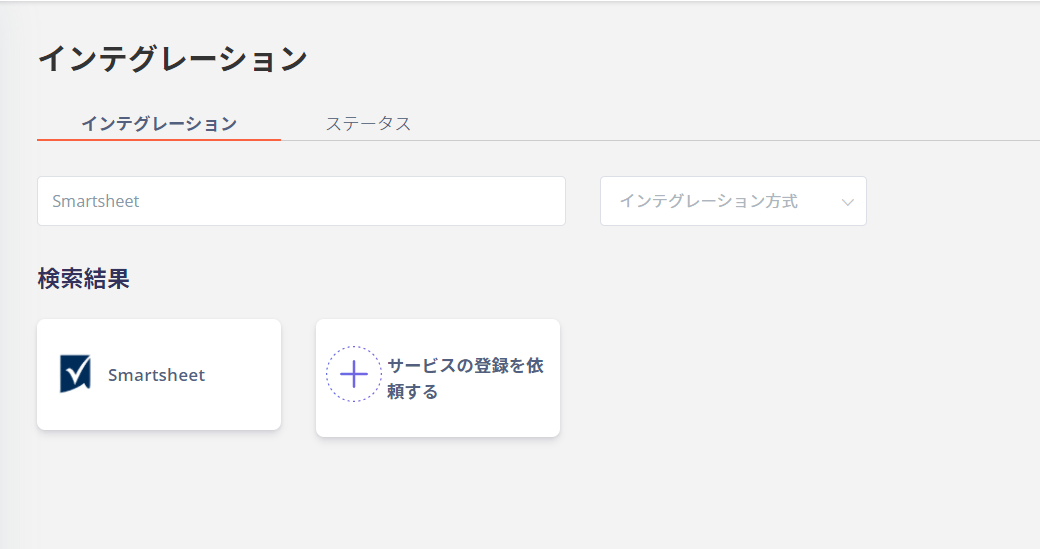
In the MoneyForward Admina integration screen, search for [Smartsheet](https://www.smartsheet.com/).
 Enter **any name** (such as your company name) for the workspace name and click **Connect**.
 The Smartsheet login page will open. After logging in, an access permission screen like the one below will appear. Click **Allow**.
 Once the integration with Smartsheet is successful.
The registered user information will be displayed in the account list.
If the integration does not complete successfully.
Click **Edit** in the Status tab of the integration screen and try connecting again.
If the issue persists, please contact us via chat.
For an overview of the Smartsheet integration, see the [integration page](http://admina.moneyforward.com/en/integrations/smartsheet).
Once the integration with Smartsheet is successful.
The registered user information will be displayed in the account list.
If the integration does not complete successfully.
Click **Edit** in the Status tab of the integration screen and try connecting again.
If the issue persists, please contact us via chat.
For an overview of the Smartsheet integration, see the [integration page](http://admina.moneyforward.com/en/integrations/smartsheet).