> ## Documentation Index
> Fetch the complete documentation index at: https://hc.saas-manager.biz.nuro.jp/llms.txt
> Use this file to discover all available pages before exploring further.
# Bitrise
> Steps to integrate with Bitrise. This guide walks you through the entire process from logging into Bitrise as an administrator to completing the integration with Money Forward Admina.
## Supported Features
Account Deletion Account Provisioning
## Prerequisites
### How to Log In to Bitrise
Go to the [Bitrise login page](https://app.bitrise.io/users/sign_in) and enter your **email address and password**, then click **Log in**.
[\[Limitation\] Integration failure with external authentication accounts such as Google or SSO](/en/it-management/faq/7gbneu0vz5-auth-error)
External authentication accounts such as Google or SSO cannot be used for integration.
 ### How to Obtain the Workspace Key
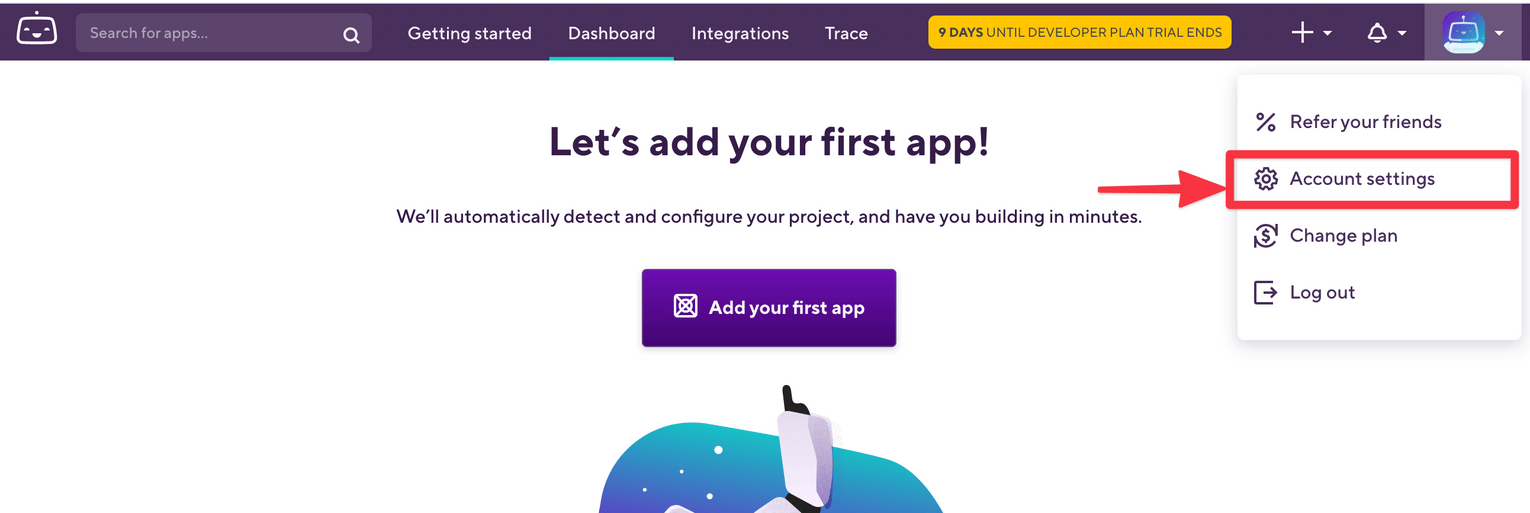
After logging in to Bitrise, go to **Account Settings**.
### How to Obtain the Workspace Key
After logging in to Bitrise, go to **Account Settings**.
 Select the Organization you want to integrate.
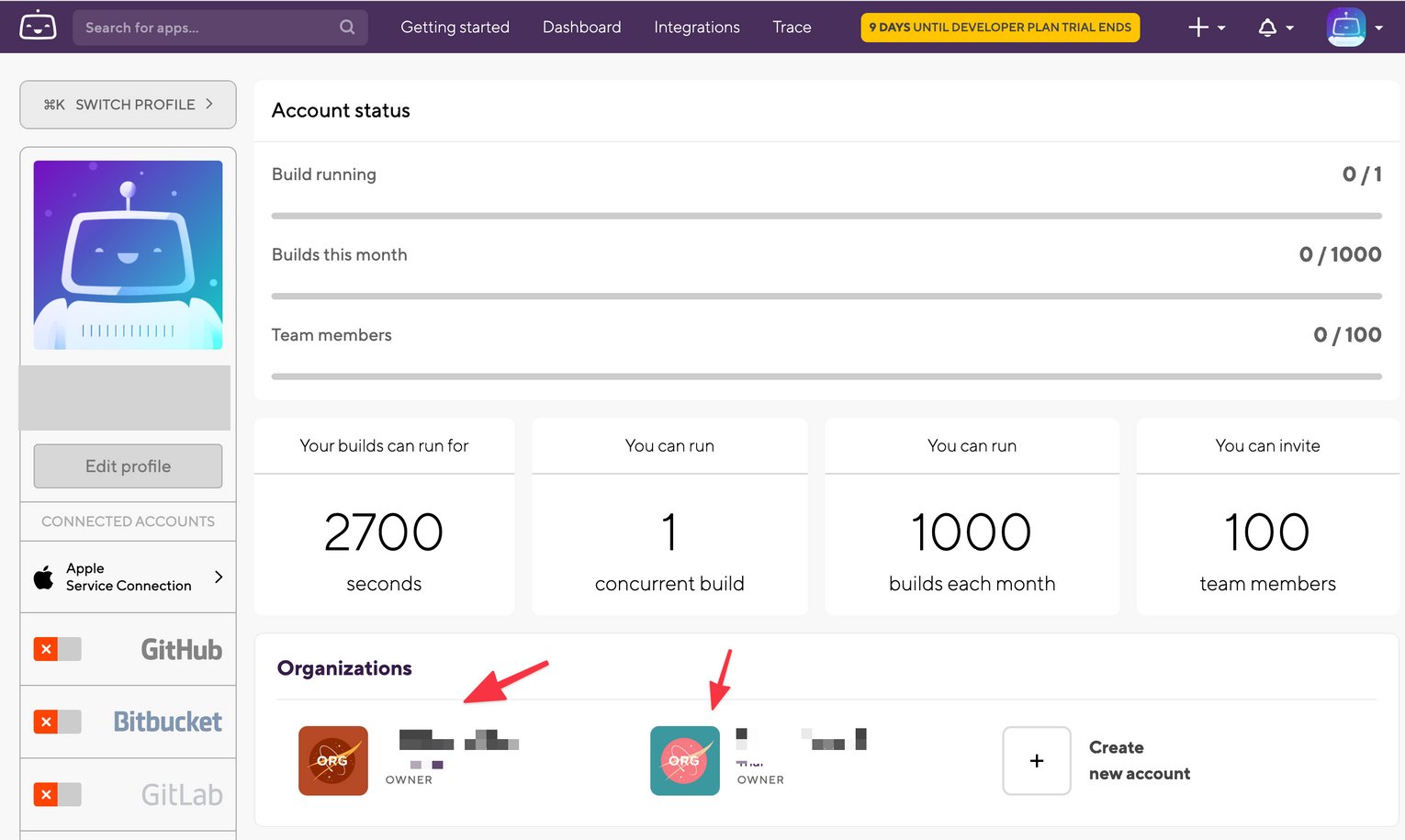 After selecting the Organization, **part of the page URL is the workspace key**. Save it for later use.
```
https://app.bitrise.io/organization/{workspace-key}#/overview
```
The trailing # is not needed.
After selecting the Organization, **part of the page URL is the workspace key**. Save it for later use.
```
https://app.bitrise.io/organization/{workspace-key}#/overview
```
The trailing # is not needed.
 ## Integration Setup
In the Admina integration screen, search for **Bitrise** and click on it.
## Integration Setup
In the Admina integration screen, search for **Bitrise** and click on it.
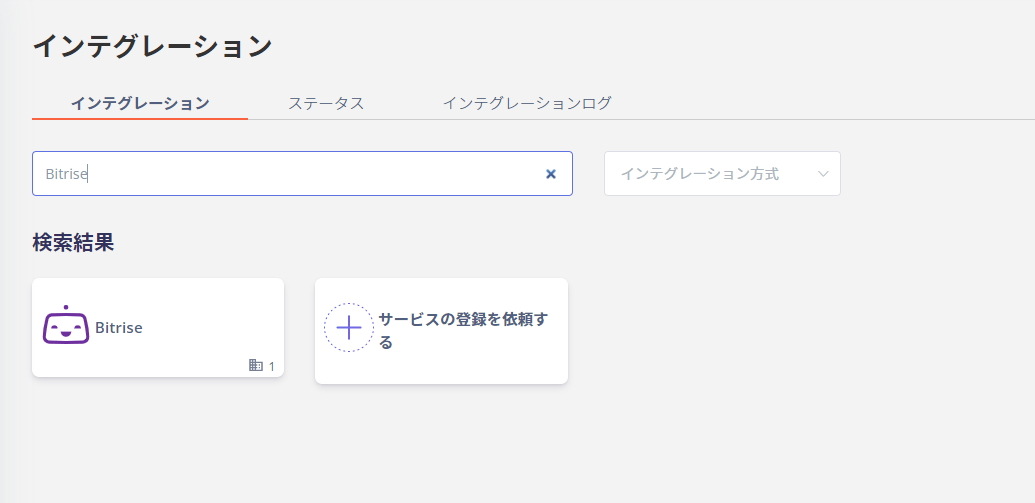 Enter a **workspace name of your choice** (e.g., your company name), the **workspace key** obtained in the previous step, and the **email address and password** used to log in to Bitrise, then click **Connect**.
 Once the integration with Bitrise is successful, registered user information will appear in the account list.
If the process does not complete successfully, click **Edit** on the Status tab of the integration screen and try connecting again.
If the issue persists, please contact us via chat.
For an overview of the Bitrise integration, visit the [integration page](https://admina.moneyforward.com/en/integrations/bitrise).
## Manual Account Matching When Email Address Cannot Be Retrieved
This service is a SaaS where email addresses cannot be retrieved, so the user type will be determined as "Unknown."
If needed, manually link (deduplicate/merge) accounts with other accounts.
Once the integration with Bitrise is successful, registered user information will appear in the account list.
If the process does not complete successfully, click **Edit** on the Status tab of the integration screen and try connecting again.
If the issue persists, please contact us via chat.
For an overview of the Bitrise integration, visit the [integration page](https://admina.moneyforward.com/en/integrations/bitrise).
## Manual Account Matching When Email Address Cannot Be Retrieved
This service is a SaaS where email addresses cannot be retrieved, so the user type will be determined as "Unknown."
If needed, manually link (deduplicate/merge) accounts with other accounts.