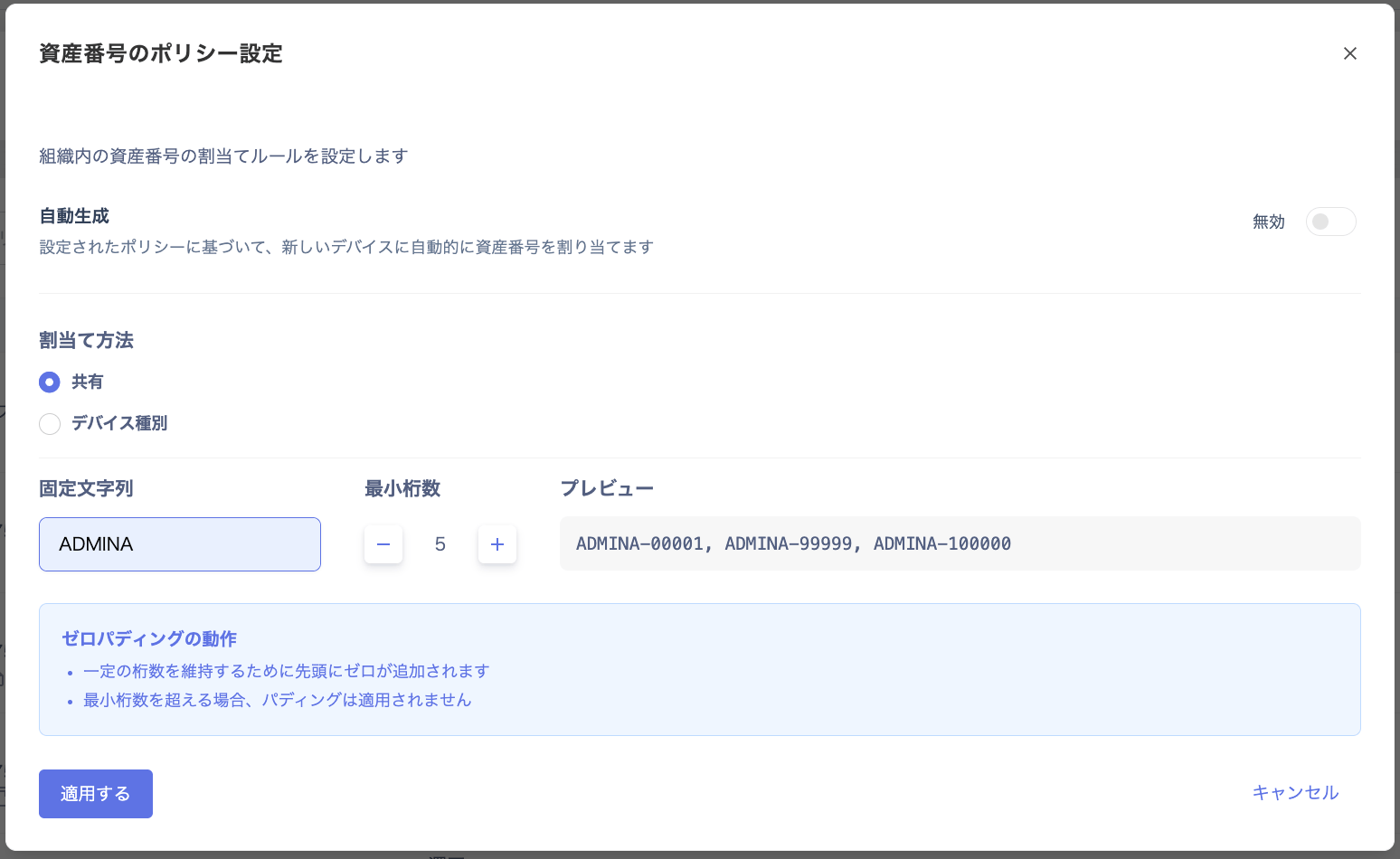
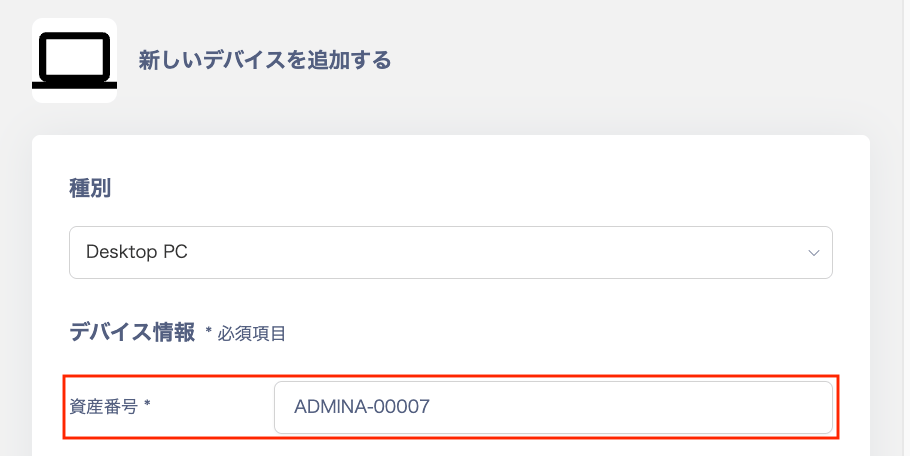
Launched automatic asset number generation for device management, which assigns asset numbers based on pre-configured rules. This prevents duplicate numbers and input errors from manual entry, enabling more accurate and efficient asset management.
Flexible numbering rule customization: Create your own rules by combining “fixed strings (suffix)” components.Streamlined registration: When registering a new device, a number conforming to the configured rule is automatically assigned.Improved accuracy: Prevents human errors such as duplicate numbers or inconsistent formatting that can occur with manual entry.
Go to Devices > [Asset Number Prefix Settings] > “Asset Number Policy Settings” screen to configure the “automatic numbering rule” including fixed strings (suffix) and number of digits.Go to Devices > [New Device] > “Add New Device” screen, and the “Asset Number” field will be automatically populated.※ For setup instructions, please refer to the automatic asset number generation guide for devices.If you have any questions or feedback, feel free to contact us.