> ## Documentation Index
> Fetch the complete documentation index at: https://hc.saas-manager.biz.nuro.jp/llms.txt
> Use this file to discover all available pages before exploring further.
# 2-4. Managing Device Types (Add / Edit)
> On the Device Type Management screen, you can add and edit device types used to classify devices.
The top of the device list shows three device categories — **PC**, **Phone**, and **Other**. Each device type is associated with one of these categories.
#### Open the Device Type Management screen
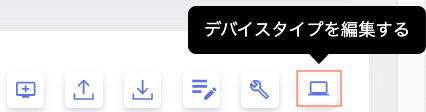
1. Go to Devices and click **Edit device types** in the upper right.
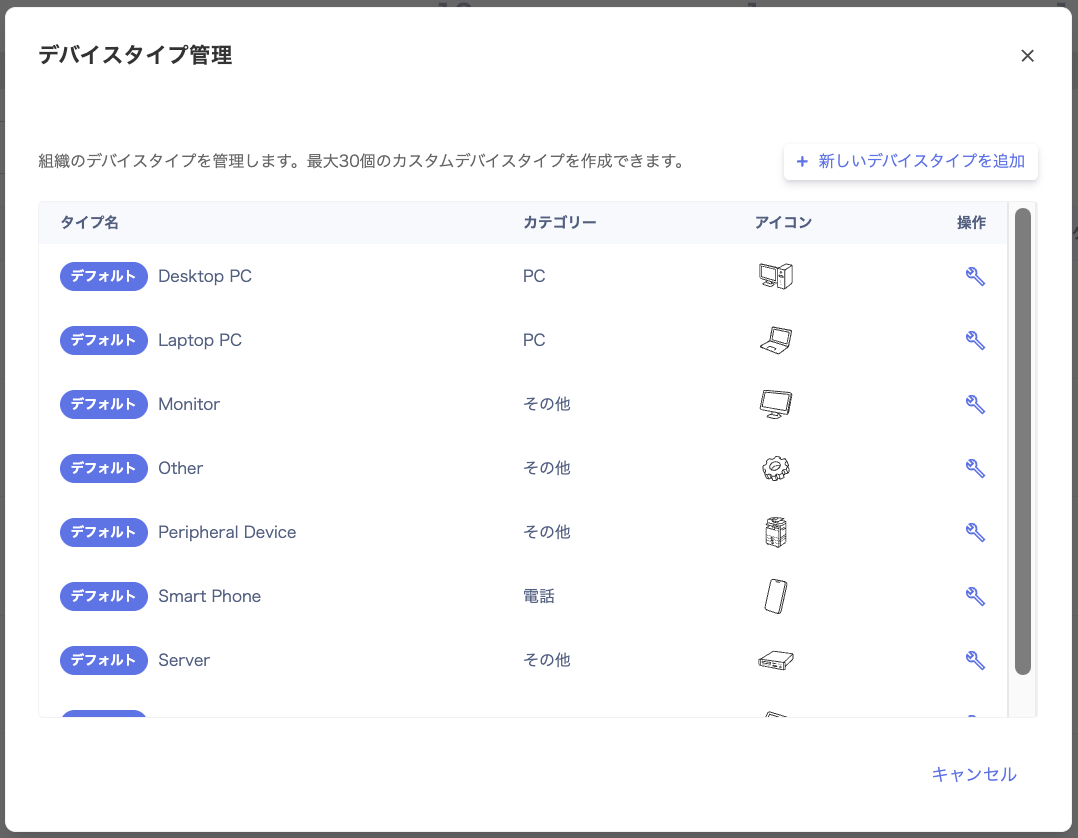
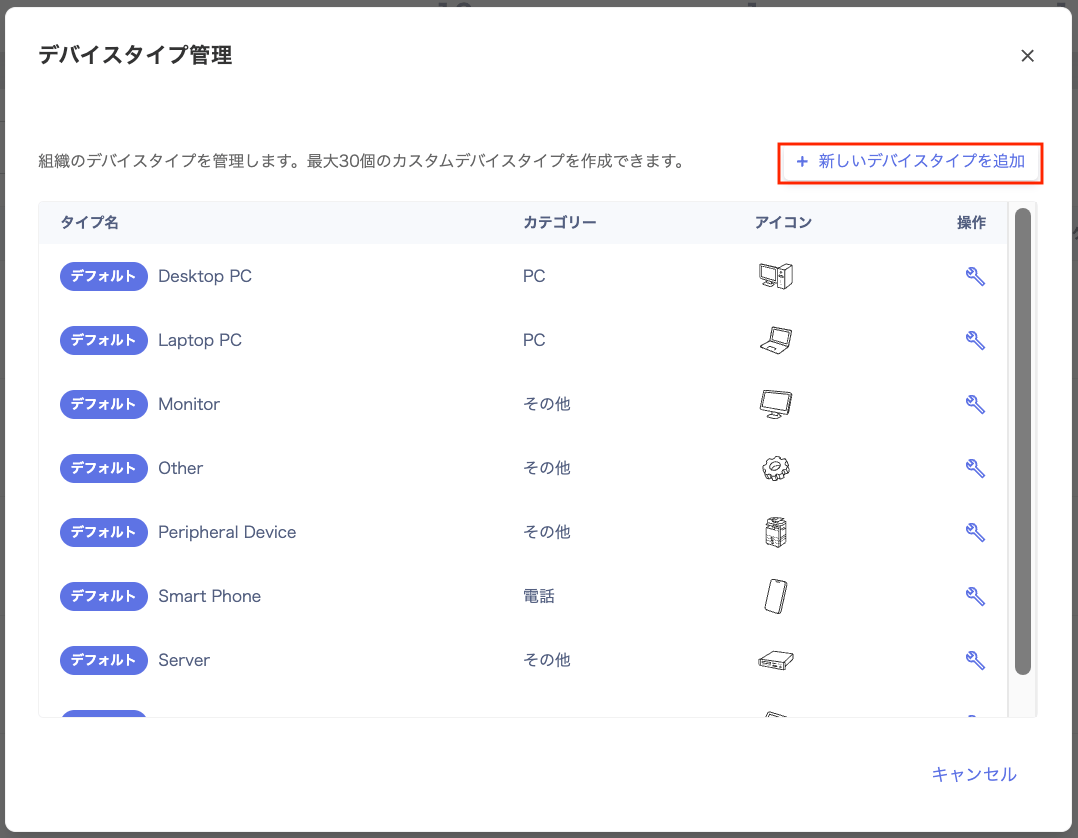
 2. The **Device Type Management** screen appears. Here you can edit default items and create custom items (up to 30).
 #### Device types
There are two kinds of device types: built-in **default items** and freely created **custom items**.
* Default items: pre-configured items marked with \[Default] in the Type Name column.
* Custom items: items you create by clicking \[+ Add new device type]. You can create up to **30** device types in total.
| Item type | Type name | Category | Icon | Notes |
| ---------------- | --------- | --------------------------- | -------- | ------------------------------------------- |
| **Default item** | Editable | Not editable | Editable | Only the type name and icon can be changed. |
| **Custom item** | Editable | Selectable only at creation | Editable | Category cannot be changed after creation. |
#### Edit a device type
Follow these steps to update an existing device type.
1. Go to Devices and click **Edit device types** in the upper right.
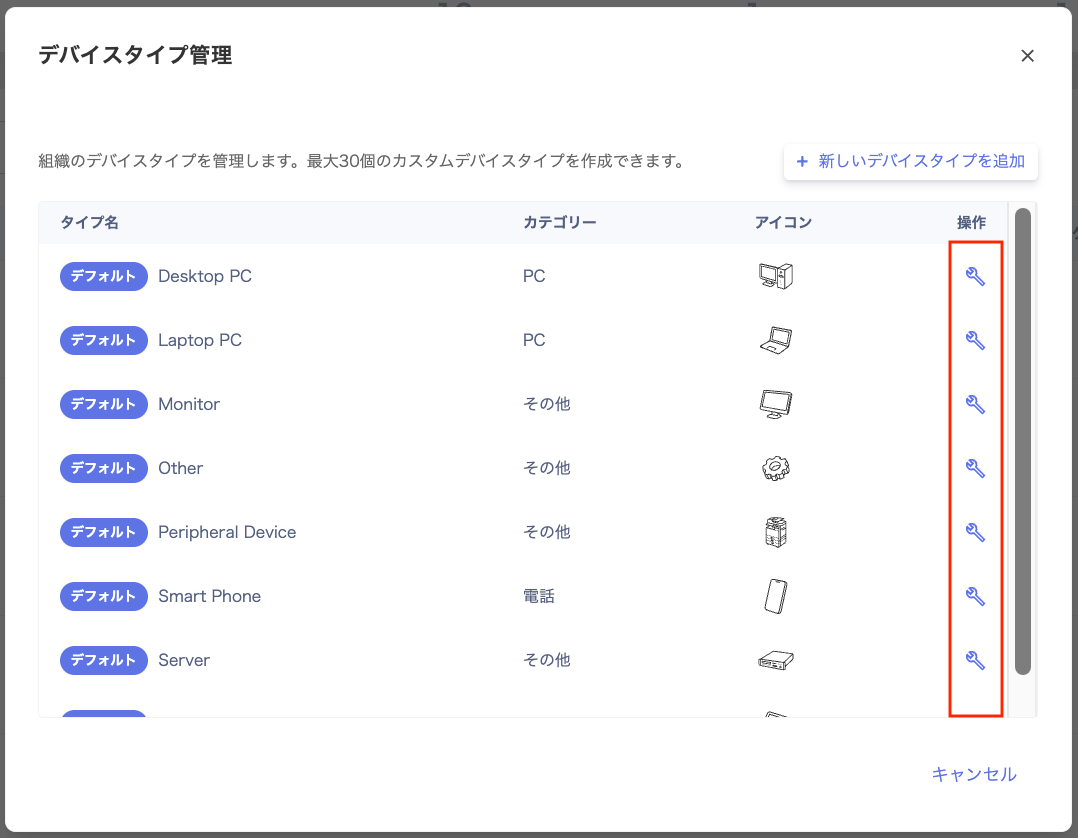
2. On the **Device Type Management** screen, click the wrench icon in the **Actions** column for the item you want to edit.
#### Device types
There are two kinds of device types: built-in **default items** and freely created **custom items**.
* Default items: pre-configured items marked with \[Default] in the Type Name column.
* Custom items: items you create by clicking \[+ Add new device type]. You can create up to **30** device types in total.
| Item type | Type name | Category | Icon | Notes |
| ---------------- | --------- | --------------------------- | -------- | ------------------------------------------- |
| **Default item** | Editable | Not editable | Editable | Only the type name and icon can be changed. |
| **Custom item** | Editable | Selectable only at creation | Editable | Category cannot be changed after creation. |
#### Edit a device type
Follow these steps to update an existing device type.
1. Go to Devices and click **Edit device types** in the upper right.
2. On the **Device Type Management** screen, click the wrench icon in the **Actions** column for the item you want to edit.
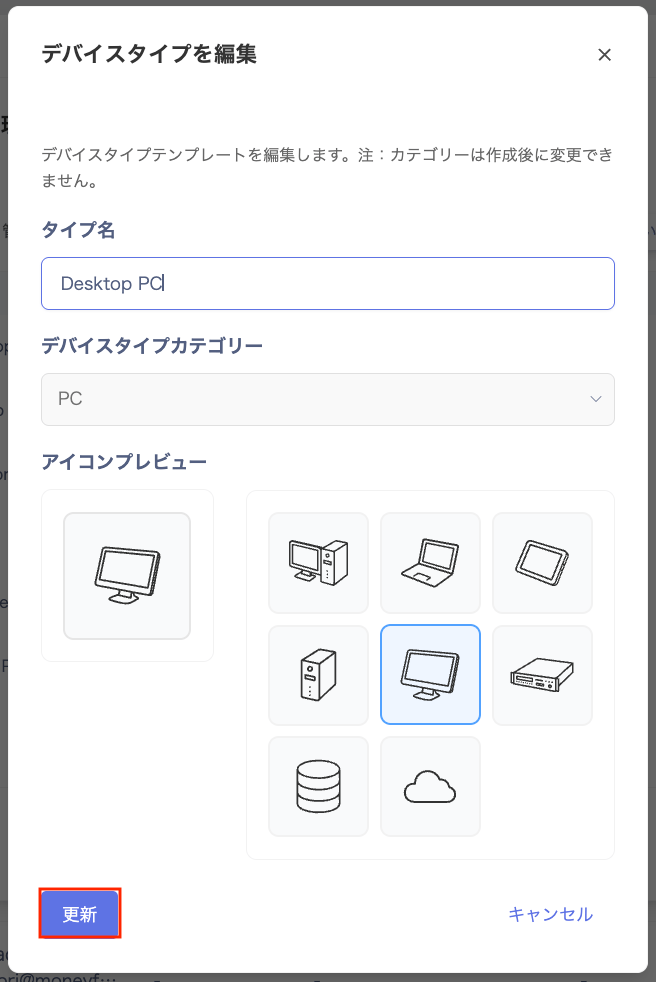
 3. On the **Edit device type** screen, update the fields and click **\[Update]**.
| Item | Description |
| --------- | ----------------------------- |
| Type name | Enter any name. |
| Icon | Select an icon from the list. |
3. On the **Edit device type** screen, update the fields and click **\[Update]**.
| Item | Description |
| --------- | ----------------------------- |
| Type name | Enter any name. |
| Icon | Select an icon from the list. |
 #### Add a new device type
1. Go to Devices and click **Edit device types** in the upper right.
2. Click **\[+ Add new device type]** in the upper right of the **Device Type Management** screen.
#### Add a new device type
1. Go to Devices and click **Edit device types** in the upper right.
2. Click **\[+ Add new device type]** in the upper right of the **Device Type Management** screen.
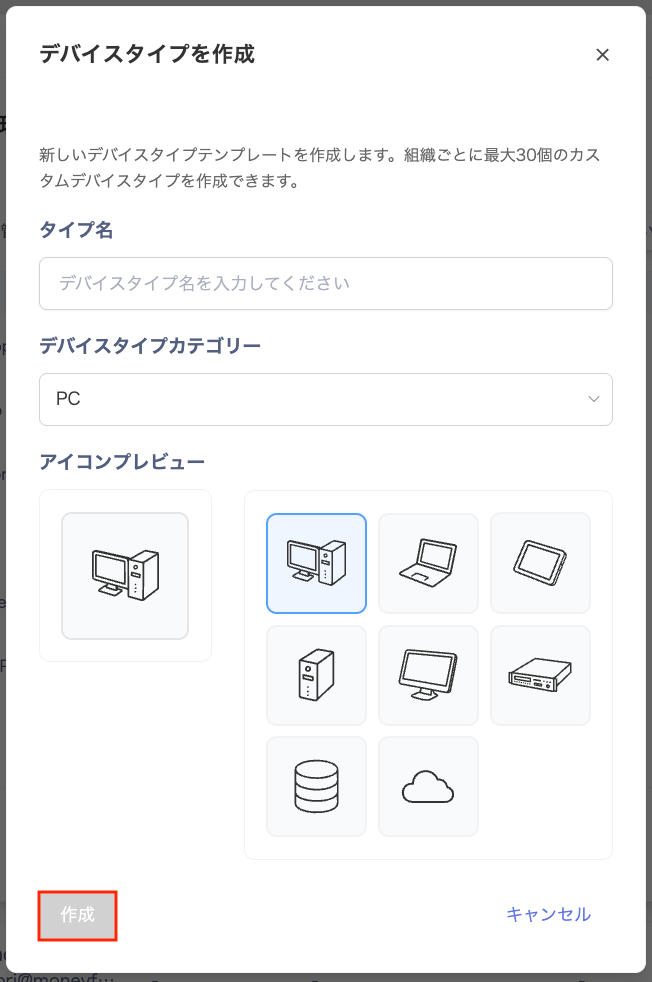
 3. On the **Create device type** screen, configure the fields and click **\[Create]**.
| Item | Description |
| -------------------- | -------------------------------------------------------------------------------------- |
| Type name | Enter any name. |
| Device type category | Select the appropriate category from the dropdown. (Cannot be changed after creation.) |
| Icon | Select an icon from the list. |
3. On the **Create device type** screen, configure the fields and click **\[Create]**.
| Item | Description |
| -------------------- | -------------------------------------------------------------------------------------- |
| Type name | Enter any name. |
| Device type category | Select the appropriate category from the dropdown. (Cannot be changed after creation.) |
| Icon | Select an icon from the list. |
 #### FAQ
#### Q. Can I change the device category if I selected the wrong one?
A. You cannot change the device category after adding a device type. If you selected the wrong category, delete the device type and create a new one.
#### Q. Can I delete an item I created with \[+ Add new device type]?
A. Before deleting a device type, check its current configuration to avoid any unintended impact on icon display.
#### FAQ
#### Q. Can I change the device category if I selected the wrong one?
A. You cannot change the device category after adding a device type. If you selected the wrong category, delete the device type and create a new one.
#### Q. Can I delete an item I created with \[+ Add new device type]?
A. Before deleting a device type, check its current configuration to avoid any unintended impact on icon display.