> ## Documentation Index
> Fetch the complete documentation index at: https://hc.saas-manager.biz.nuro.jp/llms.txt
> Use this file to discover all available pages before exploring further.
# 4-1. Security Measures Using MDM Integration
> Security measures using MDM integration
The Device plan (paid subscription) is required to use the device management feature. To request a trial, contact us via "**Ask a support representative directly**" in the chat.
## Security Measures in Device Management
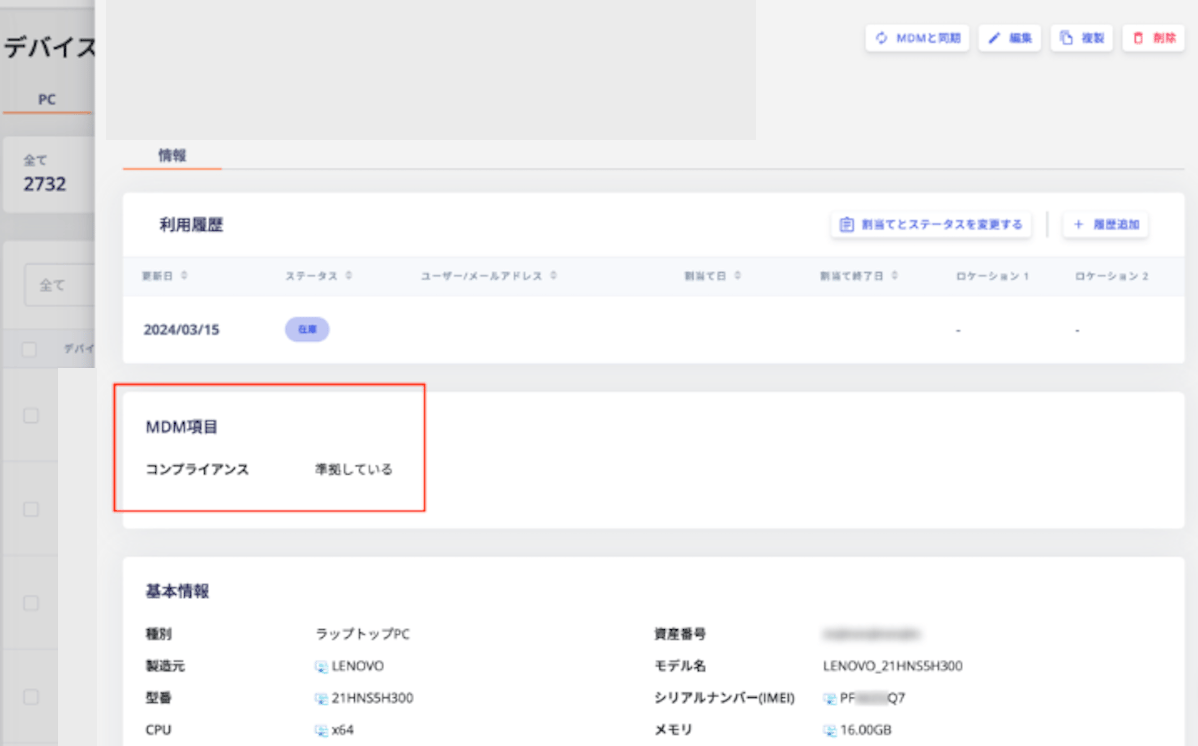
### Integration with Intune
You can check whether a target device is compliant with the compliance policies managed by Intune.
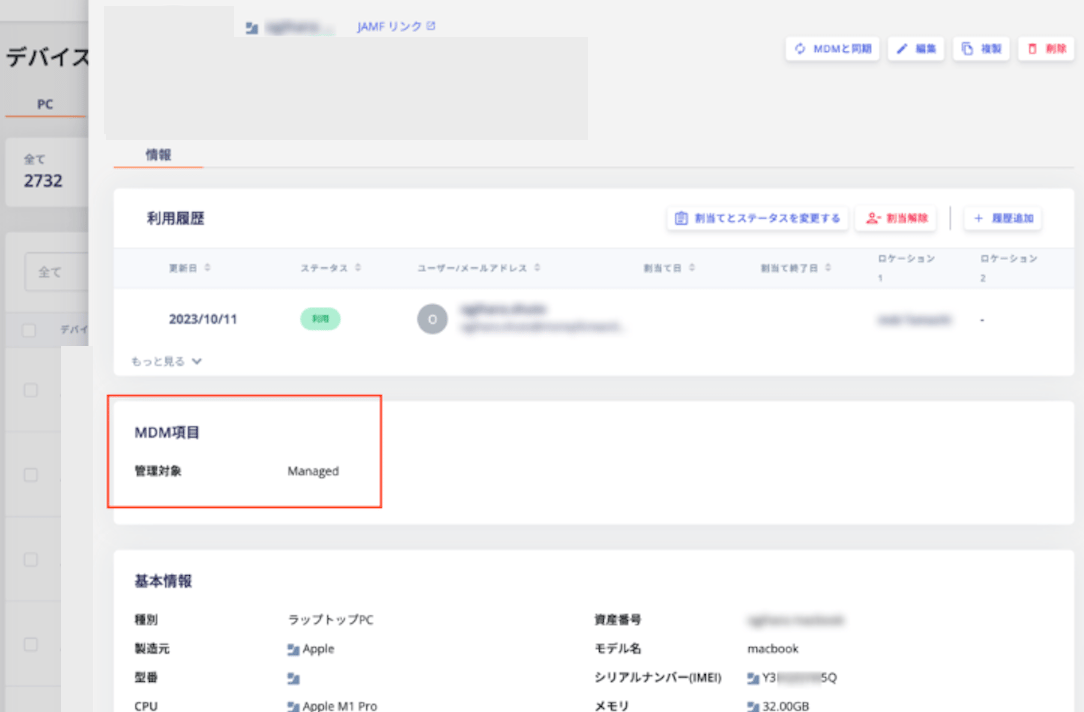
 ### Integration with Jamf
You can check whether a target device is under Jamf management.
### Integration with Jamf
You can check whether a target device is under Jamf management.
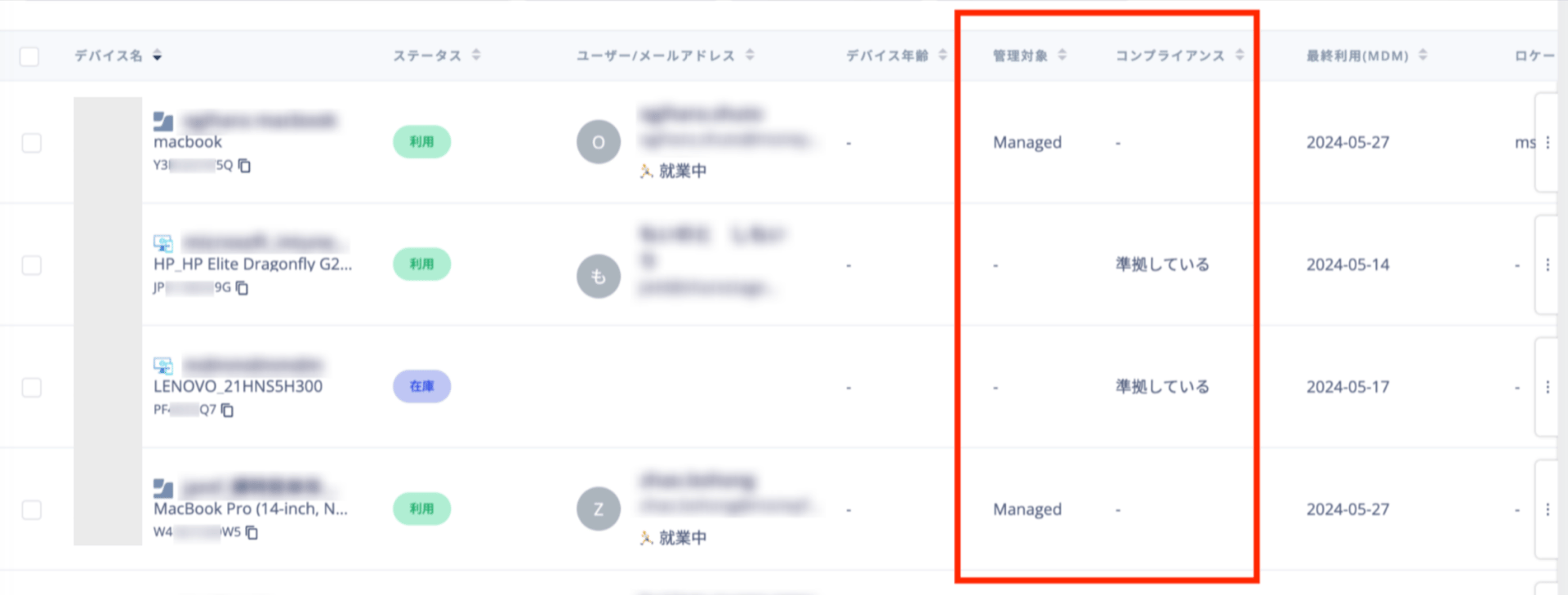
 ### Example Usage
For both Intune and Jamf, the retrieved information appears on the device list and detail screens. Use sorting and filtering to identify devices with high security risk.
### Example Usage
For both Intune and Jamf, the retrieved information appears on the device list and detail screens. Use sorting and filtering to identify devices with high security risk.
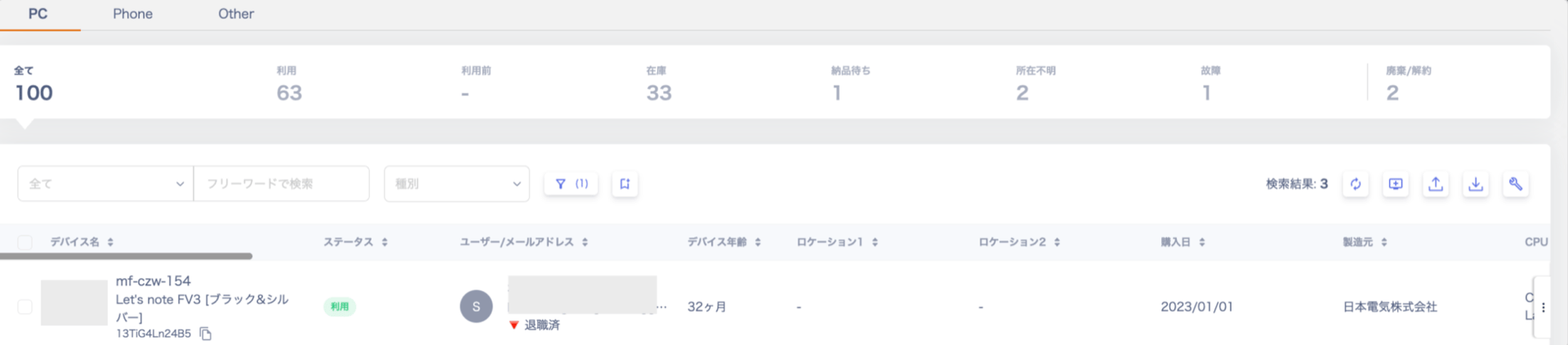
 ## Security Measures Using Resignation Detection
You can identify users whose device status is "In Use" even though they have already left the company.
## Security Measures Using Resignation Detection
You can identify users whose device status is "In Use" even though they have already left the company.
 ### Example Usage
This feature helps you manage IT assets accurately. Use it to identify unreturned or missing devices.
## Security Measures Using Resignation Detection and MDM Integration
You can find devices assigned to users on leave or who have resigned, but that show recent access activity.
### Example Usage
This feature helps you manage IT assets accurately. Use it to identify unreturned or missing devices.
## Security Measures Using Resignation Detection and MDM Integration
You can find devices assigned to users on leave or who have resigned, but that show recent access activity.
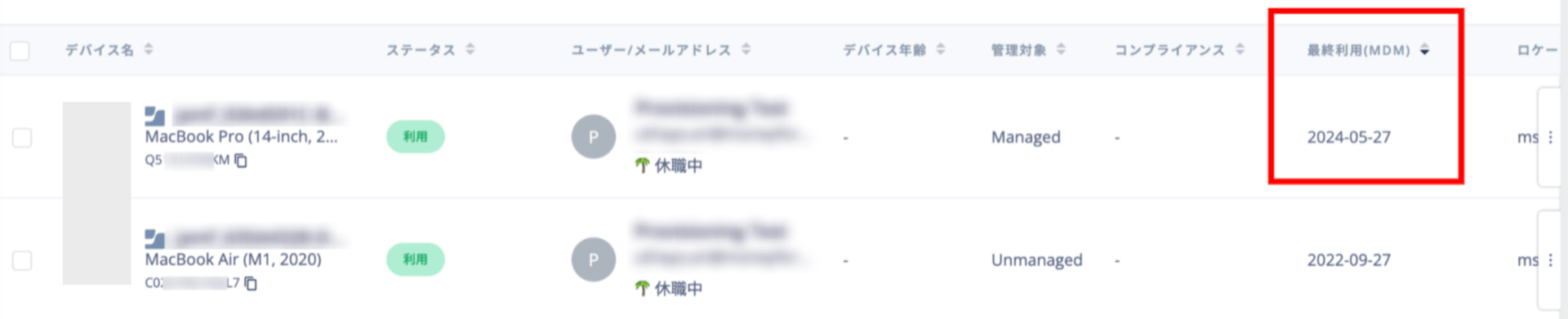 ### Example Usage
Unidentified usage can lead to unauthorized access. Use this feature to prevent security incidents.
## Related Articles
* [4-0. Linking SaaS Services Supporting MDM Integration and Devices](/en/it-management/device/k1u975zc6h-mdm)
* [5. FAQ on Device Features](/en/it-management/device/utfxmtlwrk-device-faq)
* [4. Directory: Customizing Management Items](/en/it-management/directory/gqqdb2621q-edit-uid)
### Example Usage
Unidentified usage can lead to unauthorized access. Use this feature to prevent security incidents.
## Related Articles
* [4-0. Linking SaaS Services Supporting MDM Integration and Devices](/en/it-management/device/k1u975zc6h-mdm)
* [5. FAQ on Device Features](/en/it-management/device/utfxmtlwrk-device-faq)
* [4. Directory: Customizing Management Items](/en/it-management/directory/gqqdb2621q-edit-uid)