> ## Documentation Index
> Fetch the complete documentation index at: https://hc.saas-manager.biz.nuro.jp/llms.txt
> Use this file to discover all available pages before exploring further.
# Enter a Promotion Code
> Learn how to apply a promotion code.
You can now apply promotion codes from the billing screen in the service.
Applying a promotion code lets you receive **various discounts** on your regular usage fees.
#### What is a promotion code?
A promotion code is a string of alphanumeric characters. Promotion codes are distributed through email and other channels.
#### How to apply a promotion code
Log in and open the **Settings > Billing** screen.
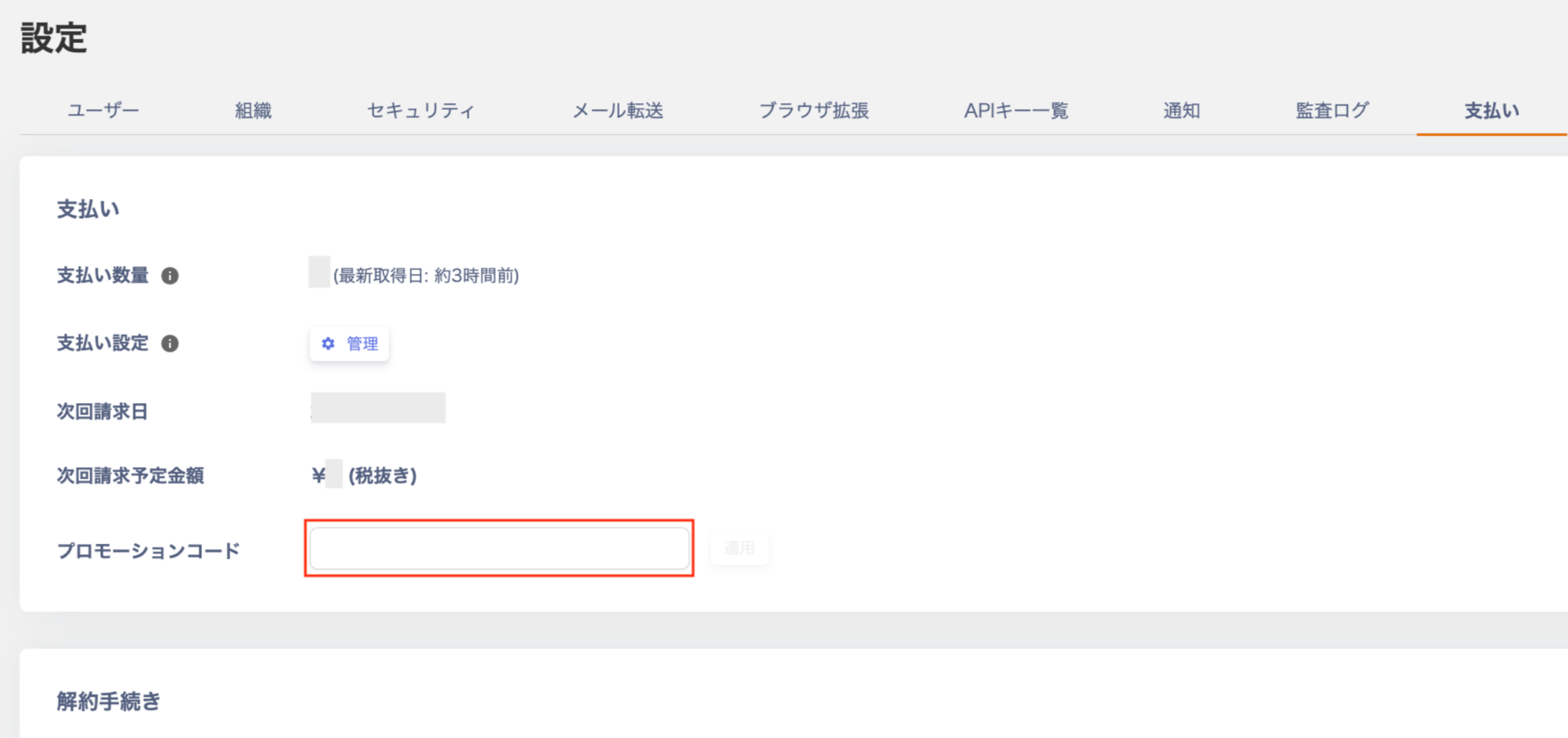 When you enter a valid promotion code, the screen displays it as shown below. Click **Apply**.
 *If you enter an invalid promotion code, the screen displays it as shown below. Check that you have entered the correct promotion code.
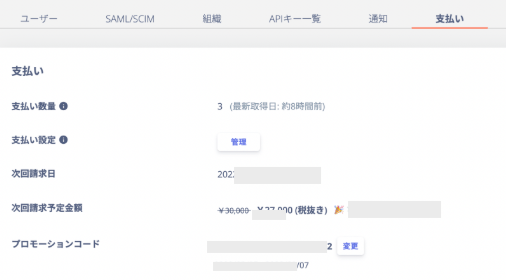
 Once applied, the screen shows the applied details (**total amount after discount** and **discount amount**).
 #### Notes
* Setting up the [Employee Master](/en/it-management/tutorial/ikf8odm6ti-2) is required to enter a promotion code.
* You can apply only one promotion code at a time. If you enter a new code, it overwrites the current one.
* The discount amount is calculated before tax. Consumption tax applies separately to the discounted amount.
#### Notes
* Setting up the [Employee Master](/en/it-management/tutorial/ikf8odm6ti-2) is required to enter a promotion code.
* You can apply only one promotion code at a time. If you enter a new code, it overwrites the current one.
* The discount amount is calculated before tax. Consumption tax applies separately to the discounted amount.