> ## Documentation Index
> Fetch the complete documentation index at: https://hc.saas-manager.biz.nuro.jp/llms.txt
> Use this file to discover all available pages before exploring further.
# Security notification emails after SaaS integration
> Q. After integrating with MoneyForward Cloud, I started receiving security notification emails at night. What are these, and can I stop them?
#### **Login notifications**
When a login is detected from a new environment (one not used previously), a login notification email is sent.
After integrating a SaaS with this service, notification emails are sent to users when automatic sync runs overnight.
#### **Stopping login notifications**
These emails are sent automatically and cannot be disabled.
To exclude specific notifications, set up an email filter using the **Recommended settings** below.
#### **Recommended settings**
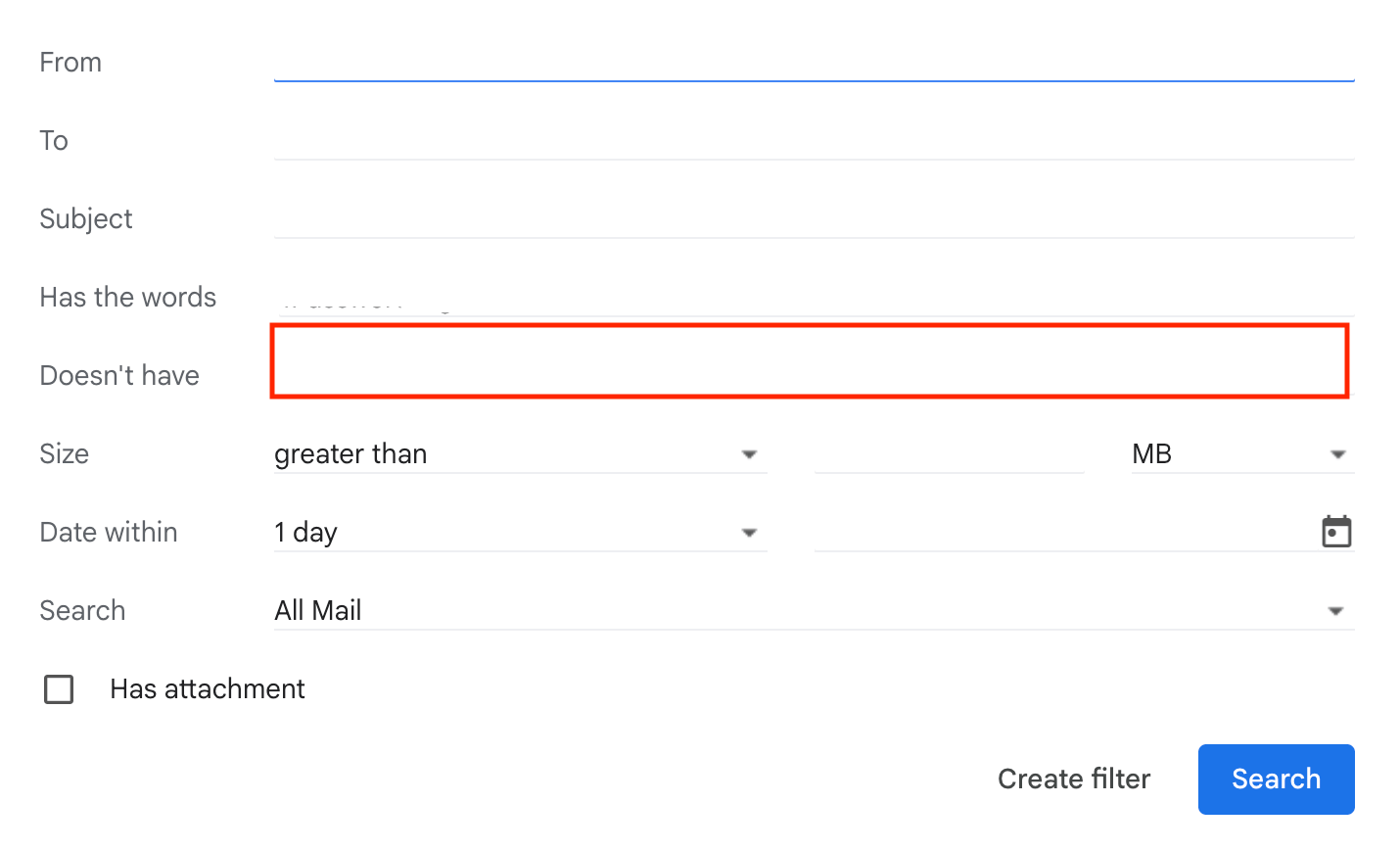
To exclude only notifications from this service's logins, create an email filter with the following conditions.
Regular login notifications are delivered as usual, while this service's notifications go to a separate folder.
To filter by IP address, enter the IP address in the highlighted field shown below.
To check this service's IP addresses, see [Source IP addresses](/en/it-management/faq/nmglgrm1ik-restrict-ip#outbound-ip).
 **Q. After integrating with MoneyForward Cloud, I receive security notifications at night. What are these?**
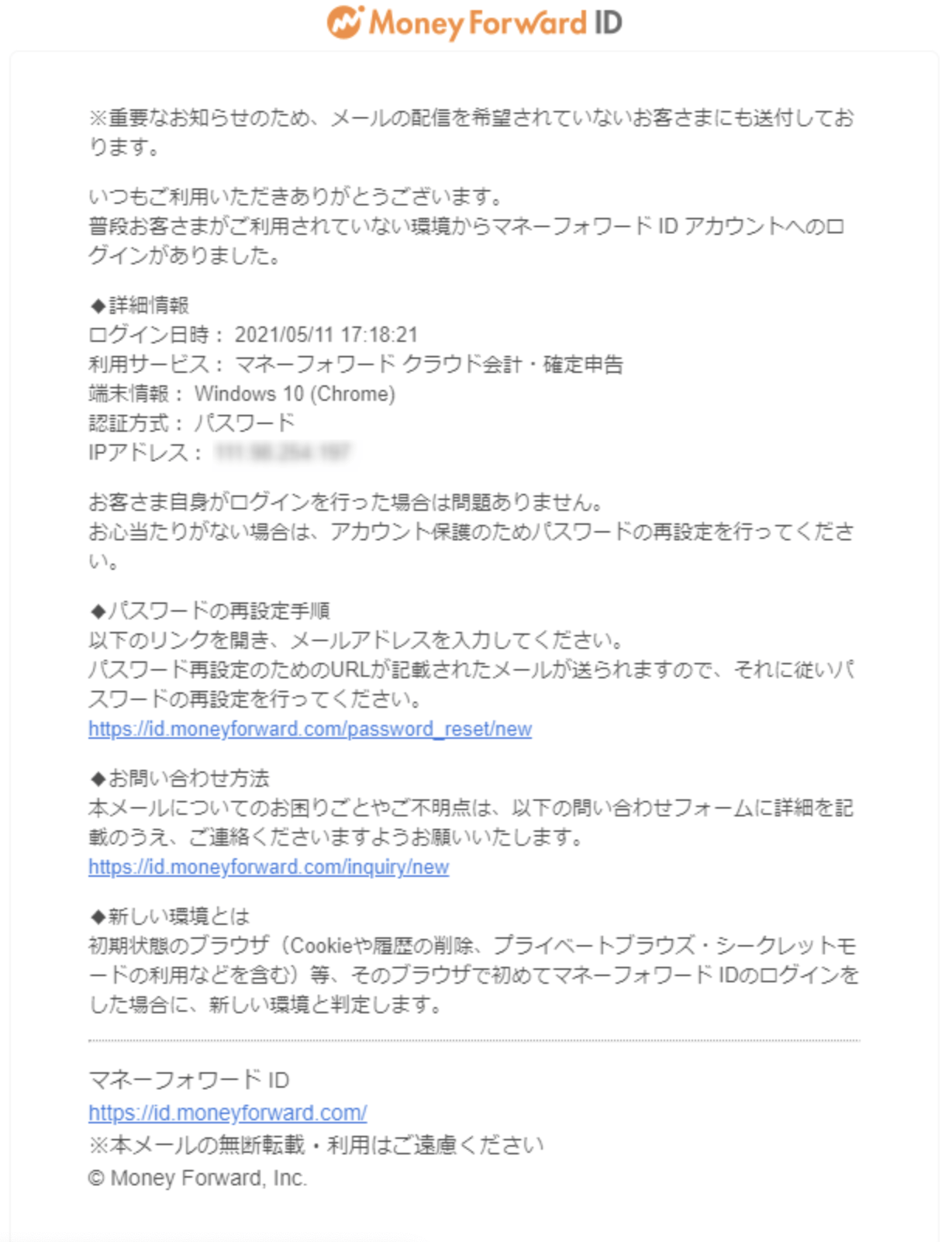
A. These are login notifications for your MoneyForward ID account.
For details, see [MoneyForward Cloud login](https://biz.moneyforward.com/support/plan/news/20210512.html) and [Login notifications due to enhanced security](https://support.me.moneyforward.com/hc/ja/articles/900006512223-%E3%82%BB%E3%82%AD%E3%83%A5%E3%83%AA%E3%83%86%E3%82%A3%E5%BC%B7%E5%8C%96%E3%81%AB%E3%82%88%E3%82%8B%E3%83%AD%E3%82%B0%E3%82%A4%E3%83%B3%E9%80%9A%E7%9F%A5%E3%81%AB%E3%81%A4%E3%81%84%E3%81%A6).
For MoneyForward Cloud, the following email is sent.
**Q. After integrating with MoneyForward Cloud, I receive security notifications at night. What are these?**
A. These are login notifications for your MoneyForward ID account.
For details, see [MoneyForward Cloud login](https://biz.moneyforward.com/support/plan/news/20210512.html) and [Login notifications due to enhanced security](https://support.me.moneyforward.com/hc/ja/articles/900006512223-%E3%82%BB%E3%82%AD%E3%83%A5%E3%83%AA%E3%83%86%E3%82%A3%E5%BC%B7%E5%8C%96%E3%81%AB%E3%82%88%E3%82%8B%E3%83%AD%E3%82%B0%E3%82%A4%E3%83%B3%E9%80%9A%E7%9F%A5%E3%81%AB%E3%81%A4%E3%81%84%E3%81%A6).
For MoneyForward Cloud, the following email is sent.
 **Q. How do I exclude only the security notifications from MoneyForward Cloud?**
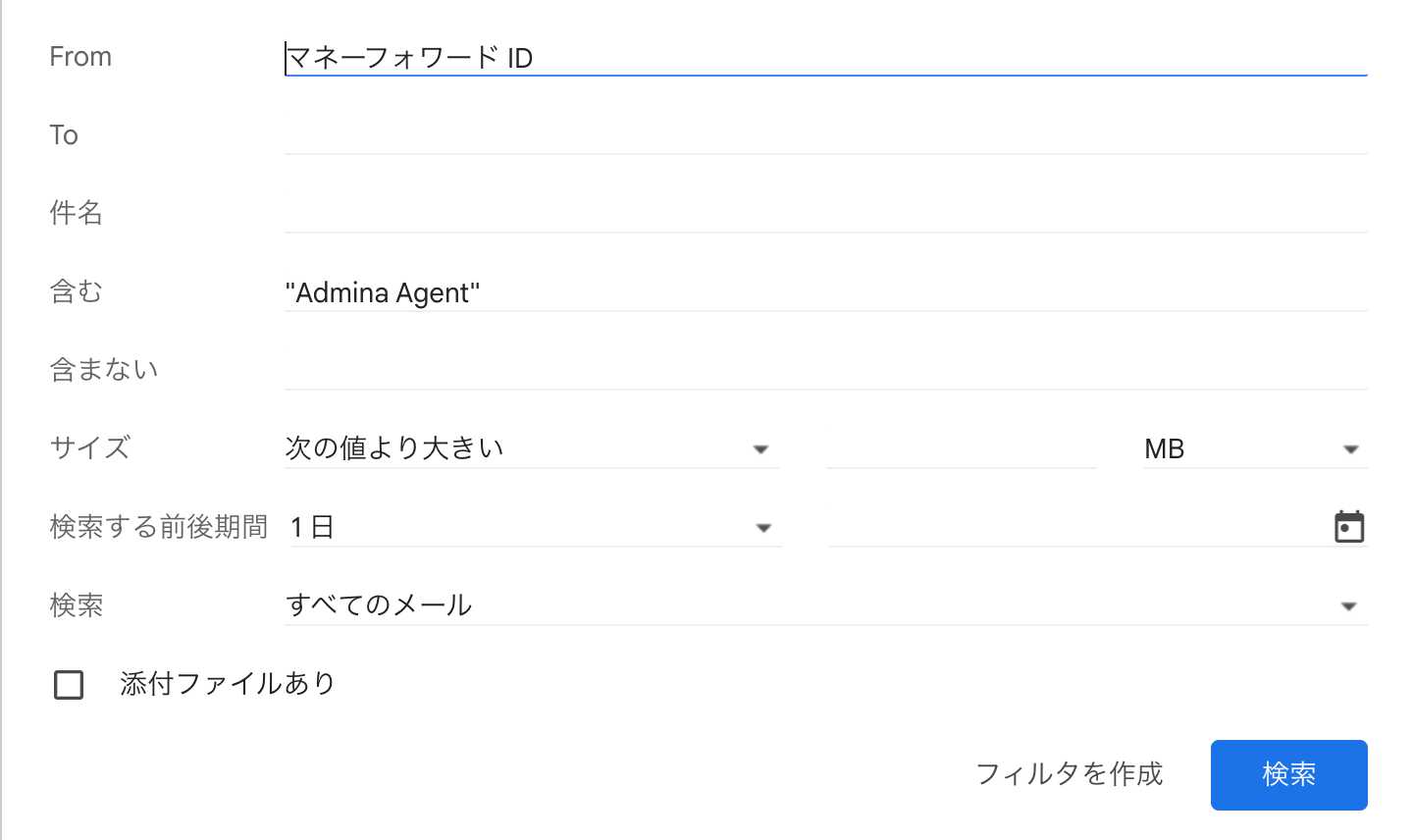
A. To exclude only notifications from this service's logins, create an email filter with the following condition.
`from:(マネーフォワード ID) " Agent"`
**Q. How do I exclude only the security notifications from MoneyForward Cloud?**
A. To exclude only notifications from this service's logins, create an email filter with the following condition.
`from:(マネーフォワード ID) " Agent"`
 **Q. How do I exclude only the security notifications from 1Password after SaaS integration?**
A. To exclude only notifications from this service's logins, create an email filter with the following condition.
**Q. How do I exclude only the security notifications from 1Password after SaaS integration?**
A. To exclude only notifications from this service's logins, create an email filter with the following condition.
