> ## Documentation Index
> Fetch the complete documentation index at: https://hc.saas-manager.biz.nuro.jp/llms.txt
> Use this file to discover all available pages before exploring further.
# 1-2. Check SaaS License Status
> Check the license status for your connected SaaS services.
#### **SaaS License Visibility**
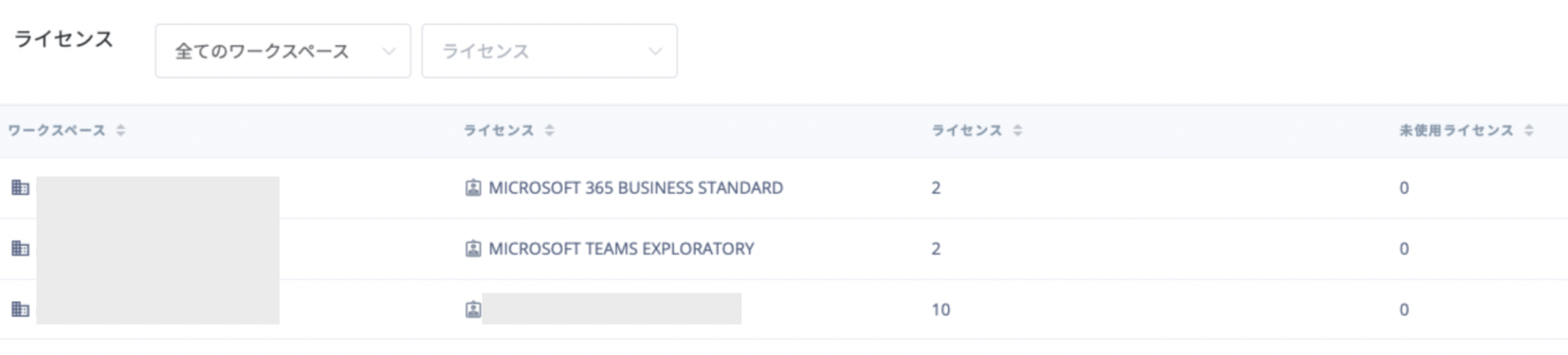
You can view license assignment status for each SaaS service.
Go to Services, select a service, then check the license information in the **Info** tab under the "Licenses" section.
[Supported SaaS integrations and feature compatibility](/en/integrations/ey32ki15er-function)
* Supported services will expand over time.
* To retrieve Microsoft 365 / Azure AD licenses, please [reconnect the integration](/en/it-management/saas-management/93nahw45is-trouble).
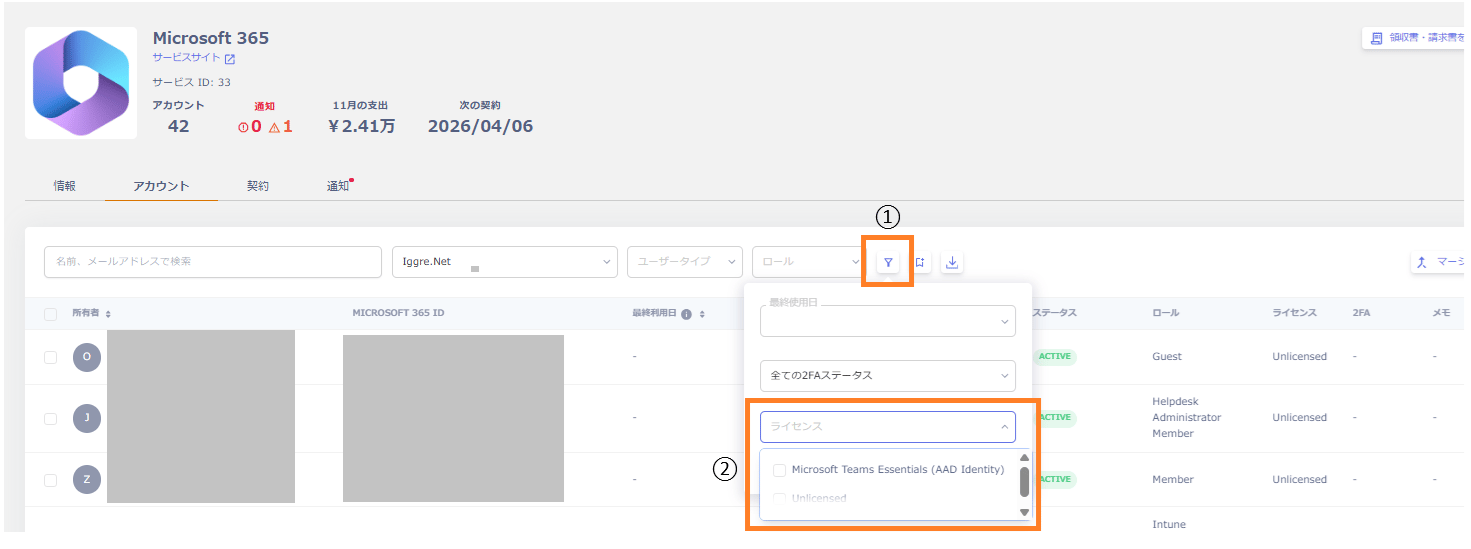
 In the **Account** tab, you can check licenses by using ① the filter icon, then ② the license filter.
 For **Zoom**, due to API limitations, you can retrieve license usage data (in use, unused, total) but not which user holds which license. As a result, the Info tab shows license counts (in use, unused, total), but searching for an account in the Account tab does not show license details for that account — it only shows "Licensed".