> ## Documentation Index
> Fetch the complete documentation index at: https://hc.saas-manager.biz.nuro.jp/llms.txt
> Use this file to discover all available pages before exploring further.
# Check notifications and menus
> Learn how to check notifications and menus on the screen.
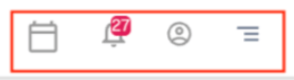
Notifications and menus are displayed in the upper-right corner of the screen.
## Check notifications and menus
Click the icons in the upper right to access notifications and menus.
 ## Events
Click the calendar icon to view events.
## Events
Click the calendar icon to view events.
 ## Notifications
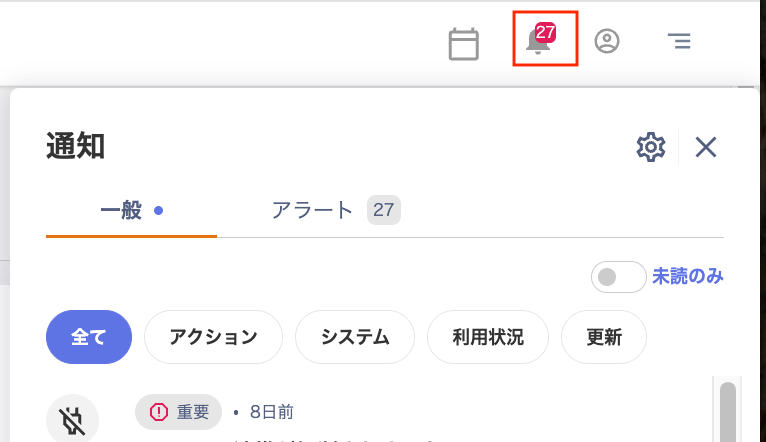
Check your notifications on the Notifications screen.
You can filter notifications by "General / Alert," "Unread only," and "All / Action / System / Usage / Updates."
Click the gear icon in the upper right to go to Settings > Notifications. For details, see [Receive alert notifications in Slack](/en/it-management/retired/76lzcncxyx-slack-notification).
## Notifications
Check your notifications on the Notifications screen.
You can filter notifications by "General / Alert," "Unread only," and "All / Action / System / Usage / Updates."
Click the gear icon in the upper right to go to Settings > Notifications. For details, see [Receive alert notifications in Slack](/en/it-management/retired/76lzcncxyx-slack-notification).
 ## Account settings
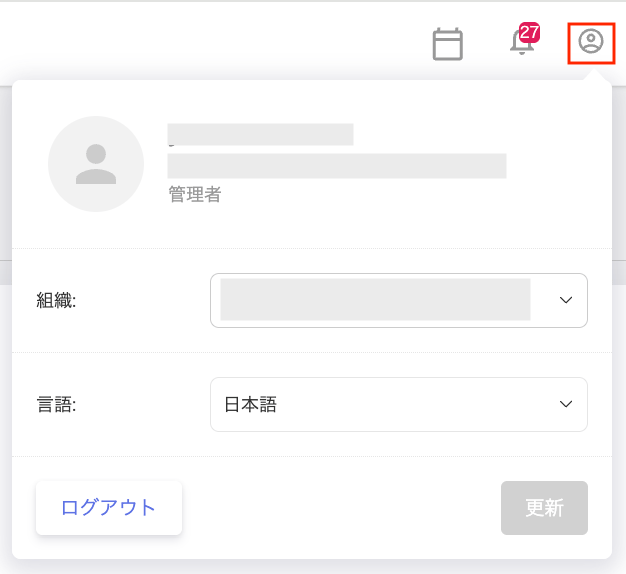
Switch organizations, change the display language, or log out. For details, see [Change display settings](/en/it-management/settings/8cwhhfp1x5-admina).
## Account settings
Switch organizations, change the display language, or log out. For details, see [Change display settings](/en/it-management/settings/8cwhhfp1x5-admina).
 ## Menus
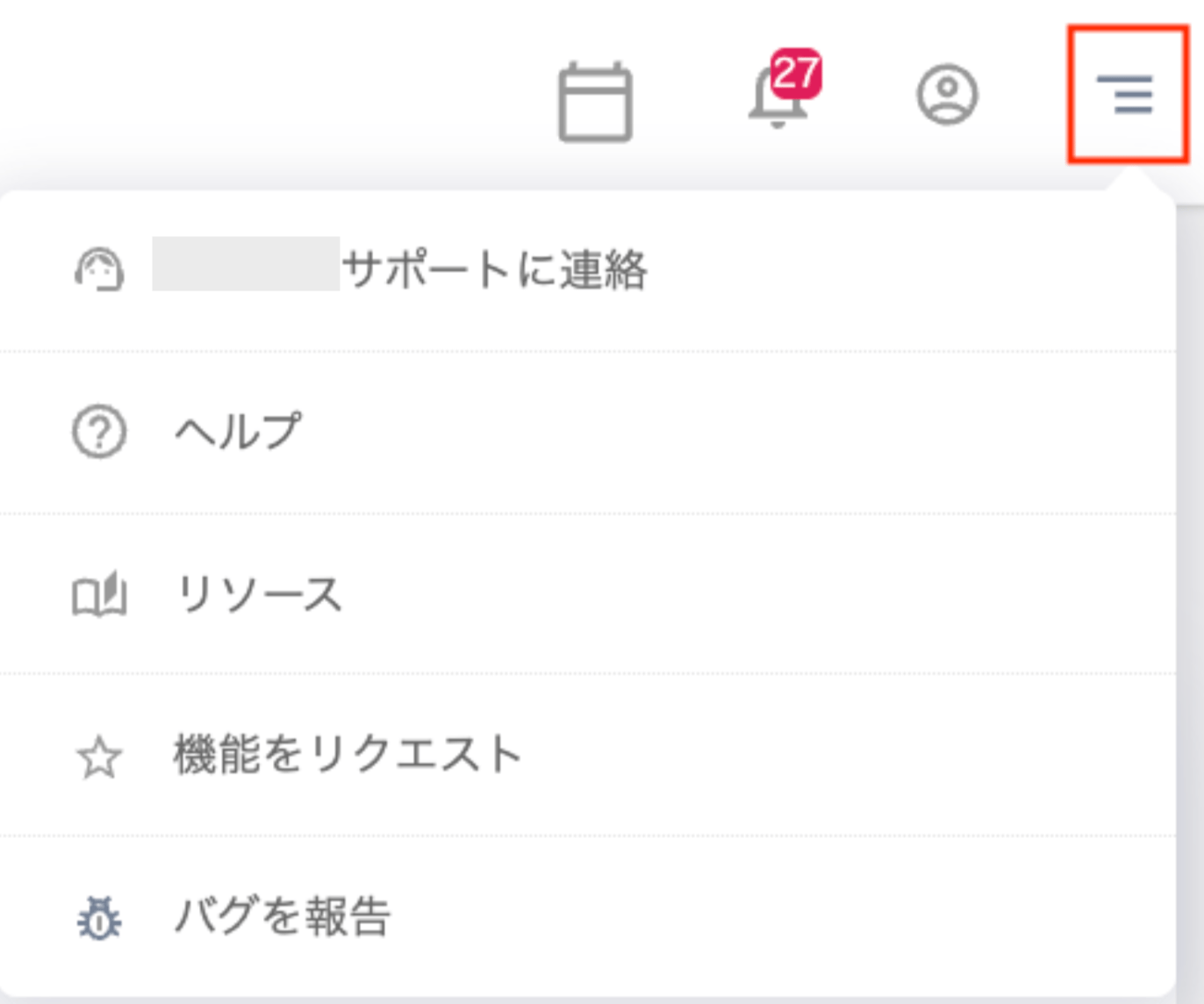
A list of menus is displayed. Click the menu you want to access.
From the menu, you can select "Contact support / Help / Resources / Request a feature / Report a bug."
## Menus
A list of menus is displayed. Click the menu you want to access.
From the menu, you can select "Contact support / Help / Resources / Request a feature / Report a bug."
 | Menu item | Description |
| ----------------- | ---------------------------------------------------------------------------------------------------------------------------------------------------------------------------------------------------------------------------- |
| Contact support | Click "Contact support" to open a chat panel on the right. Use the provided template to send a request directly to support. An AI responds first. If the AI response does not resolve your issue, contact the support team. |
| Help | Click "Help" to open the help page. |
| Resources | Opens the website where you can browse case study pages. |
| Request a feature | Click "Request a feature" to open a chat panel on the right. Use the provided template to submit a feature request. **To request a new SaaS integration**, include the **name** and **URL** of the SaaS you want to connect. |
| Report a bug | Click "Report a bug" to open a chat panel on the right. Use the provided template to submit your report. An AI responds first. If the AI response does not resolve your issue, contact the support team. |
| Menu item | Description |
| ----------------- | ---------------------------------------------------------------------------------------------------------------------------------------------------------------------------------------------------------------------------- |
| Contact support | Click "Contact support" to open a chat panel on the right. Use the provided template to send a request directly to support. An AI responds first. If the AI response does not resolve your issue, contact the support team. |
| Help | Click "Help" to open the help page. |
| Resources | Opens the website where you can browse case study pages. |
| Request a feature | Click "Request a feature" to open a chat panel on the right. Use the provided template to submit a feature request. **To request a new SaaS integration**, include the **name** and **URL** of the SaaS you want to connect. |
| Report a bug | Click "Report a bug" to open a chat panel on the right. Use the provided template to submit your report. An AI responds first. If the AI response does not resolve your issue, contact the support team. |