> ## Documentation Index
> Fetch the complete documentation index at: https://hc.saas-manager.biz.nuro.jp/llms.txt
> Use this file to discover all available pages before exploring further.
# 2-2. Configure the Target Type in a Survey
> Learn how to configure survey targets based on target type when creating a survey.
All operations in this feature require **Admin** permission or the **Survey Manager** role. Viewing requires **Member** permission or the **Survey Viewer** role. For details, see [Basic Roles](/en/it-management/settings/yne7fl2lcy-role-new#basic-roles).
To use the "Device" target type, you must separately enable the Device feature.
This page covers usage examples from step (6) onward in [Create a new survey](/en/it-management/survey/as4mbd7pzr-2-survey#create-new-survey). It also covers configuration methods for each target type.
#### Usage examples by target type
| Target type | Usage example |
| ------------ | ------------------------------------------------------------------------------------------------------------------------------------------------------------------------------------------------------------------------------------------------------------------- |
| **Employee** | Select employees from the employee list and send a survey to them directly or to their managers.
Example: Send an enrollment confirmation to managers linked to the list of Company X, a contracted partner.
Send a questionnaire to full-time employees. |
| **Device** | Select devices and send a survey to the owner or the owner's manager.
Example: Send a confirmation to the owner for a device inventory check. Physically verify devices that are subject to fixed asset management. |
| **SaaS app** | Select accounts for each SaaS service and send a survey to the owner or the owner's manager.
Example: Ask ChatGPT users directly about their satisfaction with the service. |
#### Create a survey with target type "Employee"
| Item | Setting |
| ------------------ | ----------------------------------------------------------------------------------------------------------------------------------------------------- |
| **Target type** | Select "Employee". |
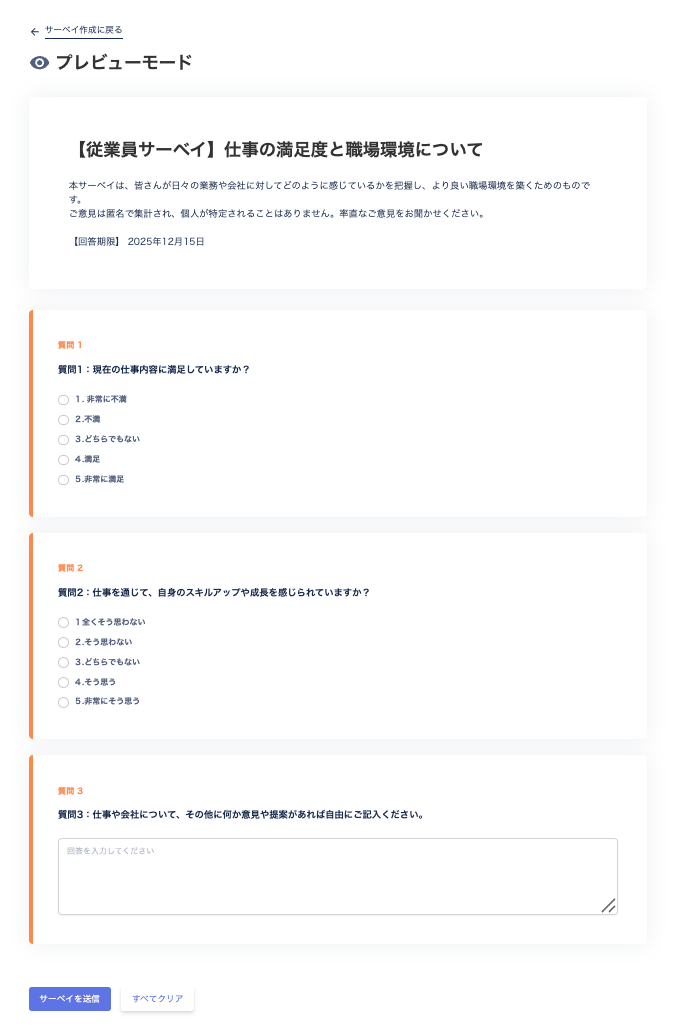
| **Recipient type** | Choose from "Target / Target's Manager". Select **Target** to send a survey to each individual, or select **Target's Manager** to send by department. |
| **Select targets** | Accounts registered in the directory are displayed. Select the survey recipients. |
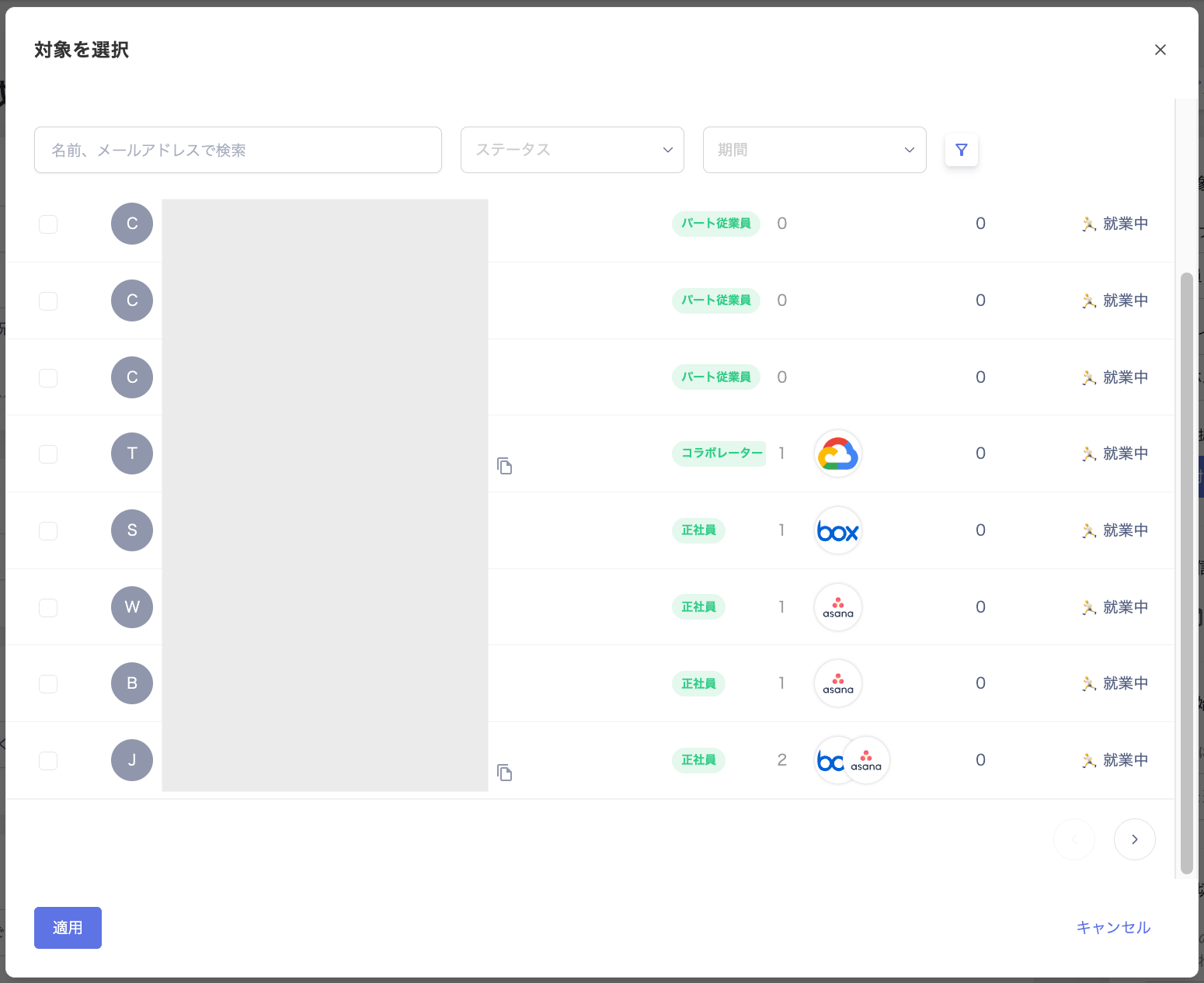 #### Target configuration (target type: Employee)
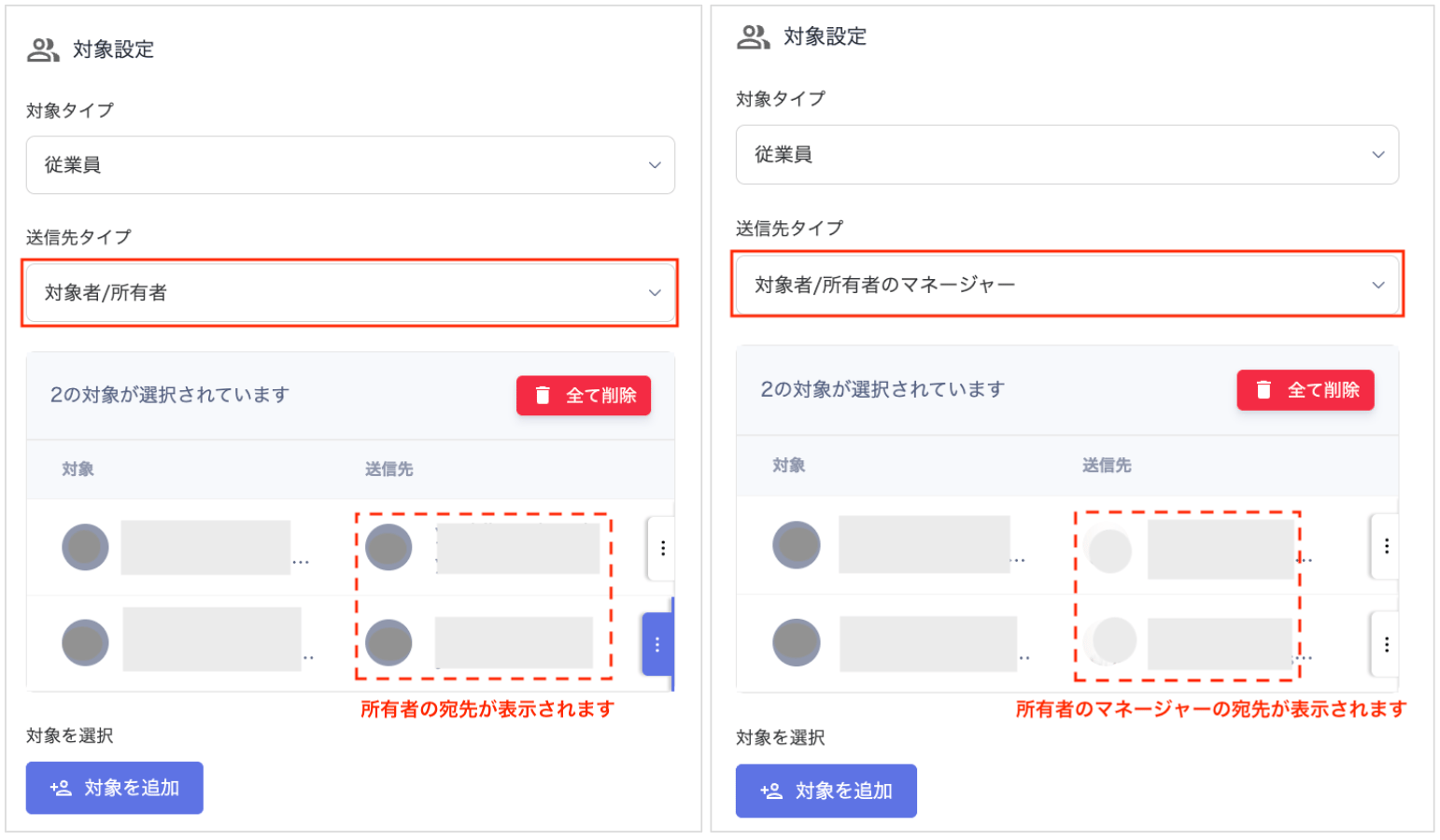 #### Preview mode (target type: Employee)
 #### Create a survey with target type "Device"
| Item | Setting |
| ------------------ | --------------------------------------------------------------------------------------------------------------------------------------------------------------------------- |
| **Target type** | Select "Device". |
| **Recipient type** | Choose from "Target / Target's Manager". Select **Target** to check device ownership per individual, or select **Owner's Manager** to check device ownership by department. |
| **Select targets** | Users registered in the device screen are displayed. Select the target devices for the survey. |
#### Create a survey with target type "Device"
| Item | Setting |
| ------------------ | --------------------------------------------------------------------------------------------------------------------------------------------------------------------------- |
| **Target type** | Select "Device". |
| **Recipient type** | Choose from "Target / Target's Manager". Select **Target** to check device ownership per individual, or select **Owner's Manager** to check device ownership by department. |
| **Select targets** | Users registered in the device screen are displayed. Select the target devices for the survey. |
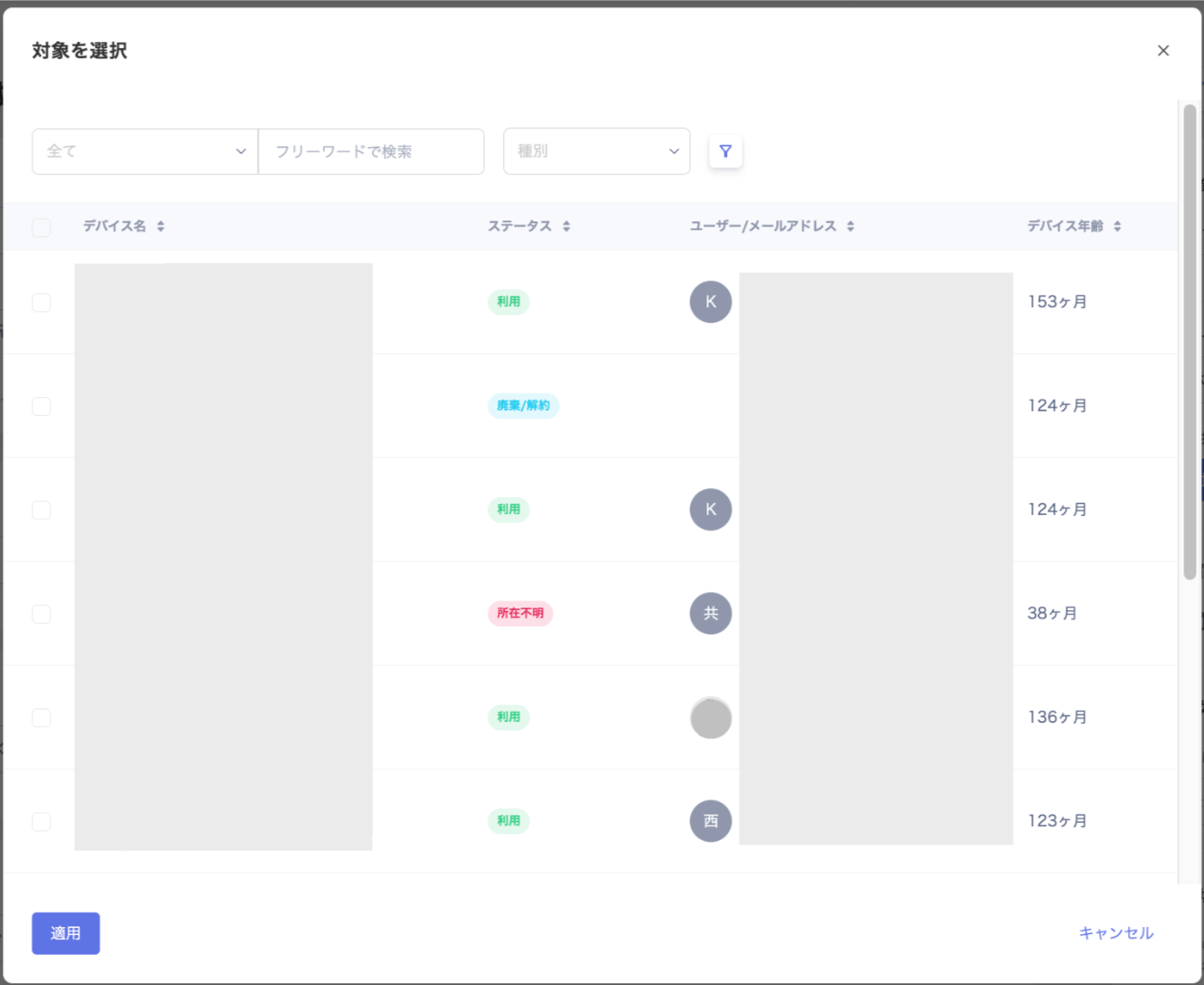 #### Target configuration (target type: Device)
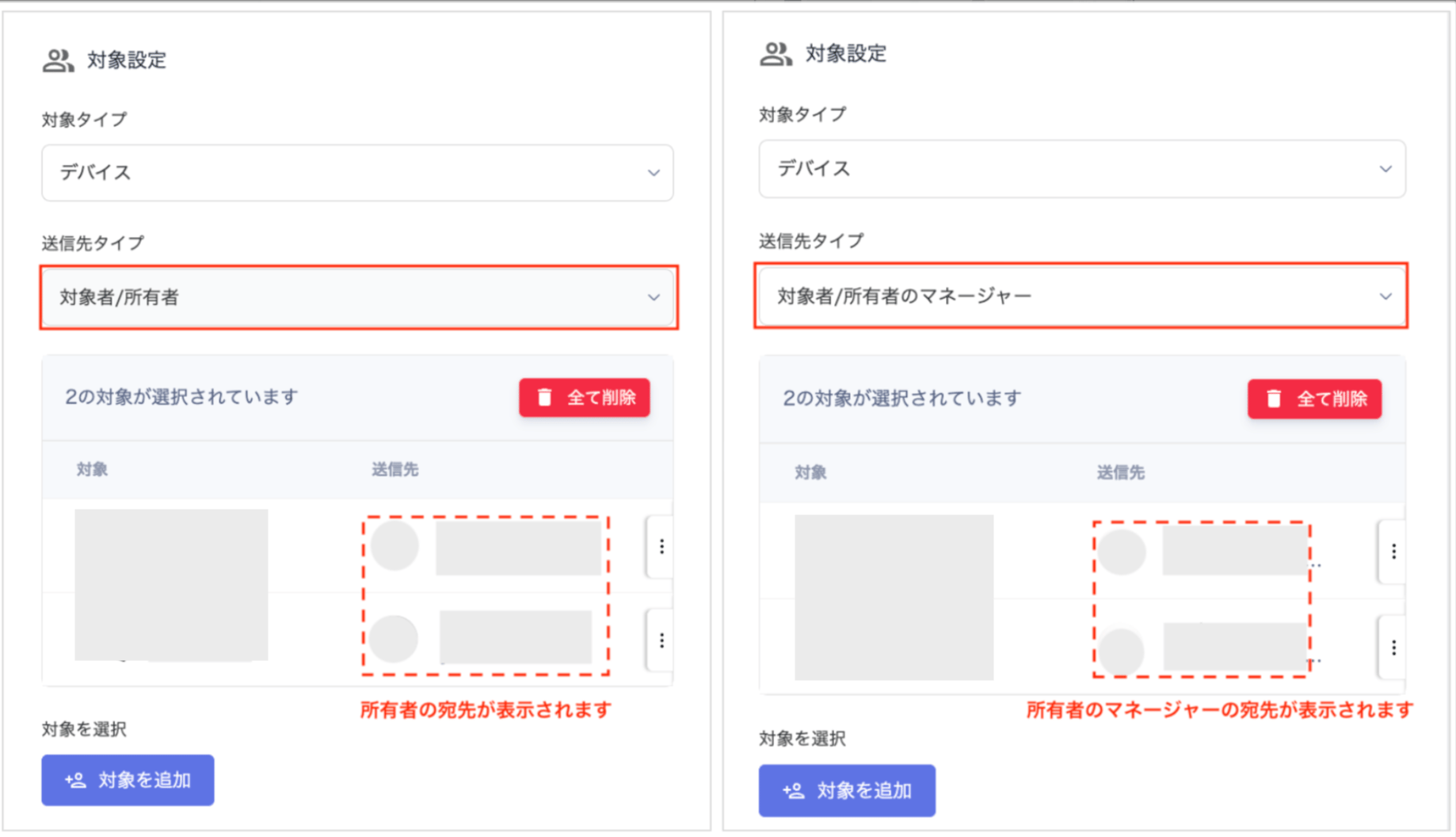 #### Preview mode (target type: Device)

Create a survey with target type "SaaS app"
| Item | Setting |
| ------------------ | ------------------------------------------------------------------------------------------------------------------------------------------------------------------------------------------------------------------------------------------------------------------------------------- |
| **Target type** | Select "SaaS". |
| **Recipient type** | Choose from "Target / Target's Manager". Select **Target** to check SaaS usage per individual. Select **Target's Manager** to check SaaS usage by department. |
| **Select targets** | Accounts registered in the service screen are displayed. When you select a service under "Select targets", the accounts for that service appear. To target accounts across multiple services, check the desired accounts, then select another service and check its accounts as well. |
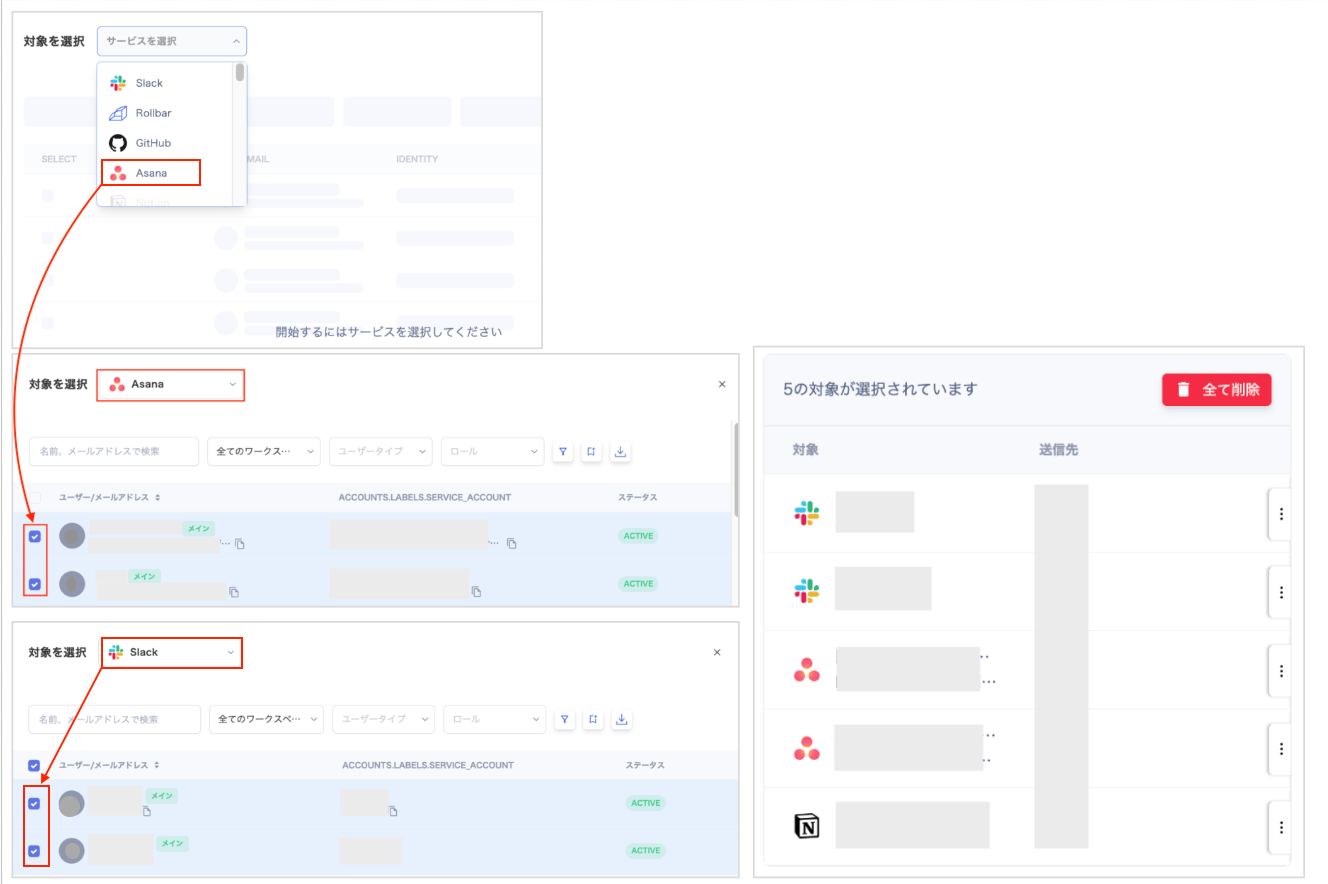 #### Target configuration (target type: SaaS app)
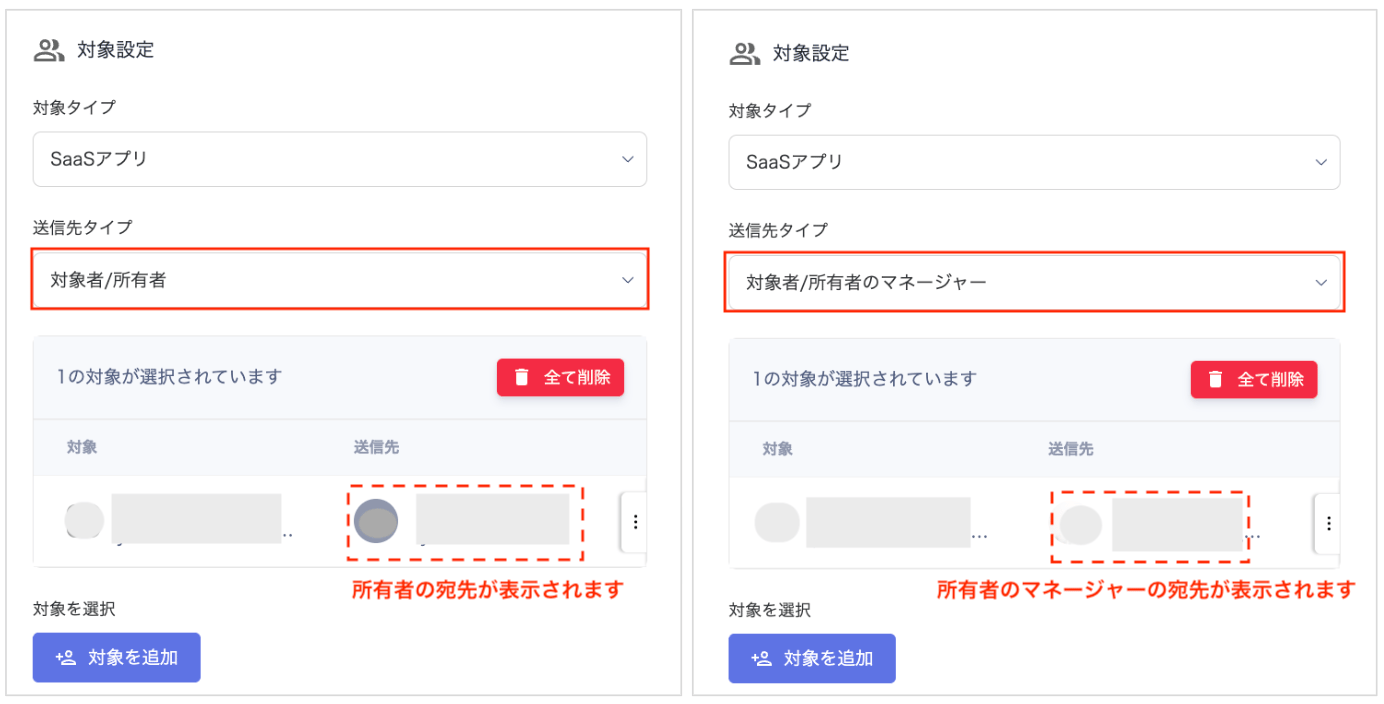 #### Preview mode (target type: SaaS app)
