> ## Documentation Index
> Fetch the complete documentation index at: https://hc.saas-manager.biz.nuro.jp/llms.txt
> Use this file to discover all available pages before exploring further.
# 1. Account Creation and Initial Setup
> Learn how to complete the initial setup from account creation to starting your first integration.
### Account Creation
#### Prepare Your MoneyForward ID
1. Go to the "Register for MoneyForward ID" screen. 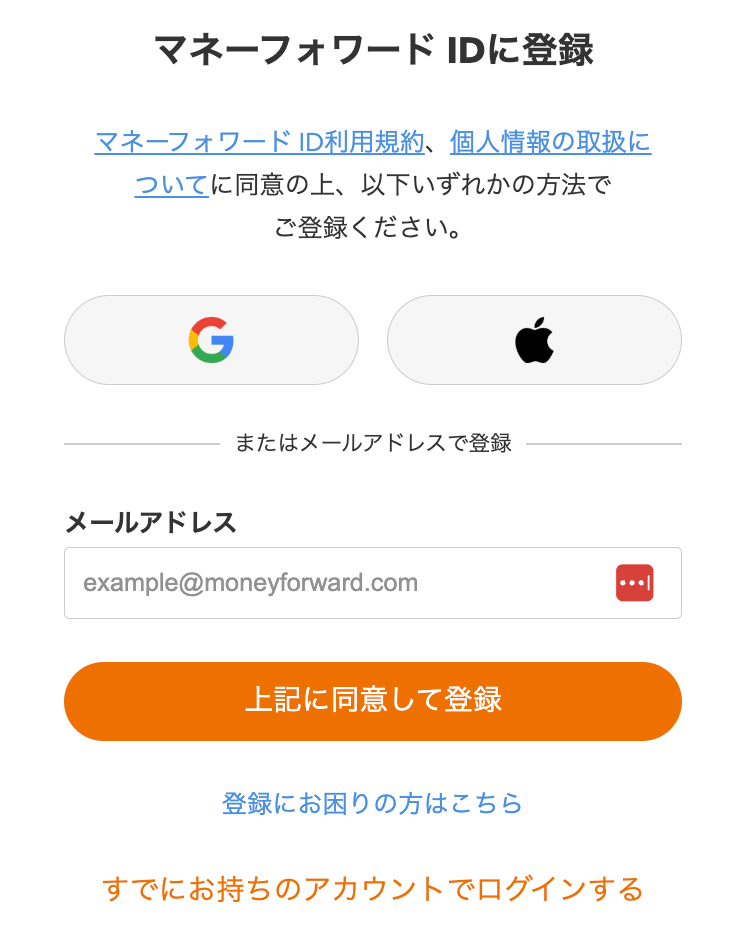 2. Create a new MoneyForward ID or log in with an existing one. If you do not have a MoneyForward ID, create one using a Google account, Apple Account, or email address.
  3. If you already have a MoneyForward ID, click "Log in with an existing account" and sign in. If you cannot log in, click "Having trouble registering?" and check the FAQ for guidance.
  #### Create a New Organization in This Service
1. On the "Create Organization" screen, enter your "Organization Domain" and "Organization URL".
* Specify your primary domain. (This cannot be changed after the organization is created.)
* You can add more domains after creating the organization.
* The "Organization URL" may contain lowercase alphanumeric characters and hyphens (-). It must start with a letter and be at least two characters long.
#### Create a New Organization in This Service
1. On the "Create Organization" screen, enter your "Organization Domain" and "Organization URL".
* Specify your primary domain. (This cannot be changed after the organization is created.)
* You can add more domains after creating the organization.
* The "Organization URL" may contain lowercase alphanumeric characters and hyphens (-). It must start with a letter and be at least two characters long.
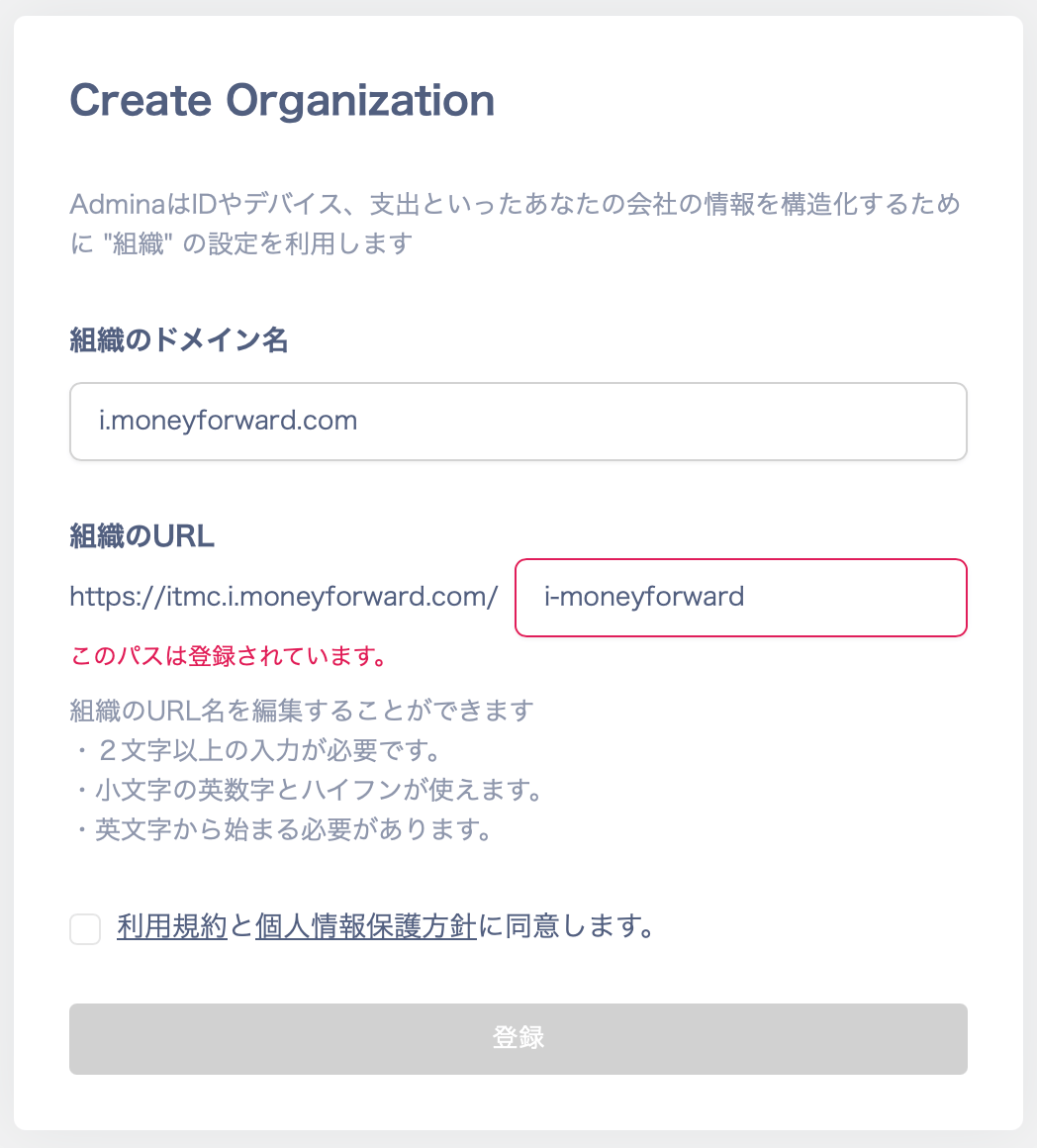 2. Agree to the Terms of Service and Privacy Policy, then click **Register**.
3. When the top page appears, your organization has been created successfully. Bookmark the URL for easy access.
### Next Step
Once the initial setup is complete, proceed to [connect your SaaS applications](/en/it-management/tutorial/tdxtlisu9v-4) 💪
The more integrations you add, the greater your visibility.
2. Agree to the Terms of Service and Privacy Policy, then click **Register**.
3. When the top page appears, your organization has been created successfully. Bookmark the URL for easy access.
### Next Step
Once the initial setup is complete, proceed to [connect your SaaS applications](/en/it-management/tutorial/tdxtlisu9v-4) 💪
The more integrations you add, the greater your visibility.