> ## Documentation Index
> Fetch the complete documentation index at: https://hc.saas-manager.biz.nuro.jp/llms.txt
> Use this file to discover all available pages before exploring further.
# ZAC
> ZAC との連携手順です。
## サポートする機能
このサービスは基本的なアカウント情報の取得・集計のみに対応しています。
連携には管理者権限のアカウントが必要です。
## 事前準備
### ログイン方法
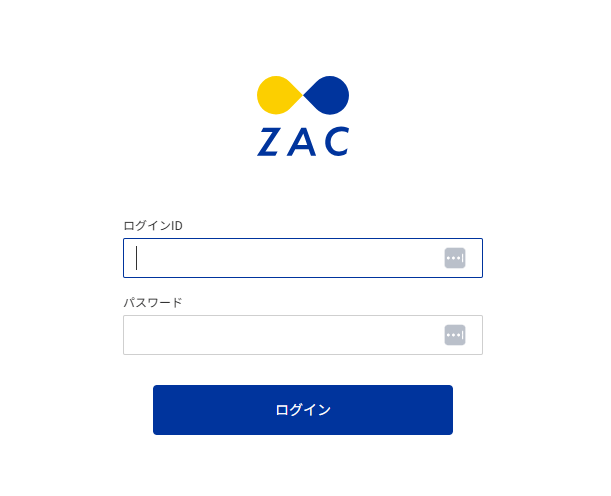
ZACログインページにて、メールアドレス・パスワードを入力し、ログインします。
 ### クライアントID、クライアントシークレットの確認方法
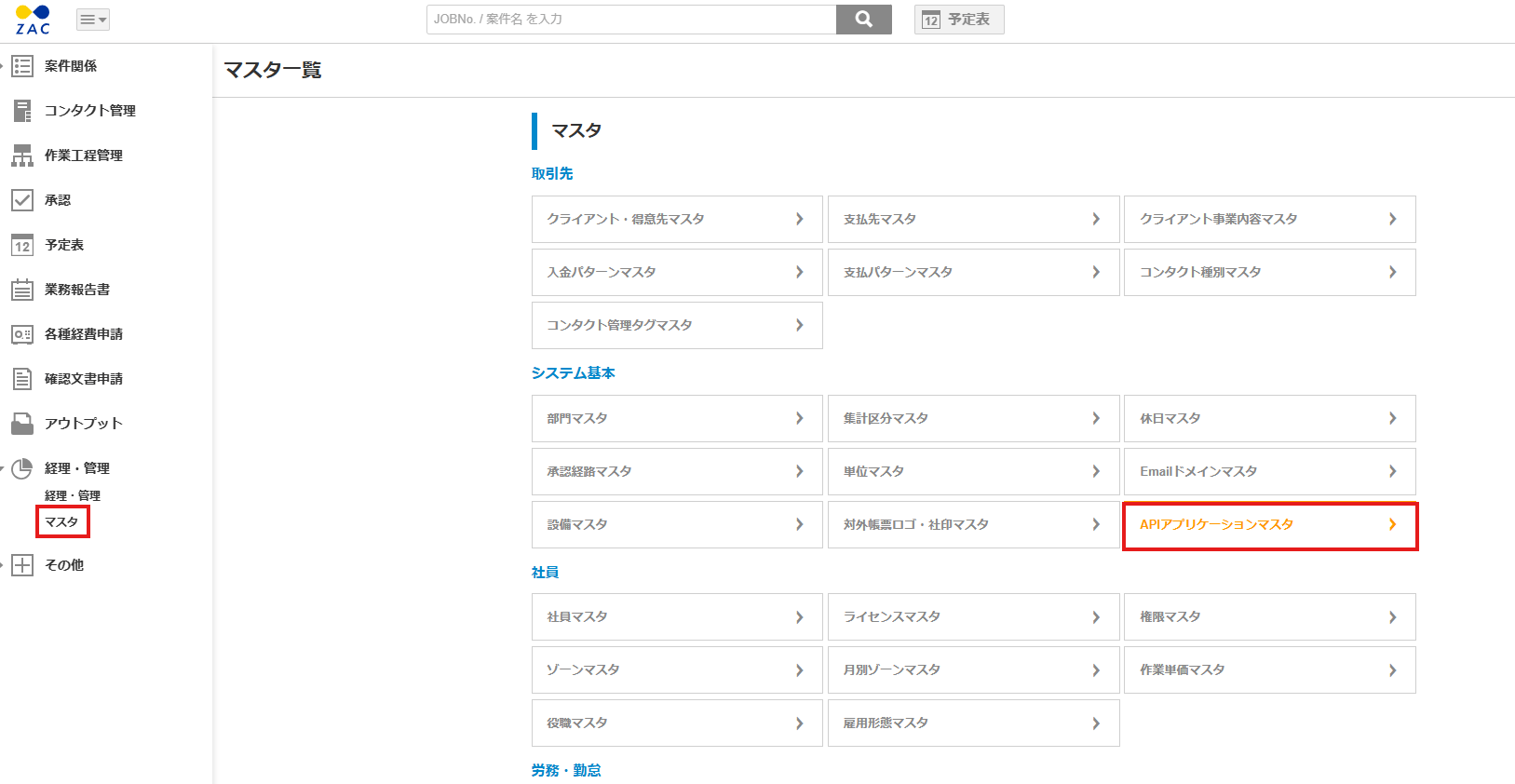
ZACにログイン後、**経理・管理** > **マスタ** > **APIアプリケーションマスタ** をクリックします。
### クライアントID、クライアントシークレットの確認方法
ZACにログイン後、**経理・管理** > **マスタ** > **APIアプリケーションマスタ** をクリックします。
 **新規追加**をクリックし、必要な情報を入力します。
認証フロー:**Authorization code flow**
ダイレクトURL:`https://itmc.i.moneyforward.com/oauth/callback` を入力してください。
入力が完了したら、**追加**をクリックします。
**新規追加**をクリックし、必要な情報を入力します。
認証フロー:**Authorization code flow**
ダイレクトURL:`https://itmc.i.moneyforward.com/oauth/callback` を入力してください。
入力が完了したら、**追加**をクリックします。
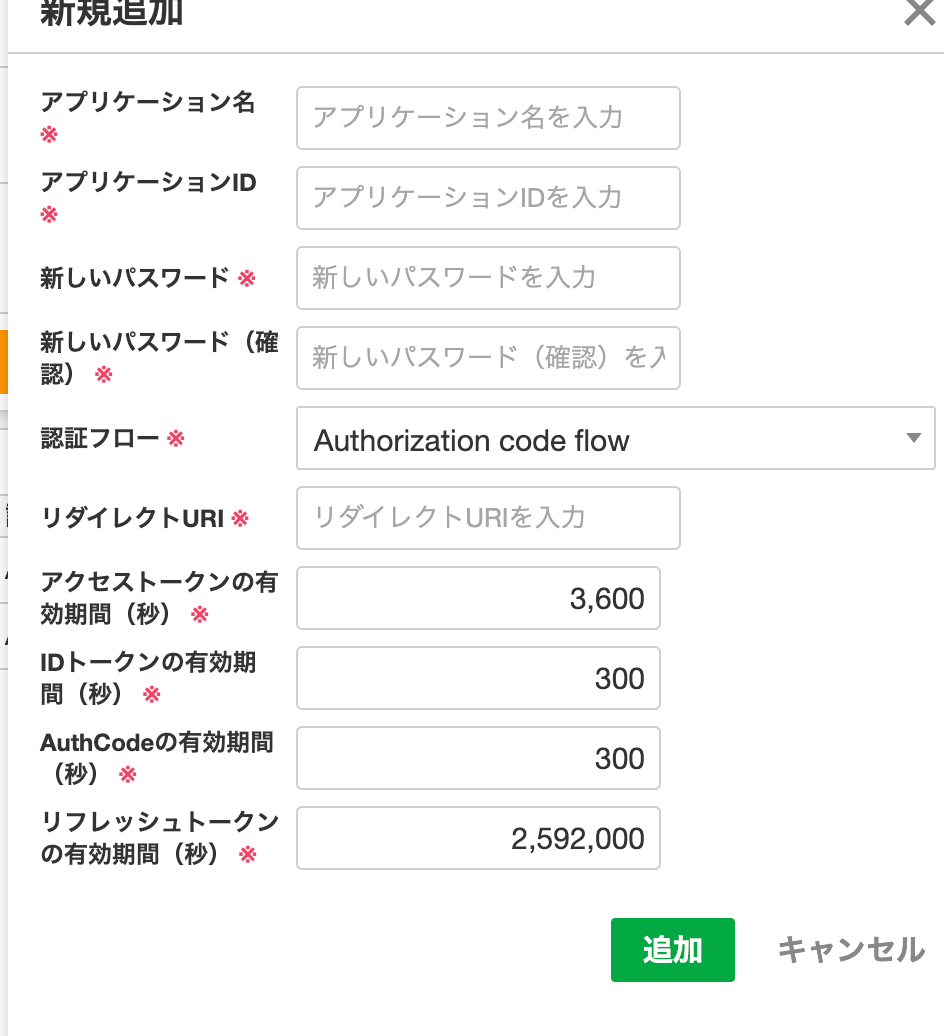 このときの アプリケーションIDが**クライアントID**、パスワードが**クライアントシークレット**です。
### Base URLの取得方法
Base URLは、 **https\://{ホスト名}/{アプリケーション名}** となります。
このときの アプリケーションIDが**クライアントID**、パスワードが**クライアントシークレット**です。
### Base URLの取得方法
Base URLは、 **https\://{ホスト名}/{アプリケーション名}** となります。
 下の画像の場合、`https://secure.zac.ai/i_moneyforward_trial` がBase URLです。
 ## インテグレーションのセットアップ
インテグレーション画面にて、**ZAC**で検索します。
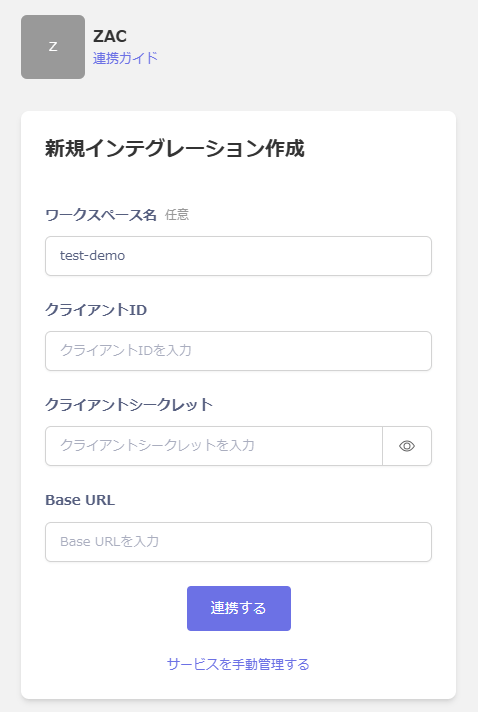
任意の**ワークスペース名**と、前の手順で取得した**クライアントID**、**クライアントシークレット、Base URL**を入力し、**連携する**をクリックします。
## インテグレーションのセットアップ
インテグレーション画面にて、**ZAC**で検索します。
任意の**ワークスペース名**と、前の手順で取得した**クライアントID**、**クライアントシークレット、Base URL**を入力し、**連携する**をクリックします。
 連携に成功すると、アカウント一覧に登録済みのユーザー情報が表示されます。
正常に完了しない場合は、インテグレーション画面のステータスタブから**編集**し、再度連携をお試しください。
解決しない場合はチャットにてお問い合わせください。
連携に成功すると、アカウント一覧に登録済みのユーザー情報が表示されます。
正常に完了しない場合は、インテグレーション画面のステータスタブから**編集**し、再度連携をお試しください。
解決しない場合はチャットにてお問い合わせください。