> ## Documentation Index
> Fetch the complete documentation index at: https://hc.saas-manager.biz.nuro.jp/llms.txt
> Use this file to discover all available pages before exploring further.

# Klipfolio

> Klipfolio との連携手順です。

## サポートする機能

<Badge color="blue">アカウント削除</Badge> <Badge color="blue">アカウント作成</Badge>

<Info>
  連携には管理者権限のアカウントが必要です。
</Info>

## 事前準備

### ログイン方法

[Klipfolio ログインページ](https://app.klipfolio.com/login)にて、メールアドレス・パスワードを入力し、ログインします。

<img src="https://mintcdn.com/admina-sbn/hAB795T24a4oxCX7/images/integrations/lt7lmpqb0u/2026-01-30-150656.png?fit=max&auto=format&n=hAB795T24a4oxCX7&q=85&s=2b2415c657b25d3490d0fdf9b149860b" alt="Klipfolio ログイン画面" width="544" height="680" data-path="images/integrations/lt7lmpqb0u/2026-01-30-150656.png" />

### API キーの取得方法

Klipfolio ログイン後、画面左下の **設定（歯車マーク）** > **My profile** をクリックします。

<img src="https://mintcdn.com/admina-sbn/hAB795T24a4oxCX7/images/integrations/lt7lmpqb0u/2026-01-30-160915.png?fit=max&auto=format&n=hAB795T24a4oxCX7&q=85&s=a03fbc2b78679f359e26d69b861a42a8" alt="設定メニュー" width="1555" height="983" data-path="images/integrations/lt7lmpqb0u/2026-01-30-160915.png" />

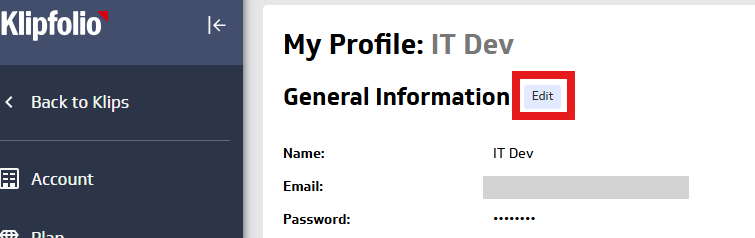
**General Information** の **Edit** をクリックします。
<img src="https://mintcdn.com/admina-sbn/hAB795T24a4oxCX7/images/integrations/lt7lmpqb0u/2026-01-30-161344.png?fit=max&auto=format&n=hAB795T24a4oxCX7&q=85&s=c118e77493c6b8e81d4e294e5b0aee95" alt="General Information の編集" width="755" height="238" data-path="images/integrations/lt7lmpqb0u/2026-01-30-161344.png" />

**API Key** の **Generate New API Key** をクリックします。

<img src="https://mintcdn.com/admina-sbn/hAB795T24a4oxCX7/images/integrations/lt7lmpqb0u/2026-01-30-161449.png?fit=max&auto=format&n=hAB795T24a4oxCX7&q=85&s=ab30e852a8fd96c57a4f00e5ca1f9130" alt="API Key 生成" width="698" height="124" data-path="images/integrations/lt7lmpqb0u/2026-01-30-161449.png" />

**Generate** をクリックし、作成された **API キー** をコピーします。

<img src="https://mintcdn.com/admina-sbn/hAB795T24a4oxCX7/images/integrations/lt7lmpqb0u/2026-01-30-161735.png?fit=max&auto=format&n=hAB795T24a4oxCX7&q=85&s=bf5efe7becc73ab919d97434df094b91" alt="API Key をコピー" width="623" height="271" data-path="images/integrations/lt7lmpqb0u/2026-01-30-161735.png" />

## インテグレーションのセットアップ

マネーフォワード Admina のインテグレーション画面にて、**Klipfolio** で検索します。

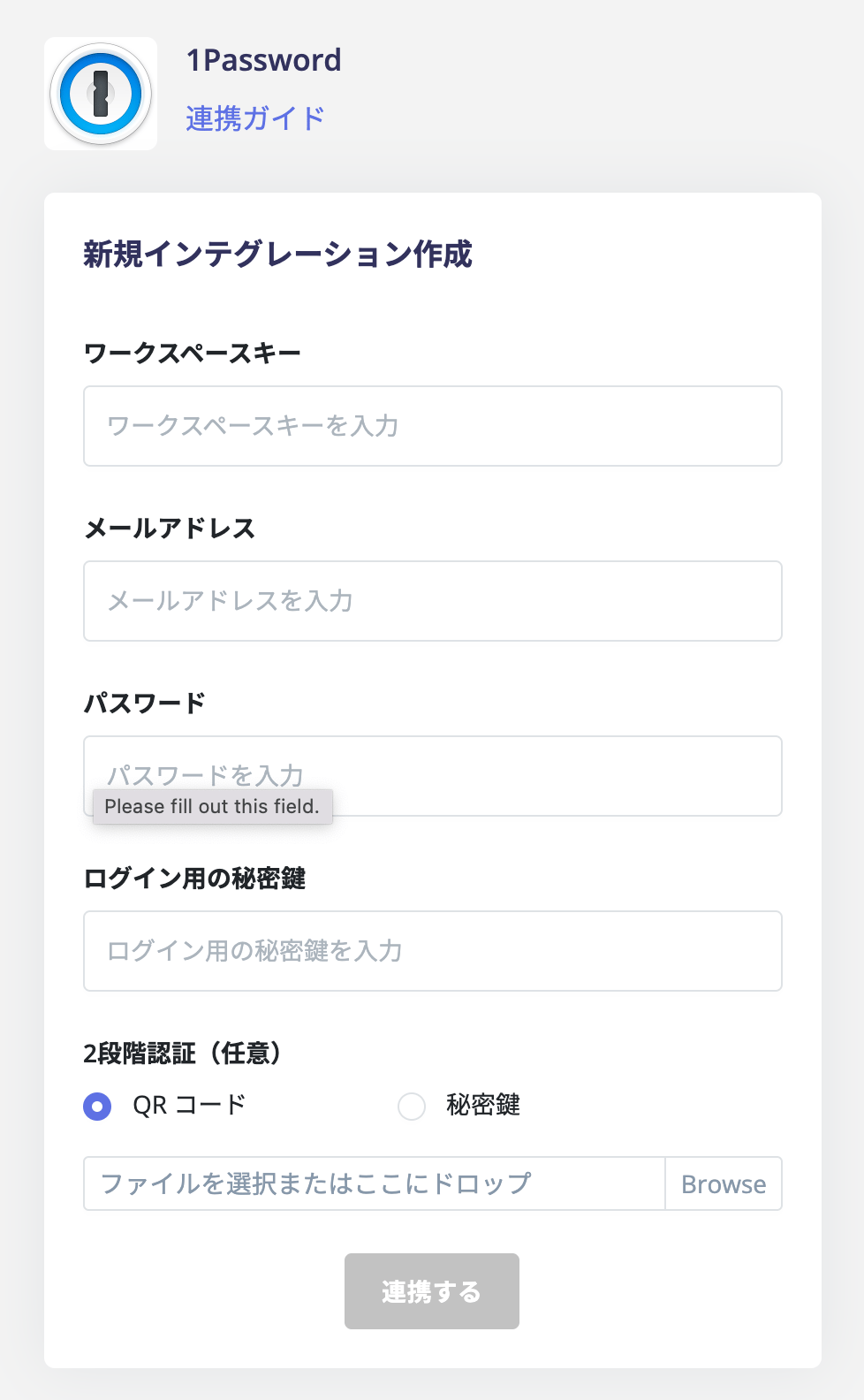
任意のワークスペース名、前の手順で取得した **API キー**を入力し、**連携する**をクリックします。
<img src="https://mintcdn.com/admina-sbn/hAB795T24a4oxCX7/images/integrations/lt7lmpqb0u/screen-shot-2022-01-27-at-18-40-23.png?fit=max&auto=format&n=hAB795T24a4oxCX7&q=85&s=645cf21ec40ecabc0067e27027fc989e" alt="連携画面" width="978" height="1584" data-path="images/integrations/lt7lmpqb0u/screen-shot-2022-01-27-at-18-40-23.png" />

連携に成功すると、アカウント一覧に登録済みのユーザー情報が表示されます。

正常に完了しない場合は、インテグレーション画面のステータスタブから **編集**し、再度連携をお試しください。

解決しない場合はチャットにてお問い合わせください。
