The Device plan (paid subscription) is required to use the device management feature. To request a trial, contact us via “Ask a support representative directly” in the chat.
Security Measures in Device Management
Integration with Intune
You can check whether a target device is compliant with the compliance policies managed by Intune.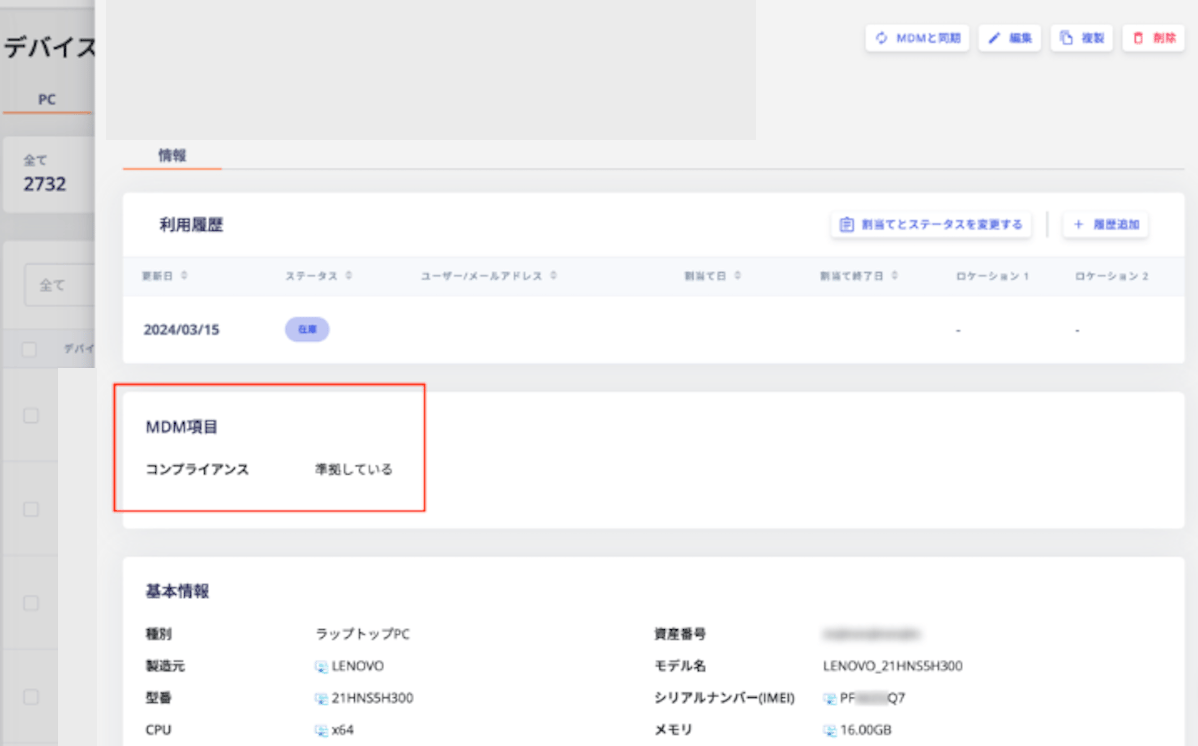
Integration with Jamf
You can check whether a target device is under Jamf management.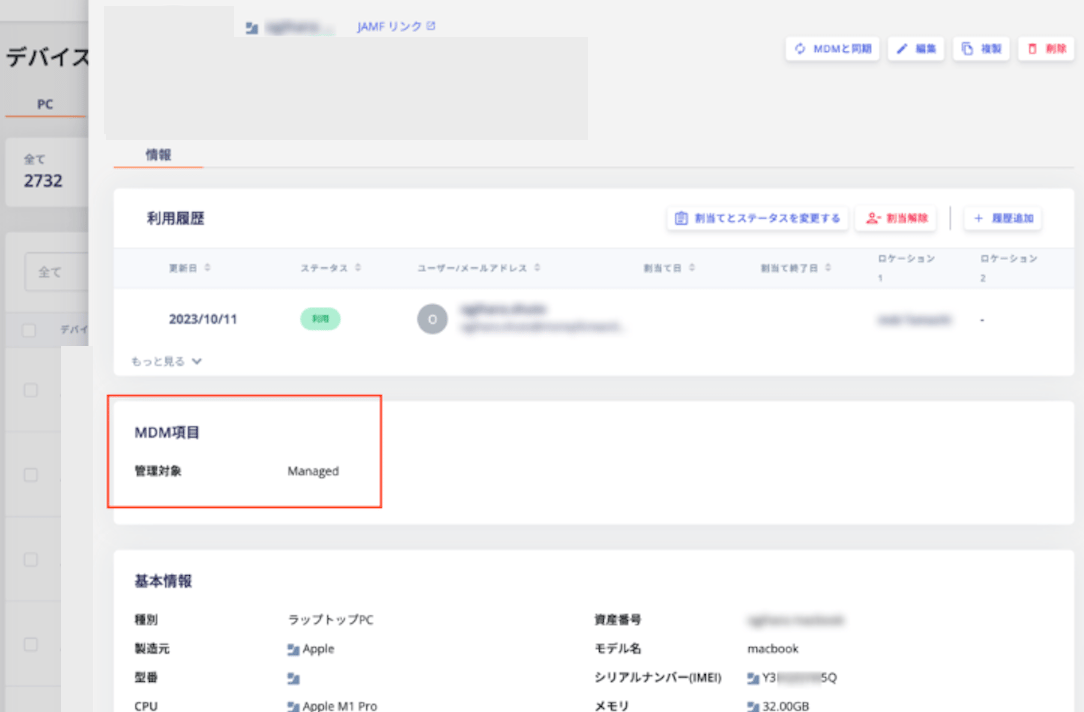
Example Usage
For both Intune and Jamf, the retrieved information appears on the device list and detail screens. Use sorting and filtering to identify devices with high security risk.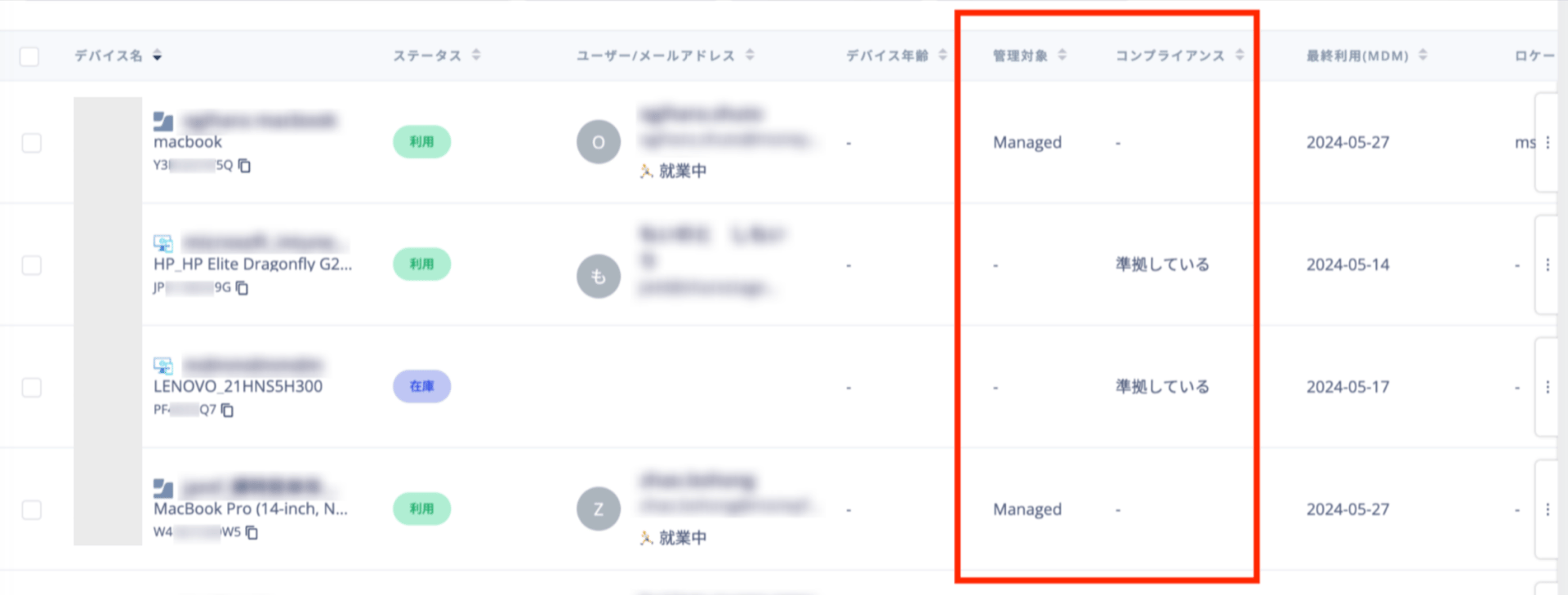
Security Measures Using Resignation Detection
You can identify users whose device status is “In Use” even though they have already left the company.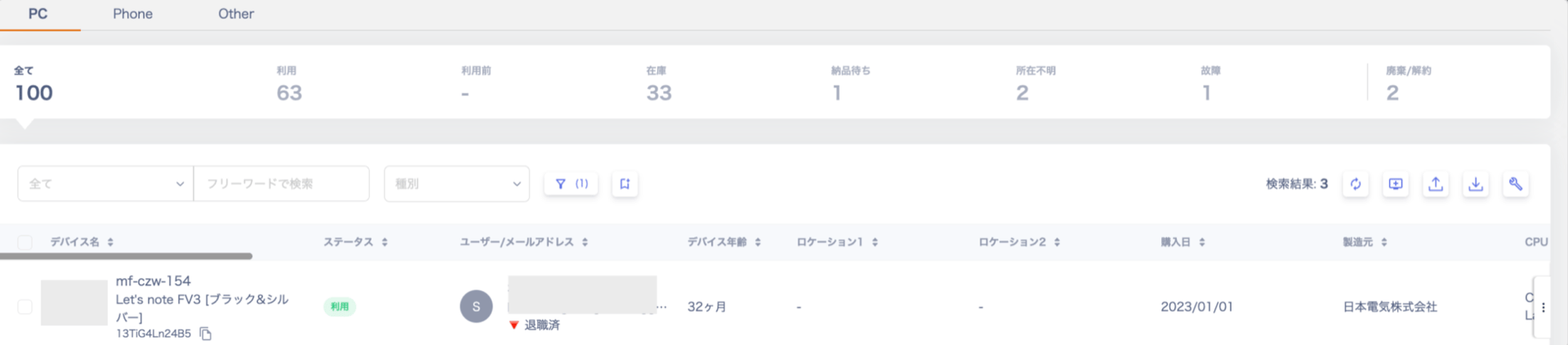
Example Usage
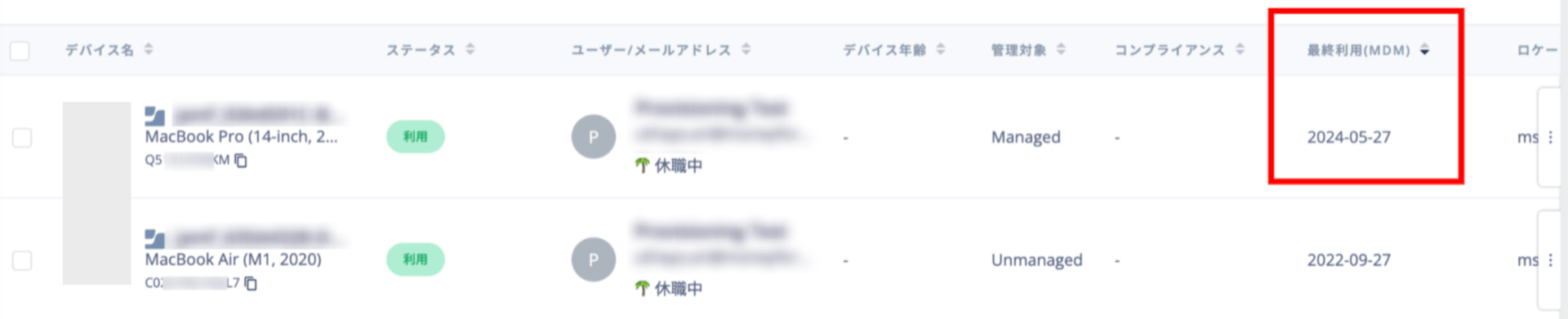
This feature helps you manage IT assets accurately. Use it to identify unreturned or missing devices.Security Measures Using Resignation Detection and MDM Integration
You can find devices assigned to users on leave or who have resigned, but that show recent access activity.