

All operations in this feature require Admin permission or the Survey Manager role. Viewing requires Member permission or the Survey Viewer role. For details, see Basic Roles.
To use the “Device” target type, you must separately enable the Device feature.
Usage examples by target type
| Target type | Usage example |
|---|---|
| Employee | Select employees from the employee list and send a survey to them directly or to their managers. Example: Send an enrollment confirmation to managers linked to the list of Company X, a contracted partner. Send a questionnaire to full-time employees. |
| Device | Select devices and send a survey to the owner or the owner’s manager. Example: Send a confirmation to the owner for a device inventory check. Physically verify devices that are subject to fixed asset management. |
| SaaS app | Select accounts for each SaaS service and send a survey to the owner or the owner’s manager. Example: Ask ChatGPT users directly about their satisfaction with the service. |
Create a survey with target type “Employee”
| Item | Setting |
|---|---|
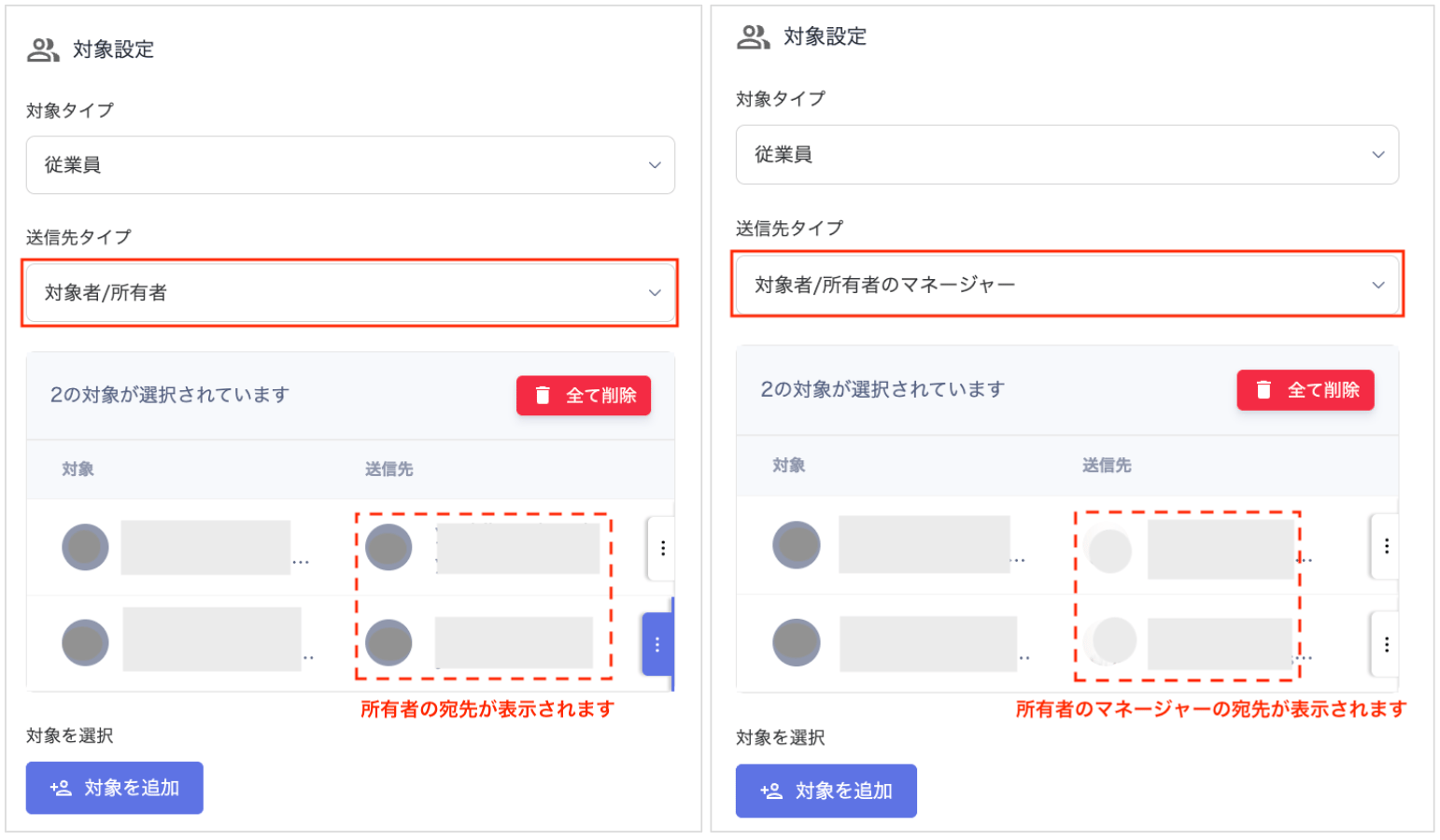
| Target type | Select “Employee”. |
| Recipient type | Choose from “Target / Target’s Manager”. Select Target to send a survey to each individual, or select Target’s Manager to send by department. |
| Select targets | Accounts registered in the directory are displayed. Select the survey recipients. |
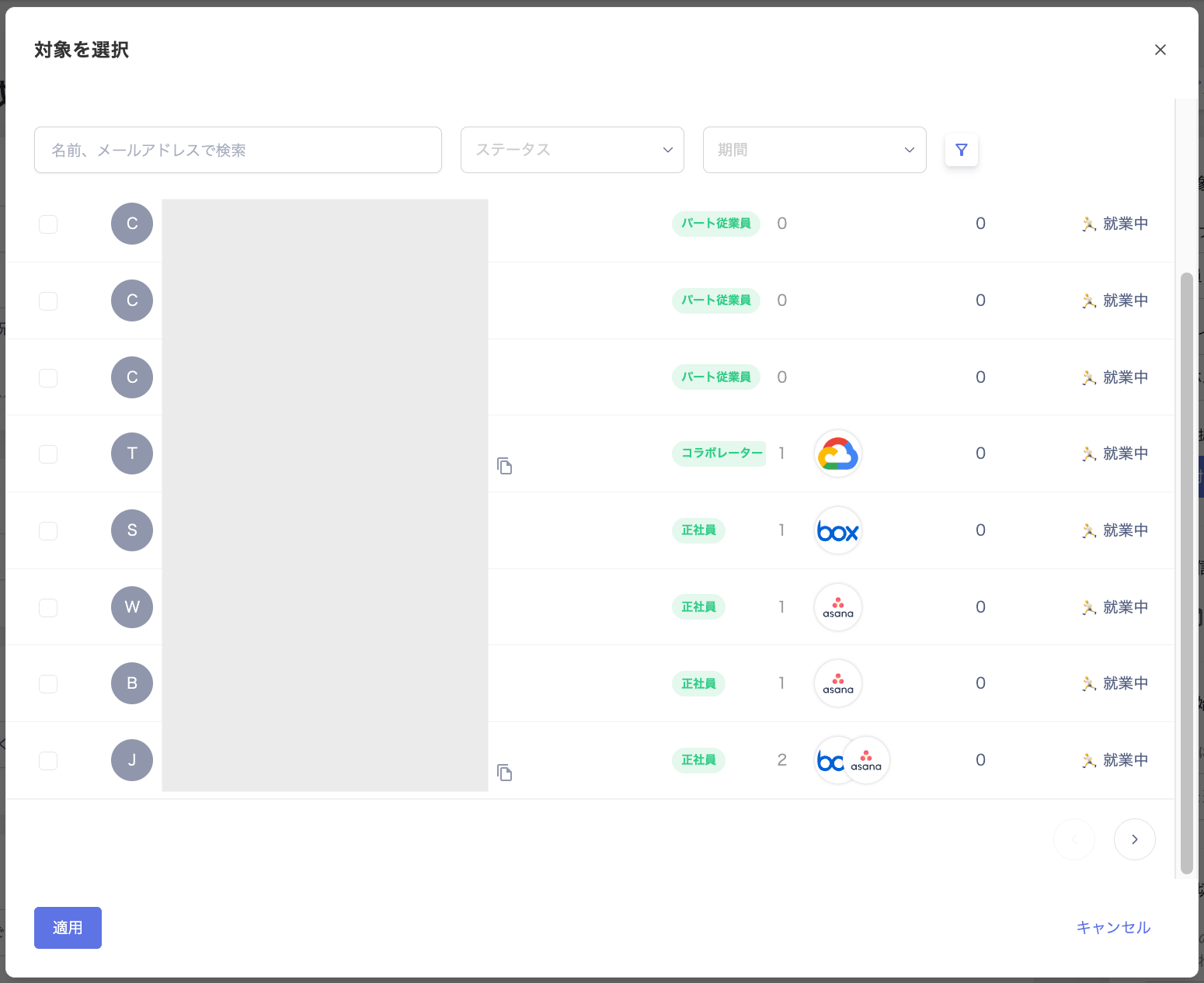
Target configuration (target type: Employee)
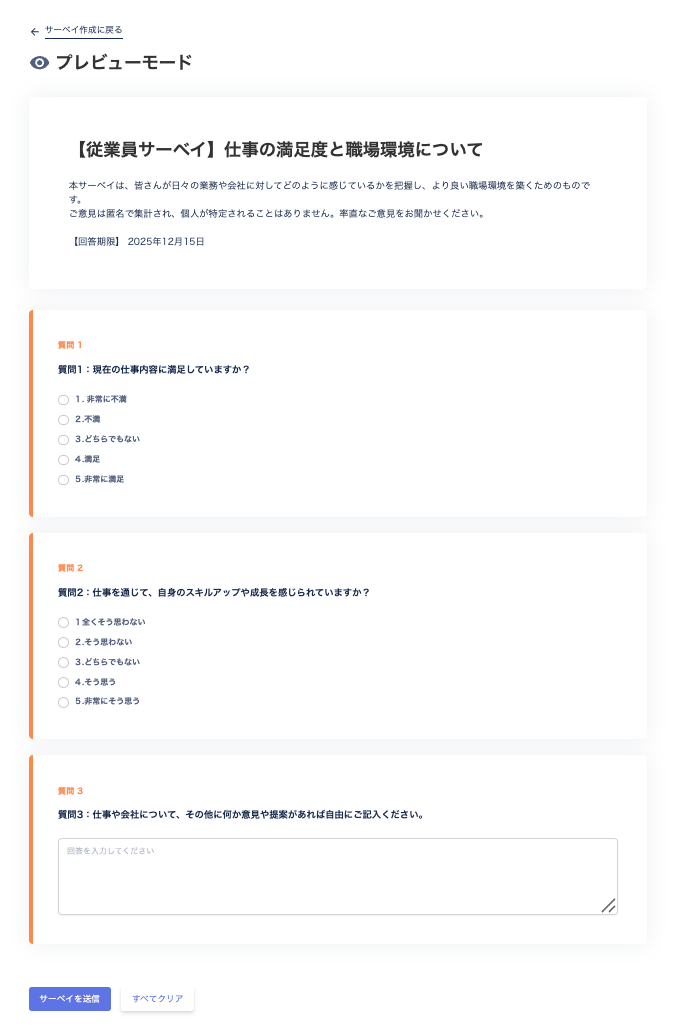
Preview mode (target type: Employee)
Create a survey with target type “Device”
| Item | Setting |
|---|---|
| Target type | Select “Device”. |
| Recipient type | Choose from “Target / Target’s Manager”. Select Target to check device ownership per individual, or select Owner’s Manager to check device ownership by department. |
| Select targets | Users registered in the device screen are displayed. Select the target devices for the survey. |
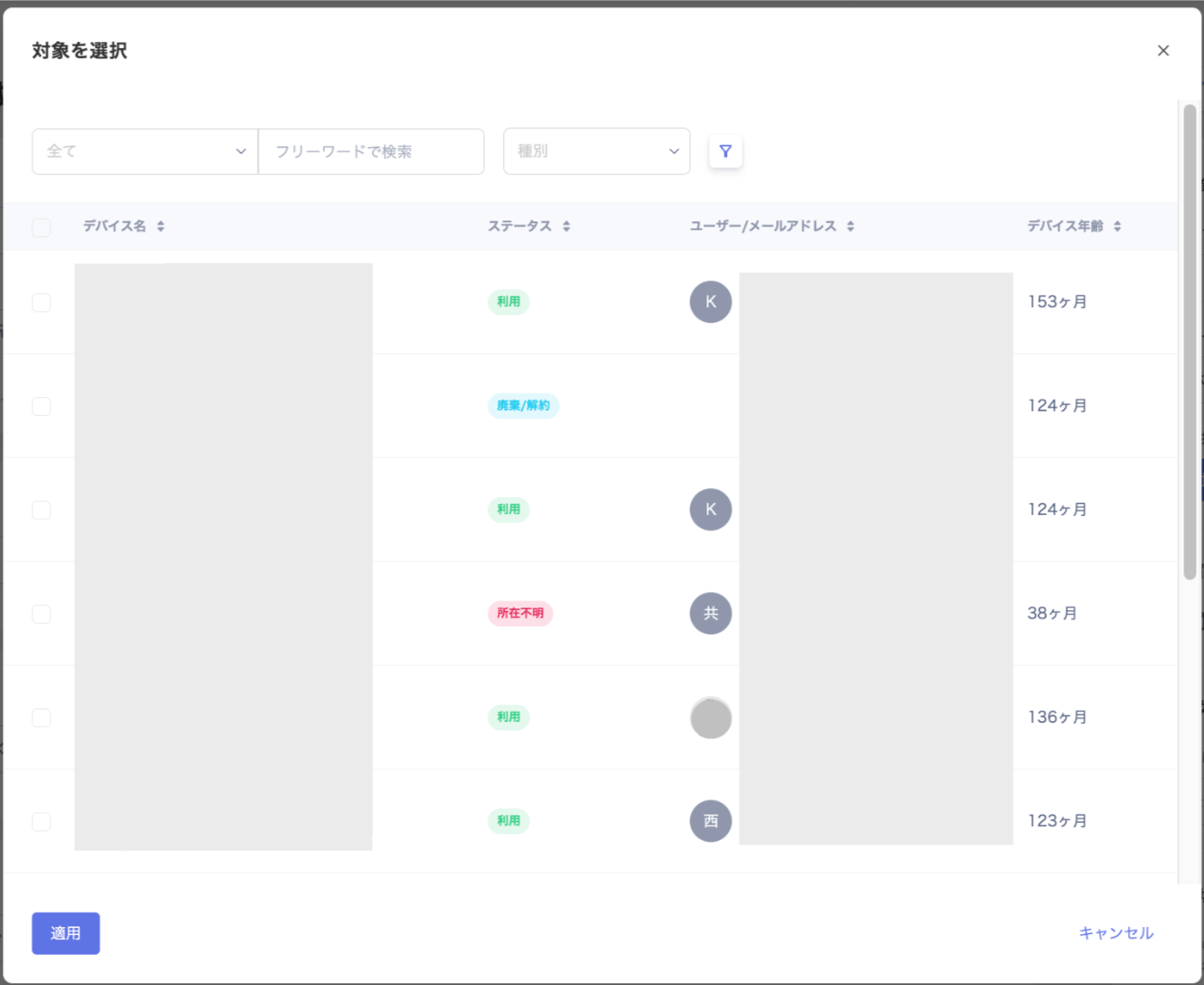
Target configuration (target type: Device)
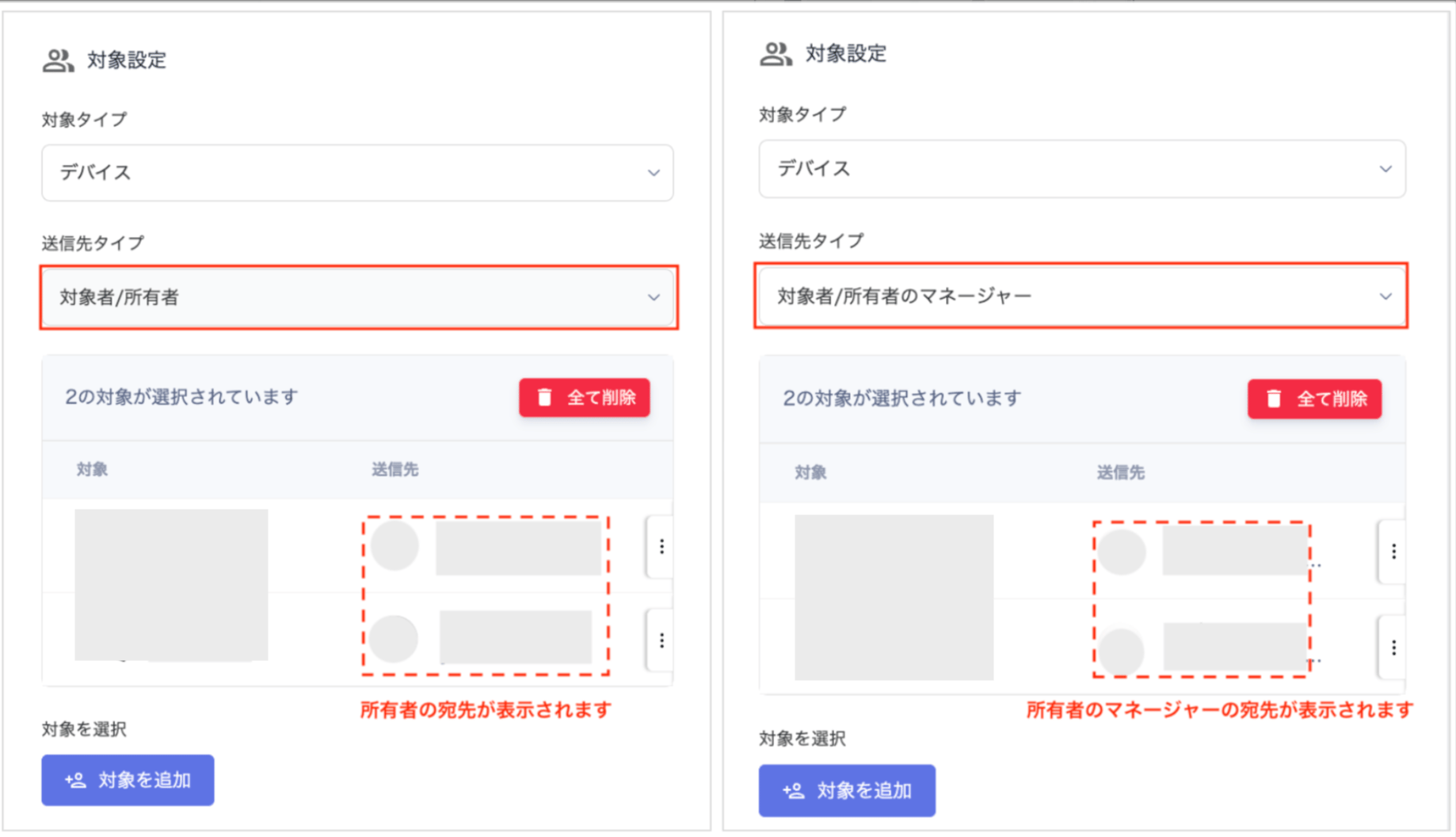
Preview mode (target type: Device)

Create a survey with target type “SaaS app”
| Item | Setting |
|---|---|
| Target type | Select “SaaS”. |
| Recipient type | Choose from “Target / Target’s Manager”. Select Target to check SaaS usage per individual. Select Target’s Manager to check SaaS usage by department. |
| Select targets | Accounts registered in the service screen are displayed. When you select a service under “Select targets”, the accounts for that service appear. To target accounts across multiple services, check the desired accounts, then select another service and check its accounts as well. |
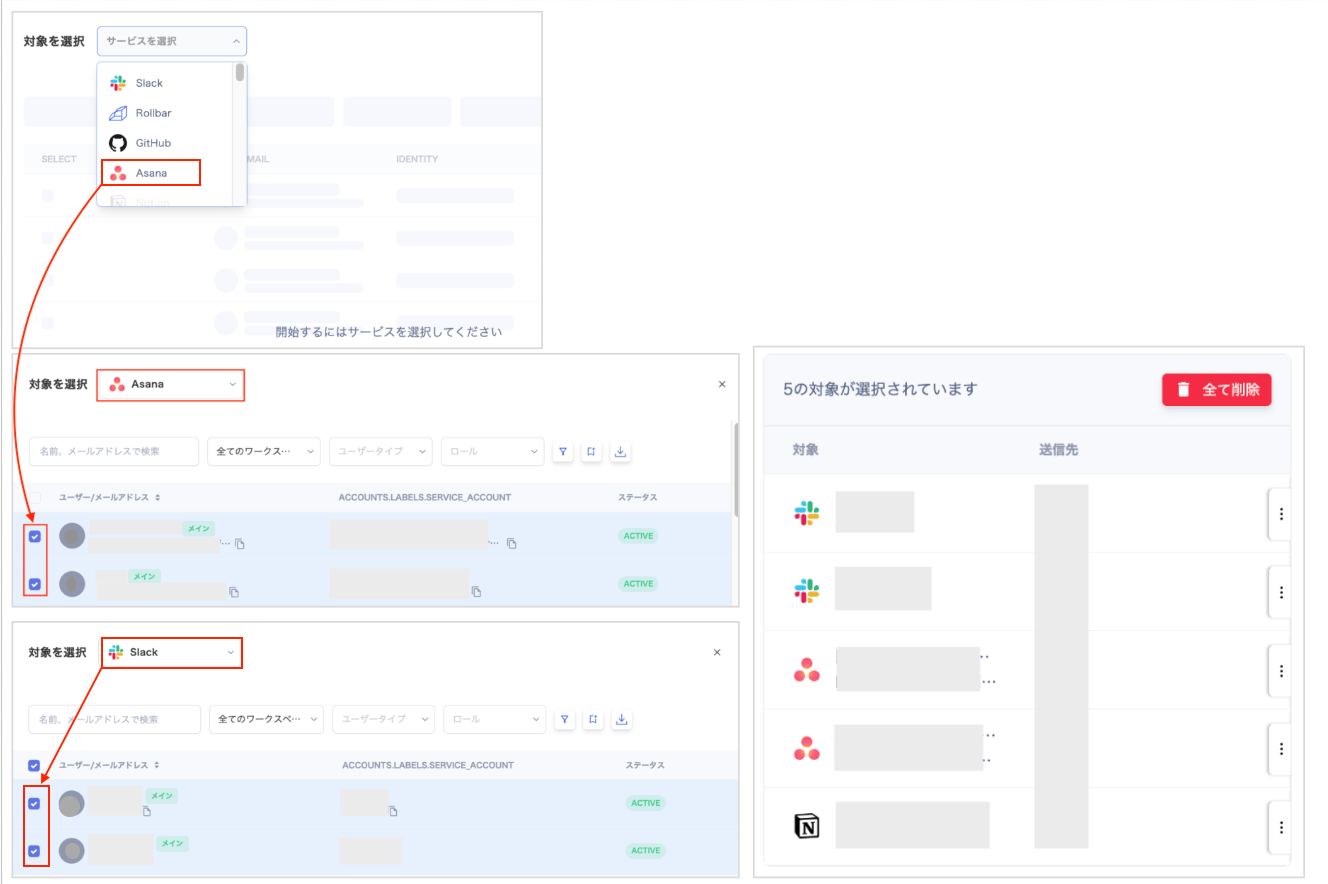
Target configuration (target type: SaaS app)
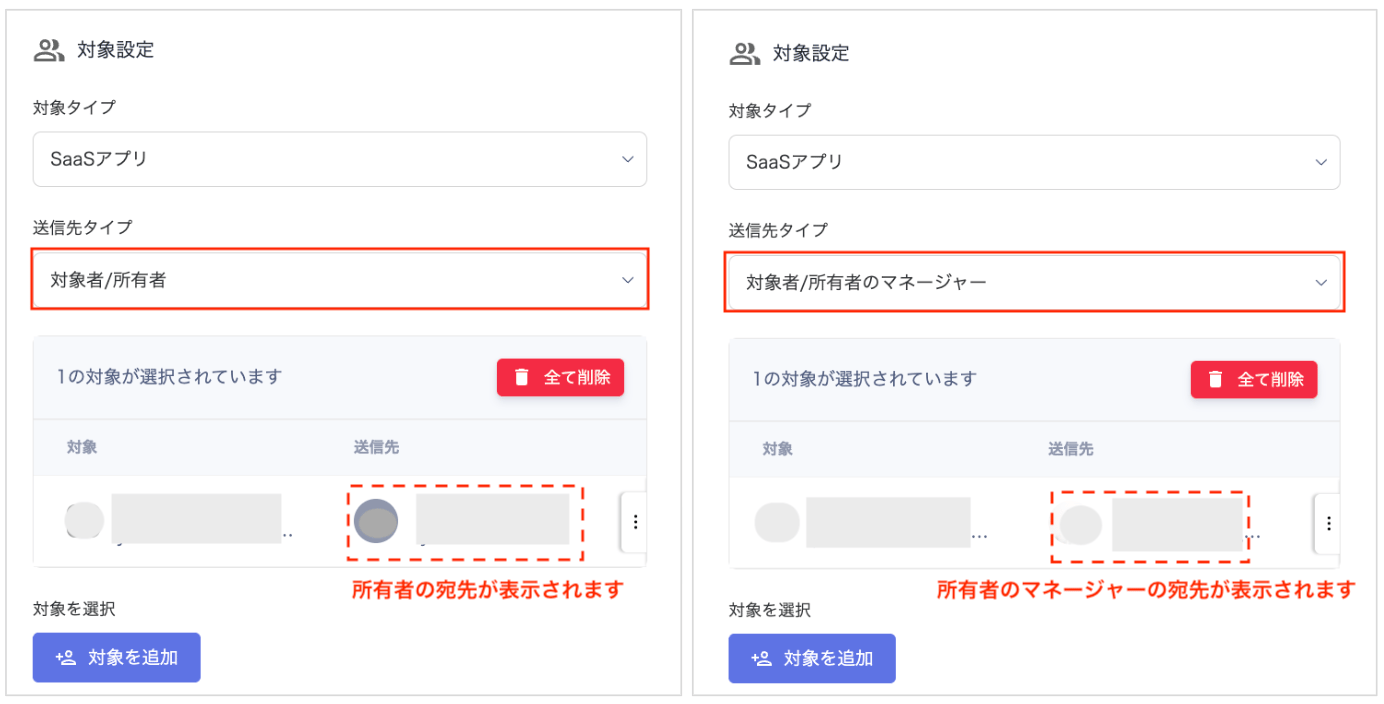
Preview mode (target type: SaaS app)
