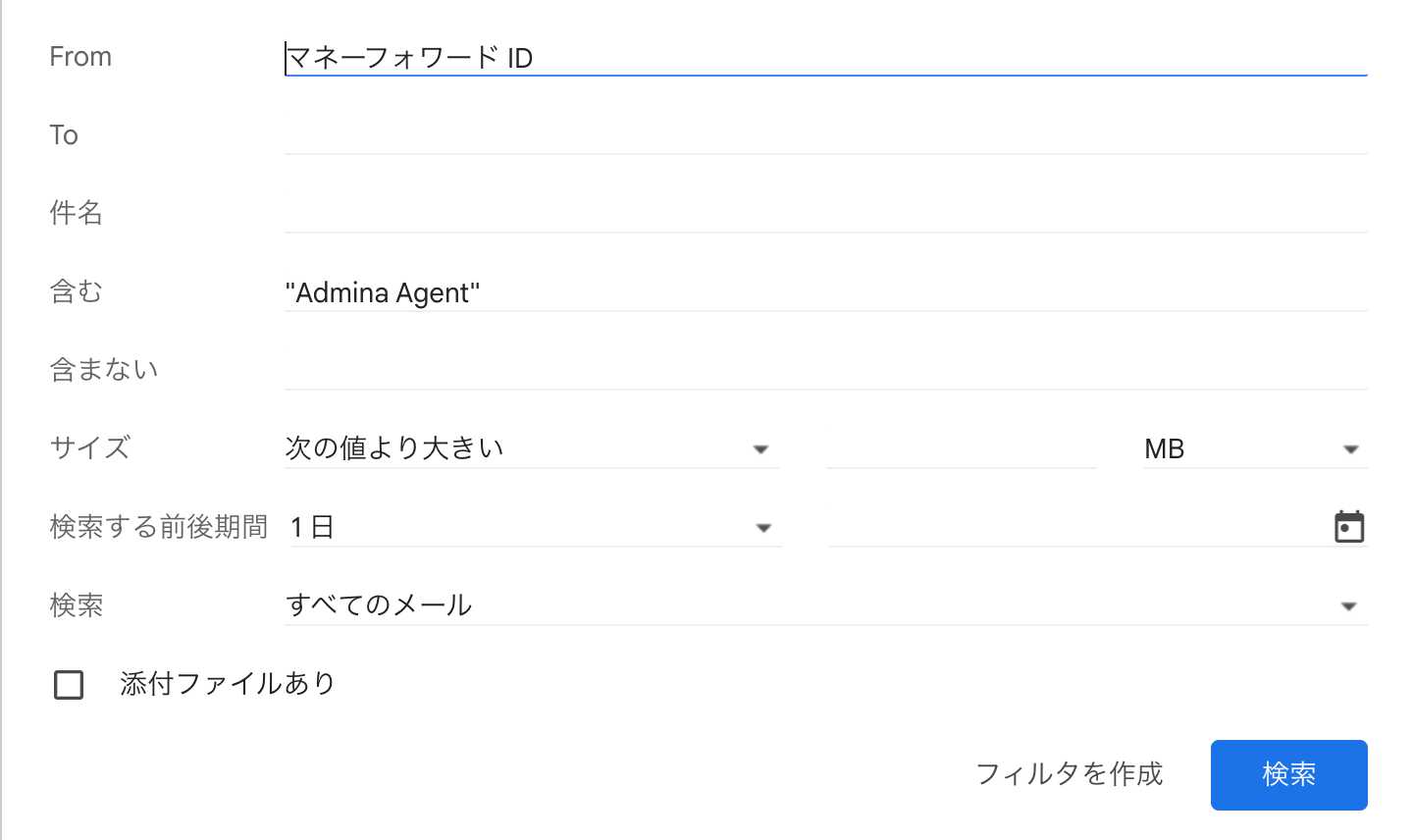
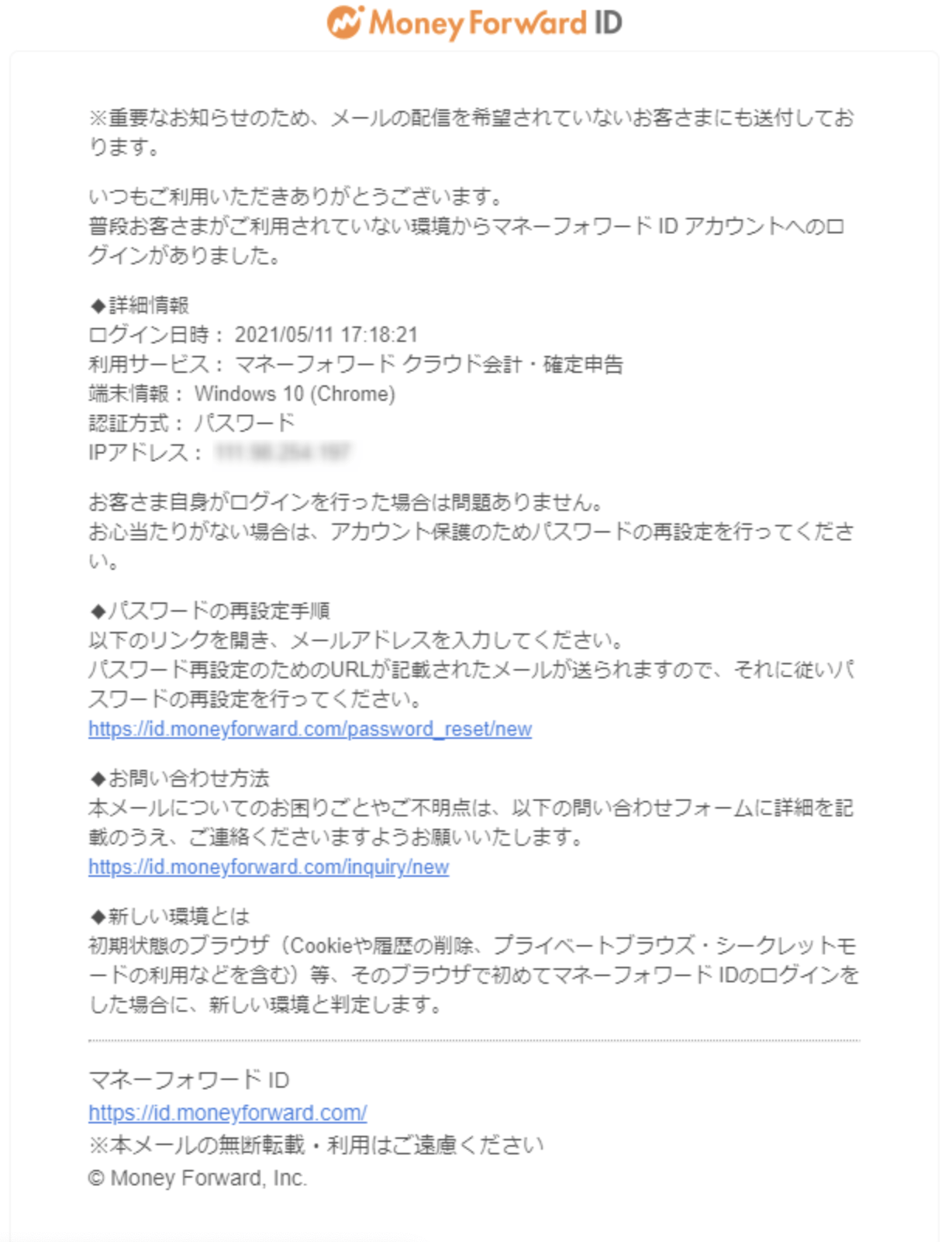
Login notifications
When a login is detected from a new environment (one not used previously), a login notification email is sent. After integrating a SaaS with this service, notification emails are sent to users when automatic sync runs overnight.Stopping login notifications
These emails are sent automatically and cannot be disabled. To exclude specific notifications, set up an email filter using the Recommended settings below.Recommended settings
To exclude only notifications from this service’s logins, create an email filter with the following conditions. Regular login notifications are delivered as usual, while this service’s notifications go to a separate folder. To filter by IP address, enter the IP address in the highlighted field shown below. To check this service’s IP addresses, see Source IP addresses.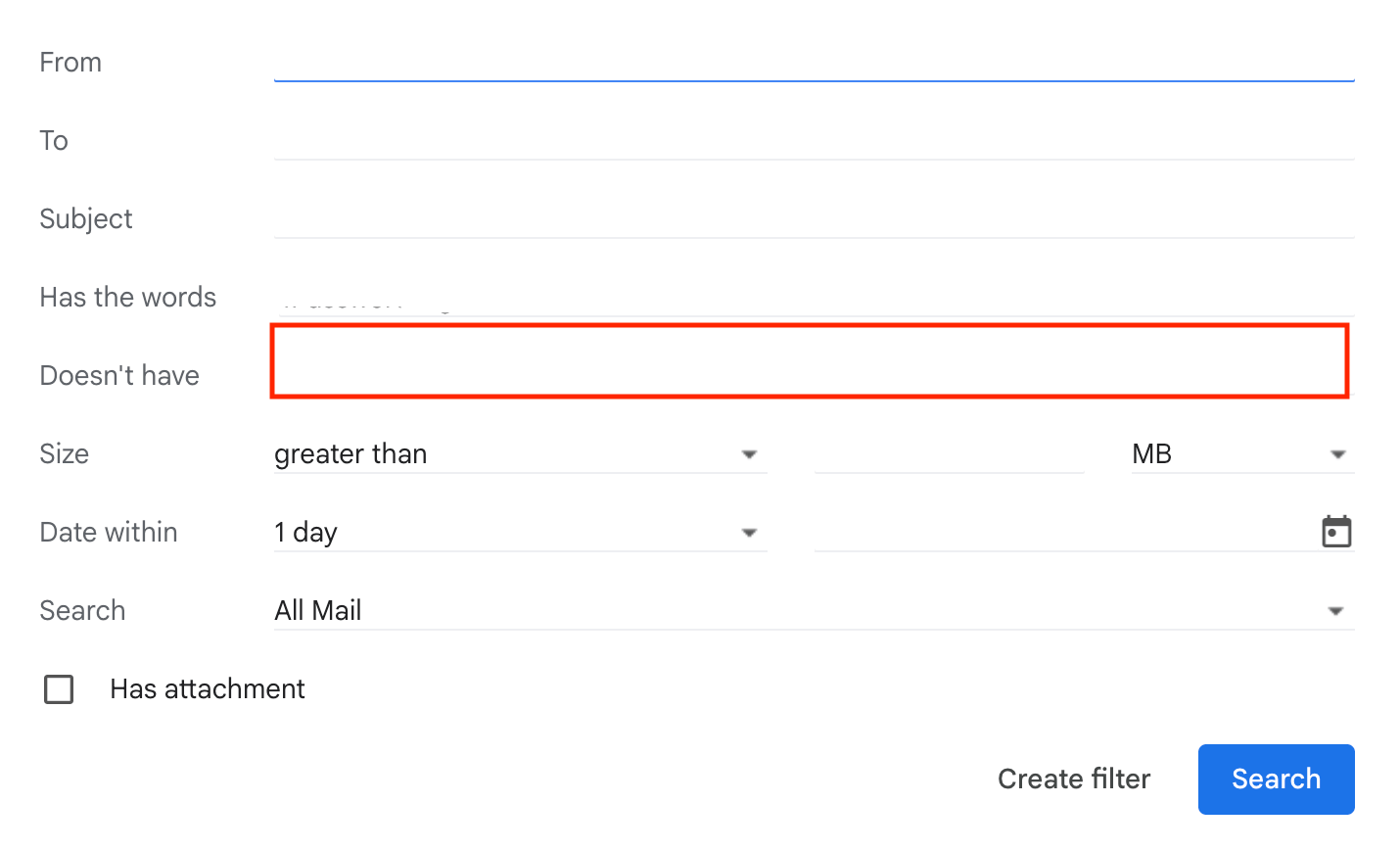
from:(マネーフォワード ID) "<service name> Agent"