

All operations for this feature require Admin permission or the Survey Manager role. Viewing requires Member permission or the Survey Viewer role. For details, see Basic Roles.
To use the target type “Device,” you must separately add the “Device feature.”
How to Use
- Review survey results
- Conduct inventory
Review Survey Results
Check survey answers
Select the survey you want to review on the survey list screen and check the survey answer results. Completed surveys display the status “Answer Completed.” You can also run [Export] from the three-dot menu [︙] on the survey list screen.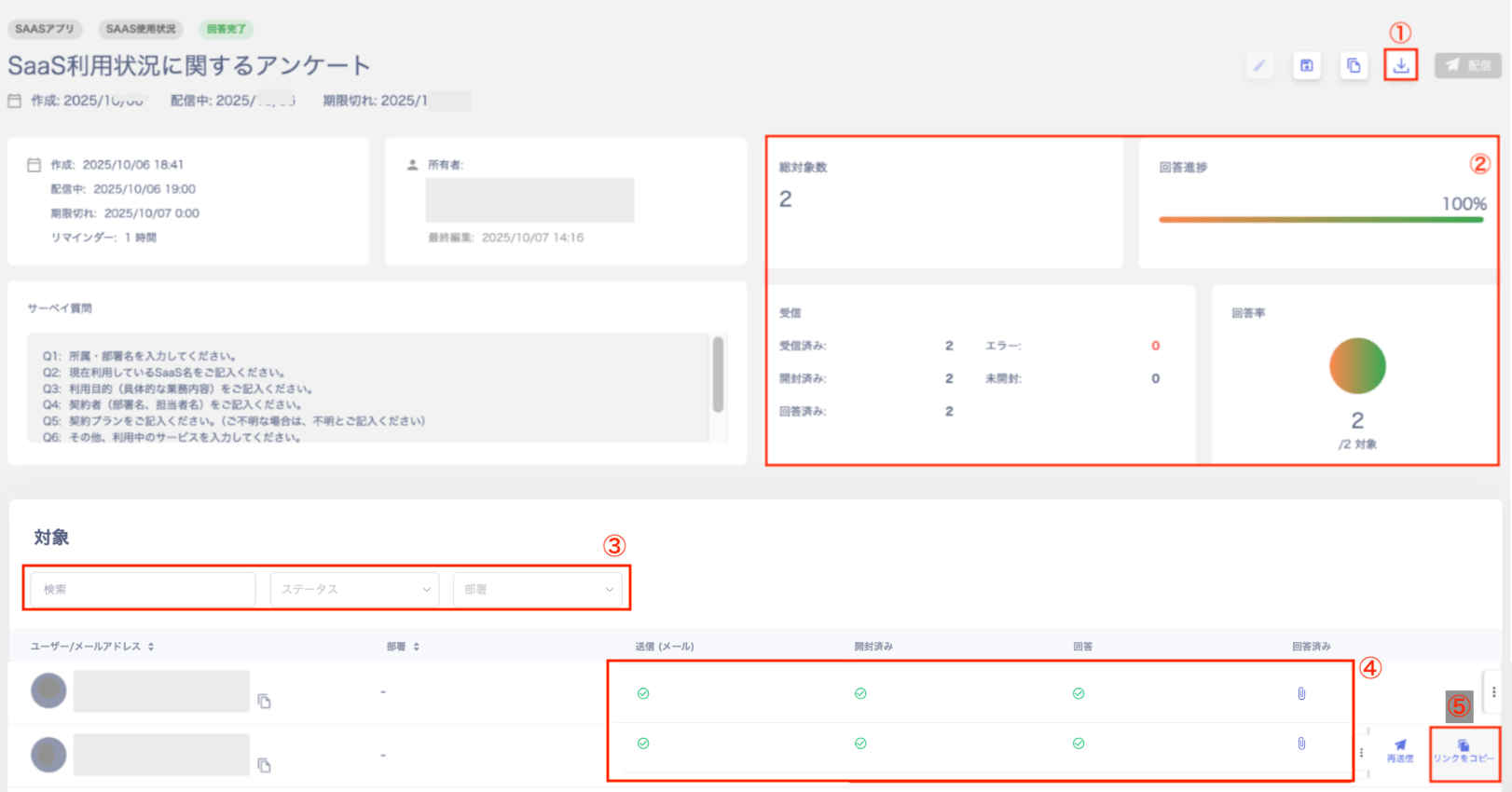
| No. | Item | Description |
|---|---|---|
| 1 | Export | Export to CSV to check the response status. |
| 2 | Dashboard | Check “Total Targets / Answer Progress / Received / Response Rate” on the dashboard. |
| 3 | Search & Filter | Filter by “Search,” “Status,” and “Department.” Filter by status using “Waiting / Sent / Opened / Answered.” |
| 4 | Target List | Check “Sent / Opened / Answered / Completed” in the target list. Click the “Answered” clip to view answer details in a popup. |
| 5 | Copy Link | Copy the link URL. Each person receives a unique URL, so avoid reusing link URLs. |
Check survey response status
Select the survey you want to review on the survey list screen. Check the response status of a survey in distribution. Surveys in distribution display the status “Distributing.” For items 1 through 5 in the image below, see Check survey answers.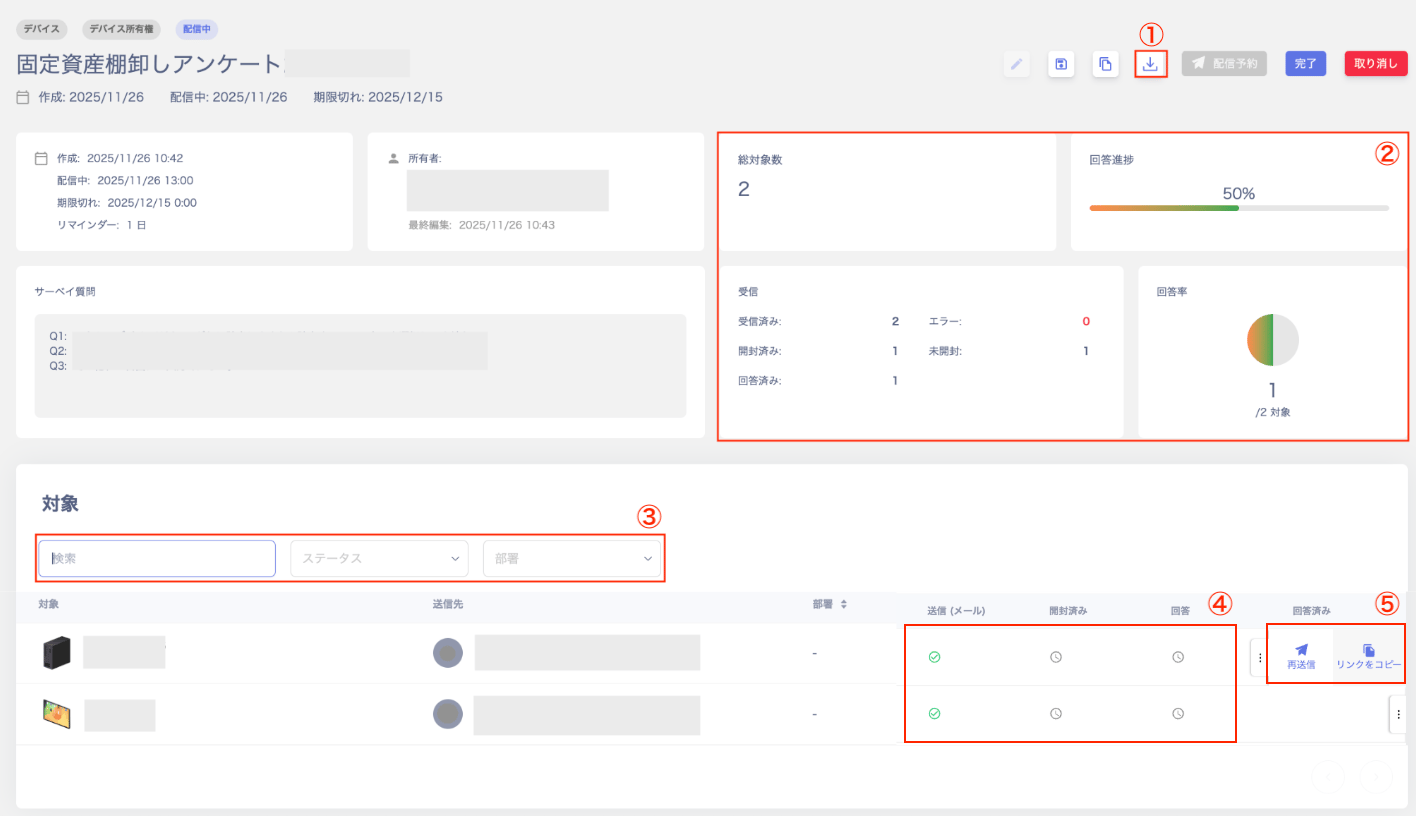
Conduct Inventory
After exporting survey answer results to CSV, conduct the inventory by cross-referencing with the following screens.- Check the Service or Device screen and conduct inventory
- Export information from the Service or Device screen and conduct inventory