

Supported Features

Account Deletion Account Creation

Prerequisites

How to Log In to Ghost

On the Ghost login page, enter your site address, email address, and password to log in. Ghost login screen

How to Get the Workspace Key

Part of the site address is the workspace key. https://workspace-key.ghost.io/

How to Get the Access Key

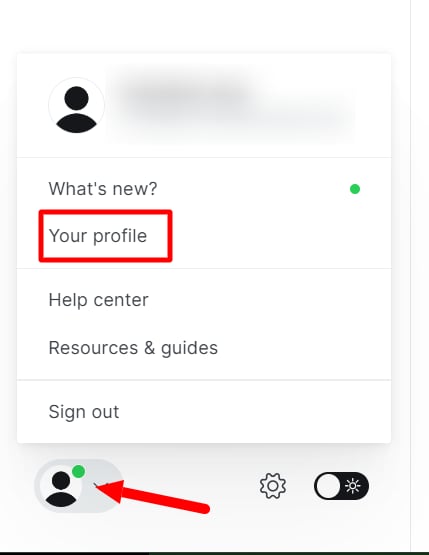
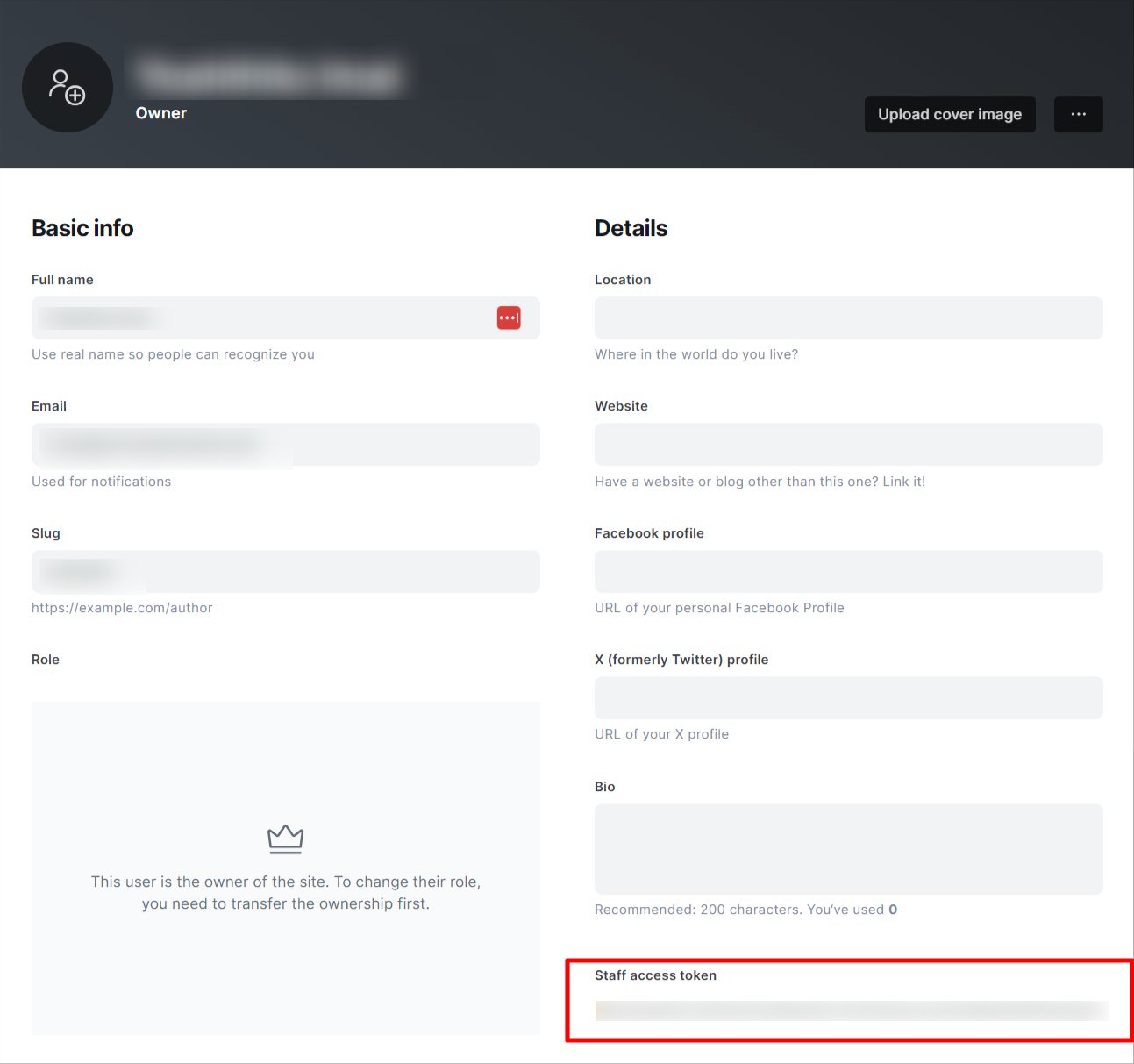
After logging in to Ghost, go to Your Profile from the user menu in the bottom left. User menu Your Staff access token is displayed in your Profile — copy and save it. The Staff access token is your access key. Staff access token
Integration Setup

In the MoneyForward Admina integration screen, search for Ghost. Searching for Ghost in the integration screen Enter the workspace key and access key obtained in the previous steps, then click Connect. Entering workspace key and access key Once the integration with Ghost is successful, registered user information will be displayed in the account list. If the process does not complete successfully. Click Edit in the Status tab of the integration screen and try connecting again. If the issue persists, please contact us via chat.
Last modified on June 26, 2026