Prerequisites
Getting the Workspace Key
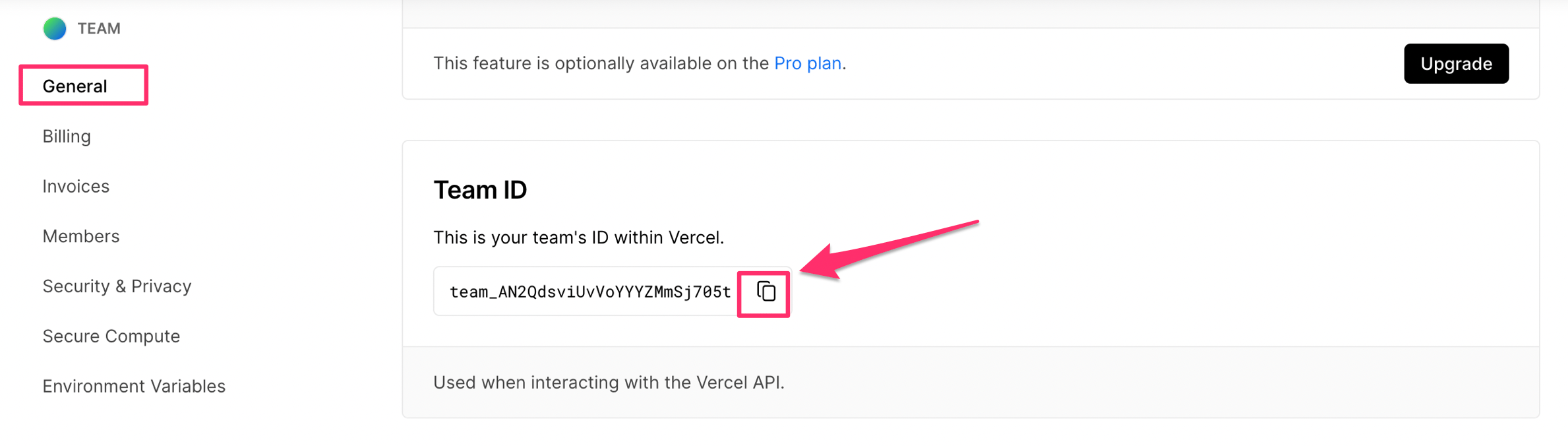
- Log in to Vercel, select the team you want to integrate, and go to Settings.
- Scroll through the General menu and copy the Team ID. The Team ID is your workspace key.
Getting the Access Key
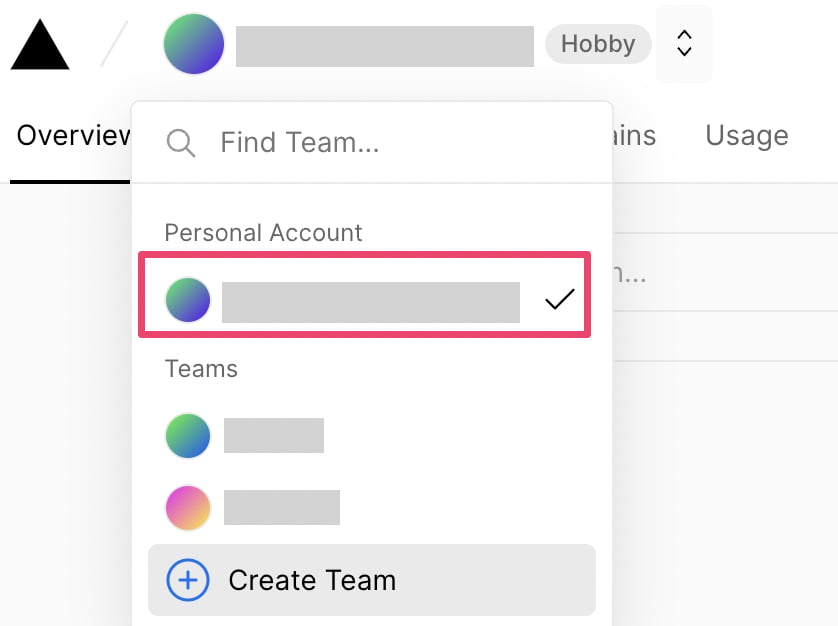
- Select Personal Account, and create a Token from Settings > Tokens.
- Enter the following values and click Create.
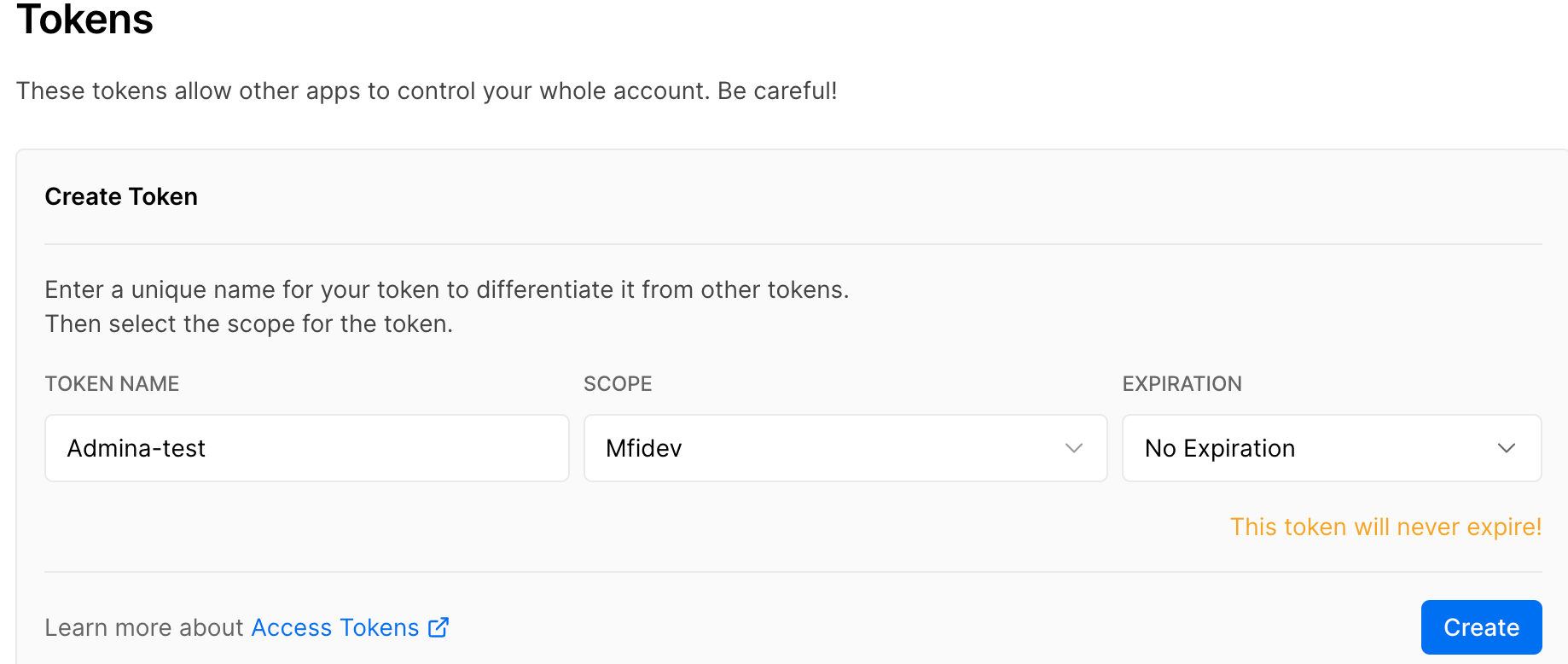
- Token Name: Enter any token name you prefer.
- SCOPE: Select the team to integrate. Note that selecting a different team from.
- The workspace key obtained in the previous step will cause the integration to fail.
- Expiration: Select the token expiration period. Selecting No Expiration sets it to never expire.
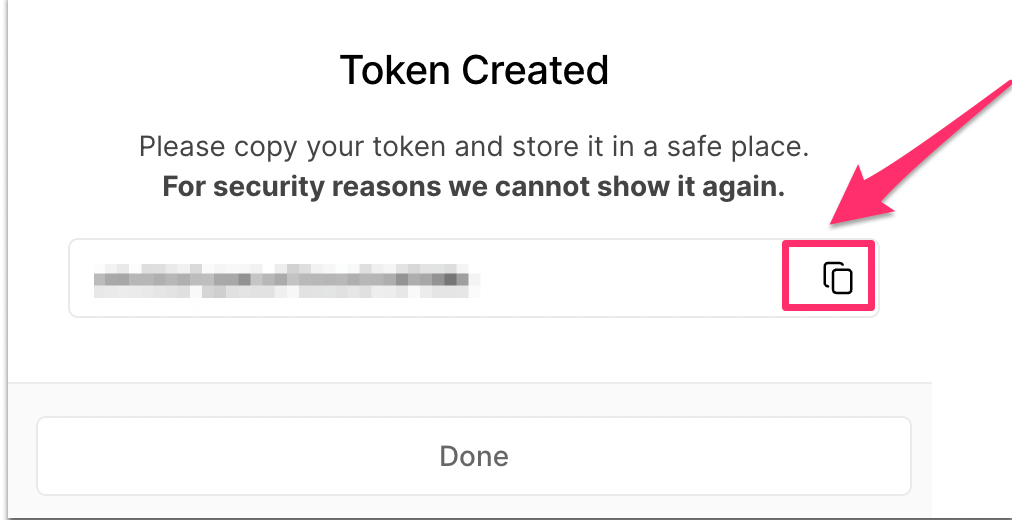
- The displayed token is your access key — copy it. For security reasons it cannot be displayed again, so be sure to copy it here.
Integration Setup
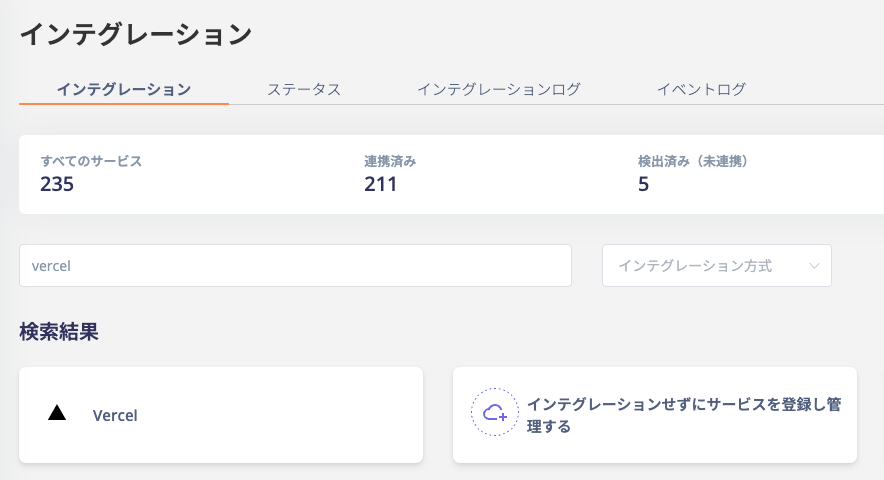
- In the MoneyForward Admina integration screen, search for Vercel and click on it.
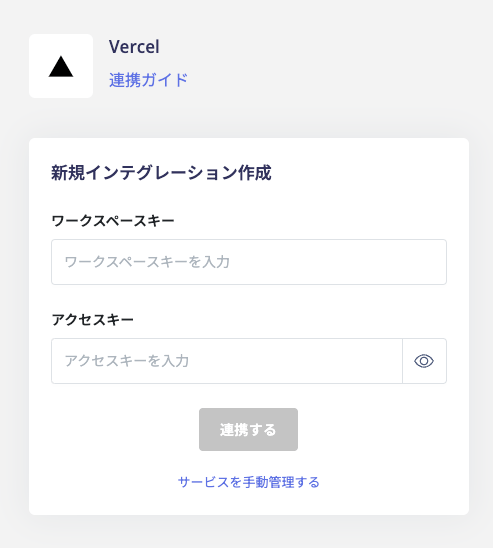
- Enter the workspace key and access key obtained in the previous steps, then click Connect.