Supported Features
Account DeletionPrerequisites
How to Log In
Go to the Redis Cloud login page, enter your email address and password, and log in.
How to Confirm the Workspace Key
Navigate to the Access Management / API Keys page. The displayed API account key is your workspace key.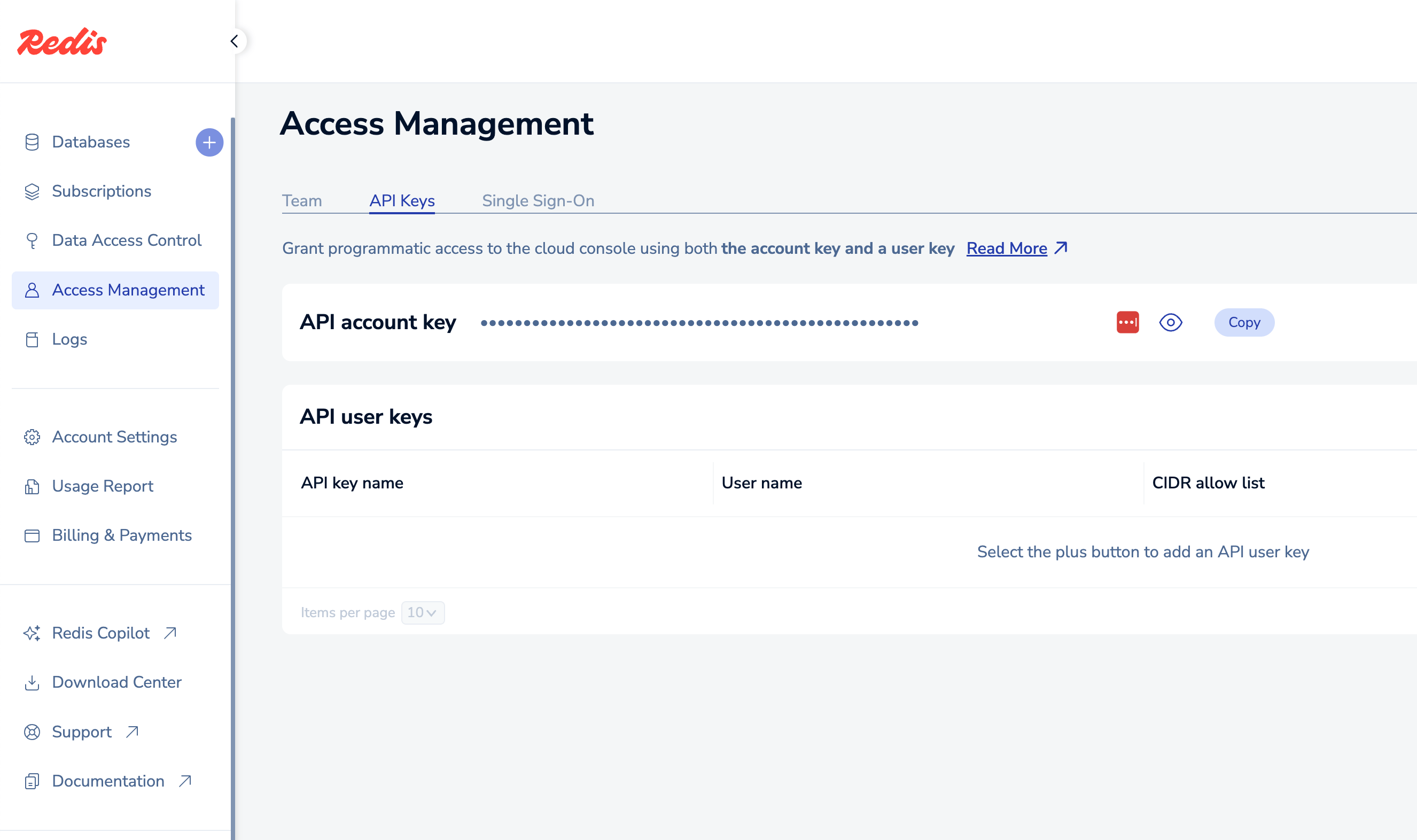
How to Confirm the API Key
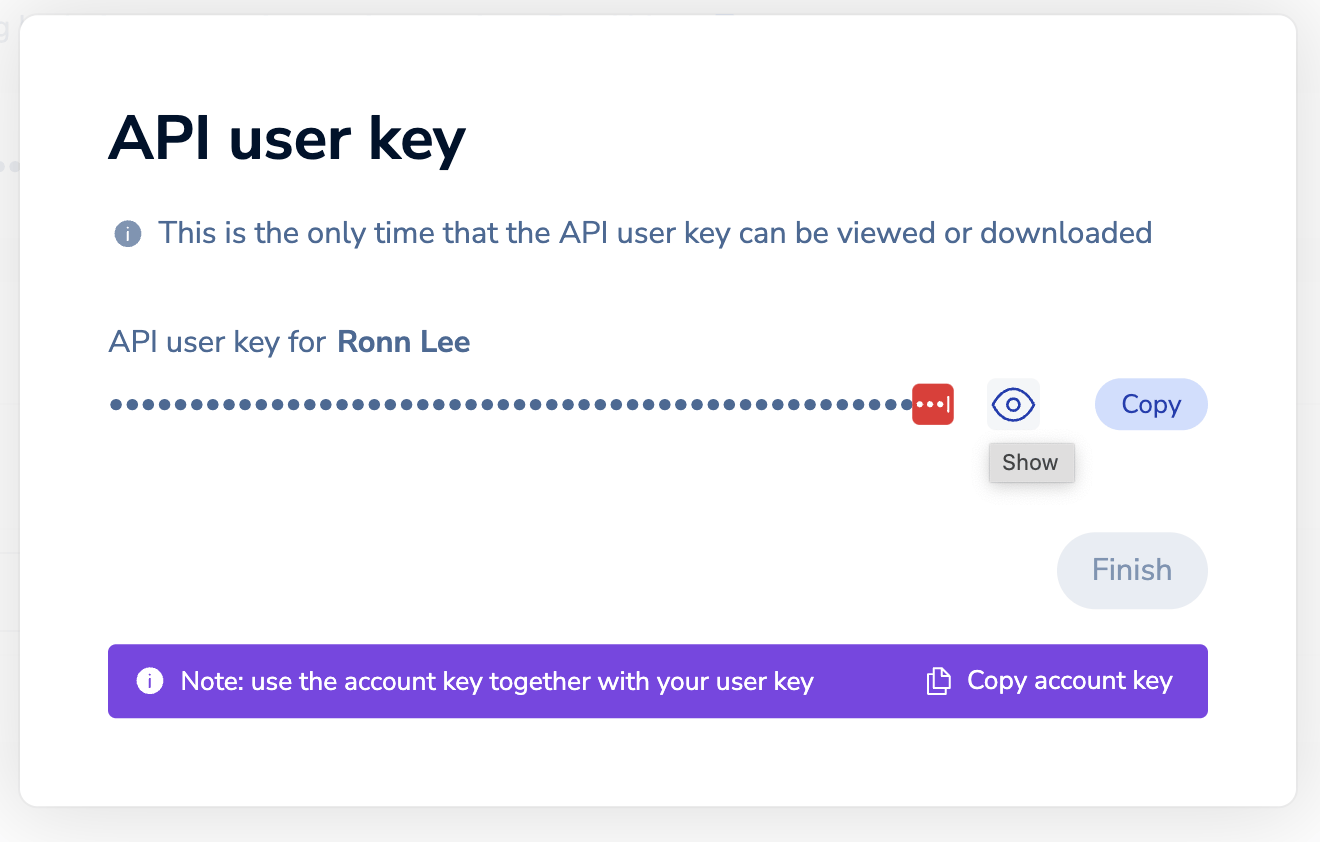
On the Access Management / API Keys page, click the ”+” button in the upper right to create a new API user key.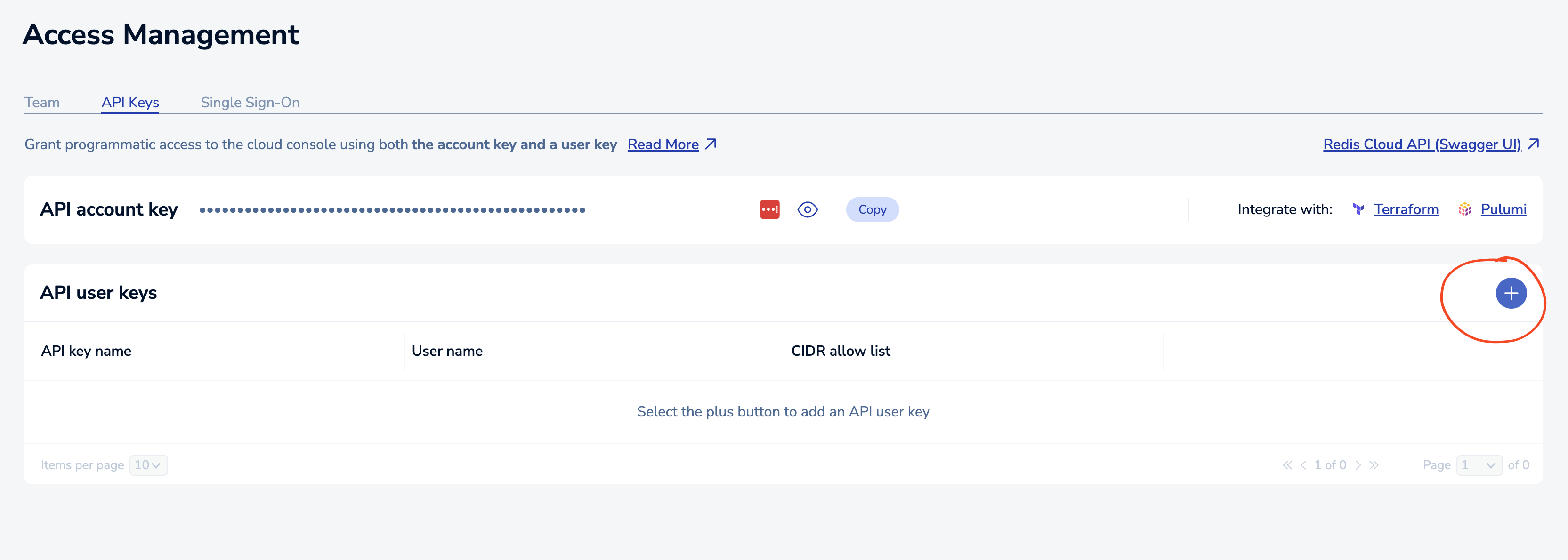
Integration Setup
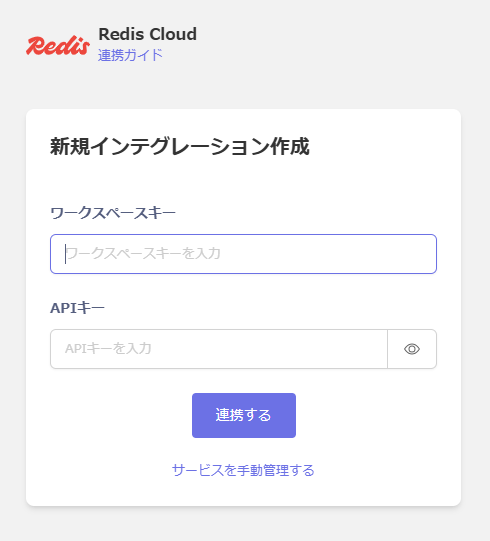
In the MoneyForward Admina integration screen, search for Redis Cloud. Enter the workspace key and API key obtained in the previous steps, then click Connect.