

Supported Features

Account Deletion Account Creation
Integration requires an account with administrator privileges.

Prerequisites

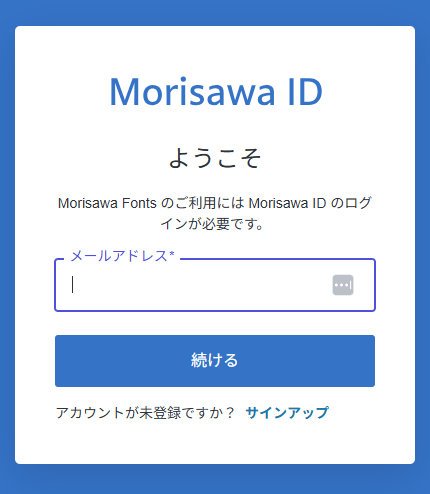
How to Log in

Go to the Morisawa Fonts login page and enter your email address and password to log in. Login screen
Integration Setup

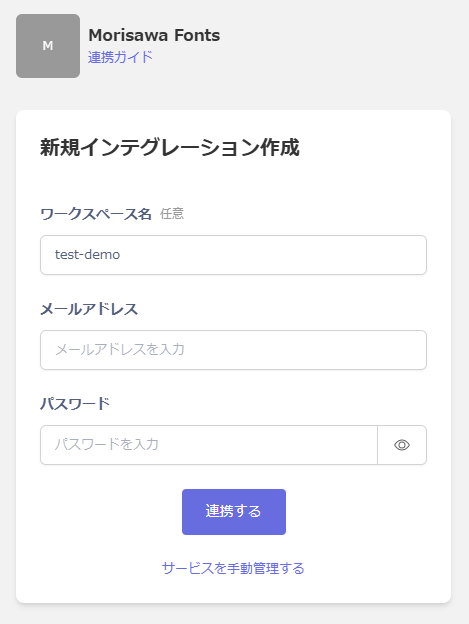
In the MoneyForward Admina integration screen, search for Morisawa Fonts. Enter an optional workspace name along with your Morisawa Fonts login email address and password, then click Connect. Integration settings screen Once the integration is successful, the registered user information will appear in the account list. If the process does not complete successfully, go to the Status tab on the integration screen, click Edit, and try again. If the issue persists, please contact us via chat.
Manual Account Linking for SaaS Without Email Address Retrieval

This service is a SaaS where email addresses cannot be retrieved, so the user type will be identified as “Unknown.” If necessary, manually link (deduplicate/merge) the accounts with other accounts. For details on the settings, see the following: Manually link (deduplicate/merge) a SaaS account to another account
Last modified on June 18, 2026