Supported Features
Account Deletion Account CreationPrerequisites
How to Log in to New Relic
Go to the New Relic login page and sign in with your email address and password.
Issuing an API Key
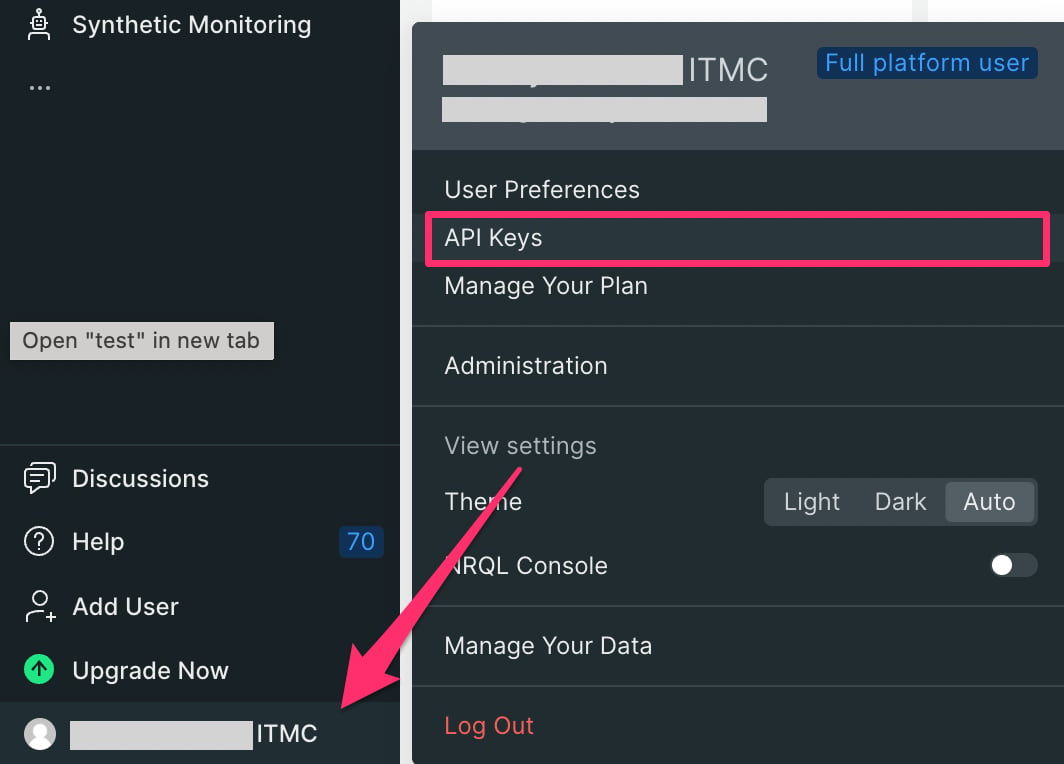
- After logging in to New Relic, click your organization name in the lower left, then click API keys. Alternatively, go to the following URL directly:
- Click the Create a Key button.

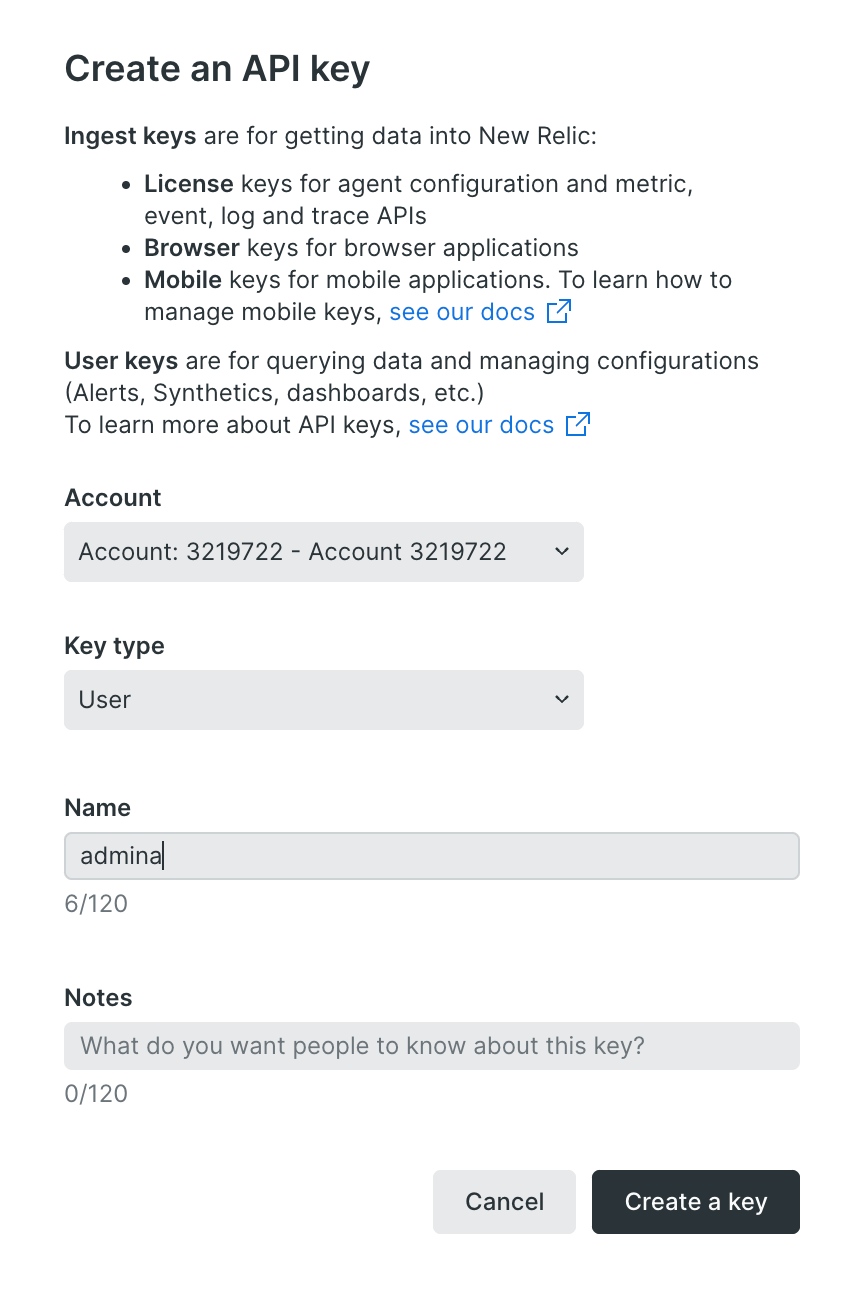
- Set the Key type to
Userand click the Create a Key button to create the API key.
- Right-click the created key, copy it, and save it. This will be the API key for the Admina integration.

Integration Setup
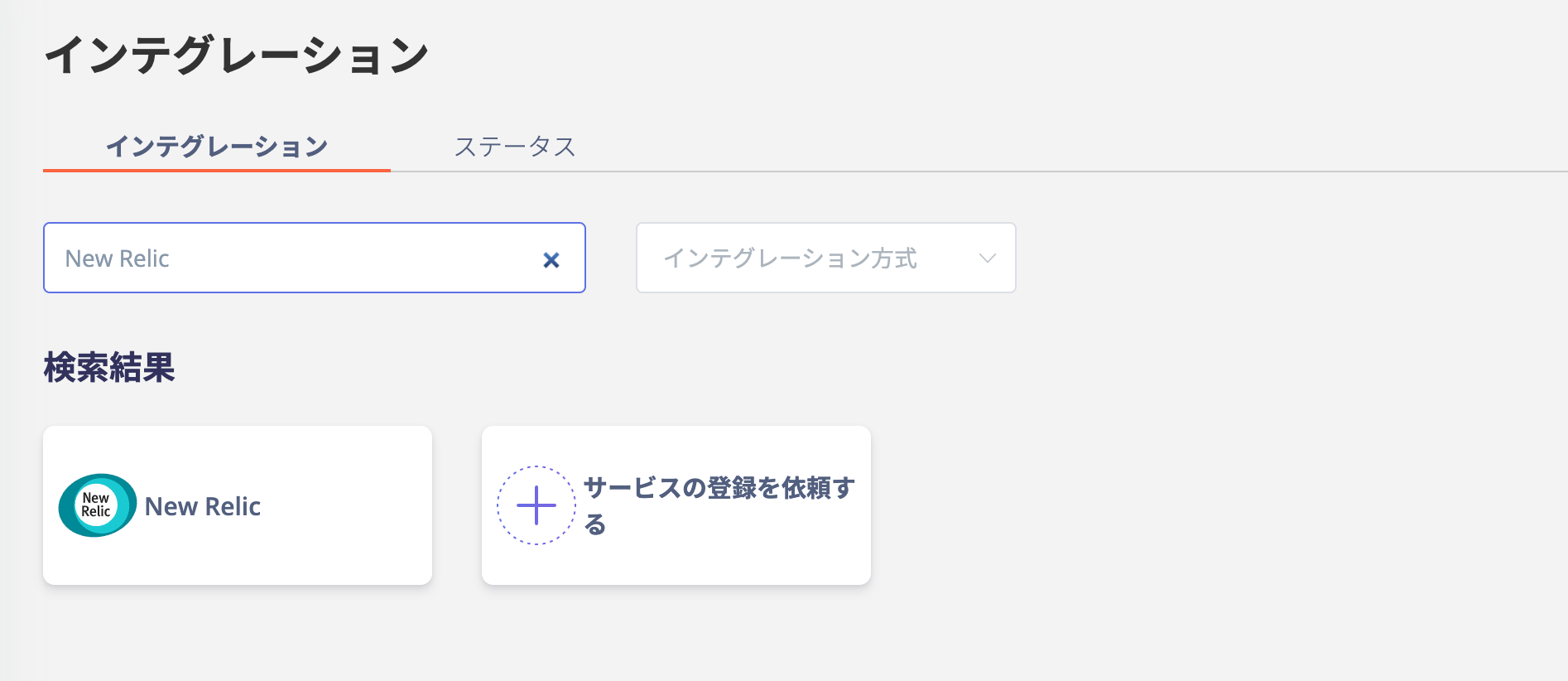
- On the MoneyForward Admina integrations screen, search for New Relic.
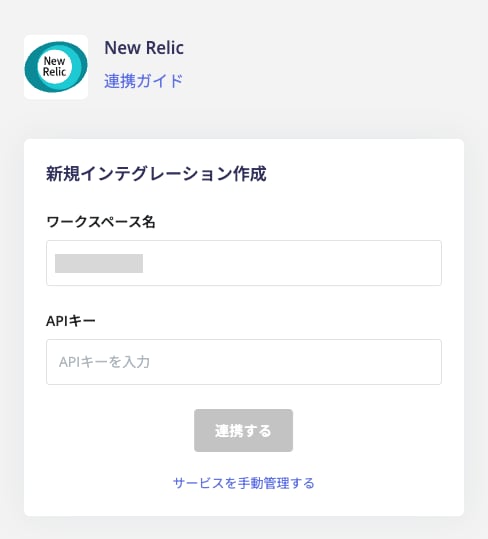
- Enter any name such as your company name for the workspace name and the API key issued in the previous step, then click Connect.