An account with administrator privileges is required for the integration.

Prerequisites

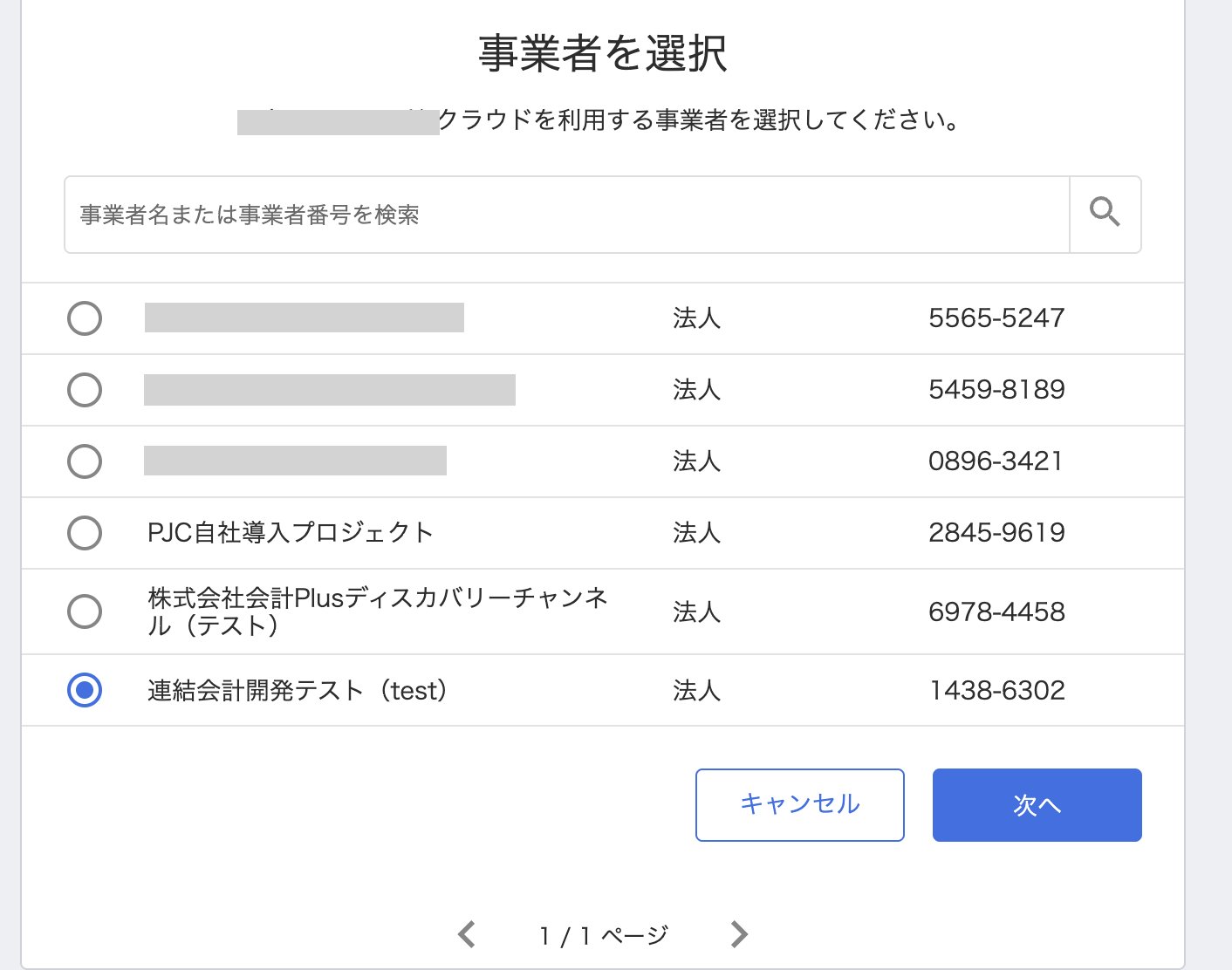
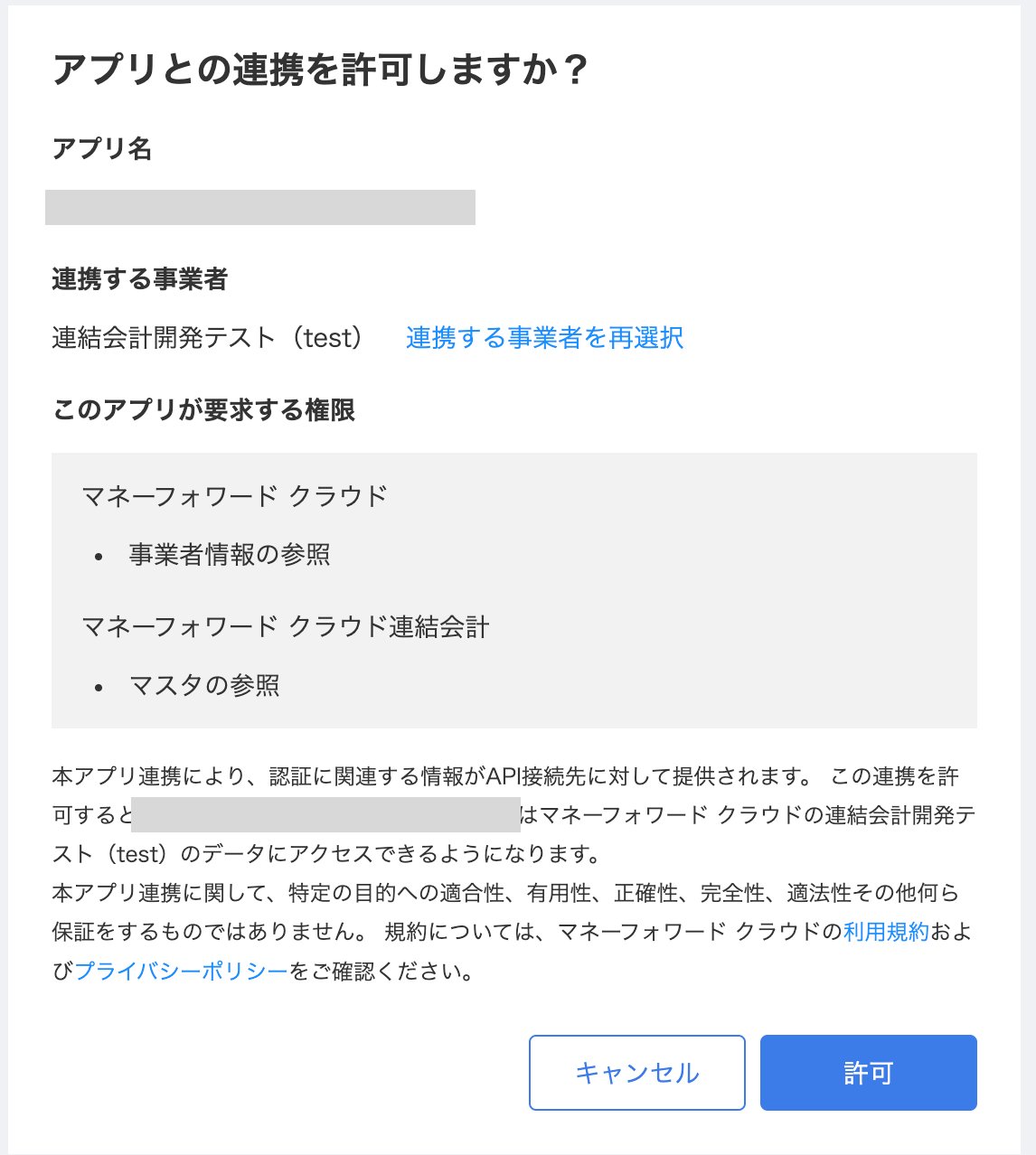
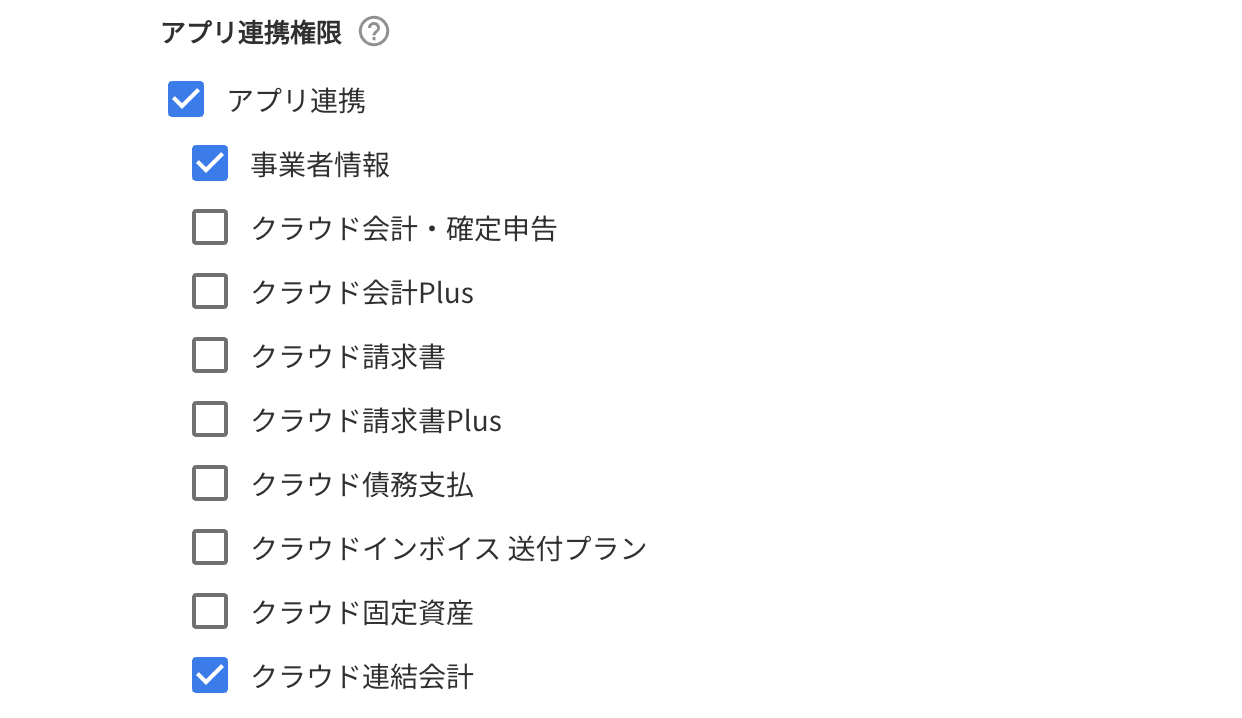
Log in to the App Portal as a system administrator. Grant the user who will perform the integration the App Integration Permission for Business Information and Cloud Consolidated Accounting. Permission settings screen in App Portal Next, log in to MoneyForward Cloud Consolidated Accounting with the user who was just granted the permission. Select the business entity to integrate and click Next. Business entity selection screen Click [Allow]. Authorization confirmation screen
Integration Setup

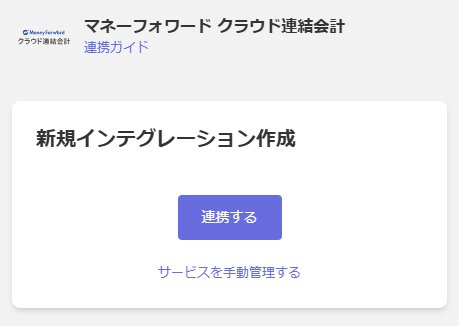
In the MoneyForward Admina integration screen, search for MoneyForward Cloud Consolidated Accounting and click Connect. Admina integration screen Once the integration is successful, the registered user information will appear in the account list. If the process does not complete successfully, click Edit from the Status tab on the integration screen and try connecting again. If the issue persists, please contact us via chat.
Last modified on June 18, 2026