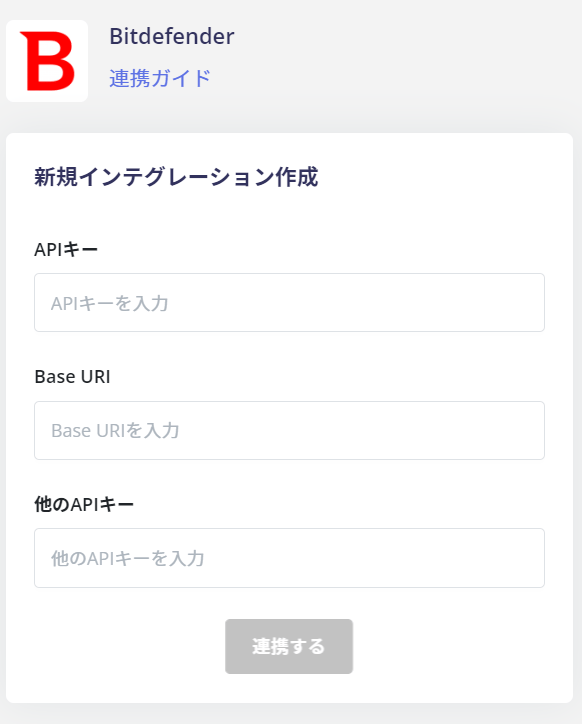
Supported Features
Account Deletion Account ProvisioningPreparation
How to login to Bitdefender
Enter your email address and password on the Bitdefender login page.
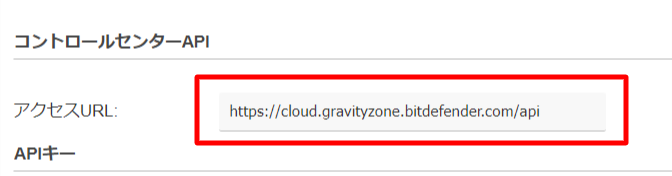
How to get Base URI
After logging into Bitdefender, go to Welcome~ > My Account in the upper right corner of the screen.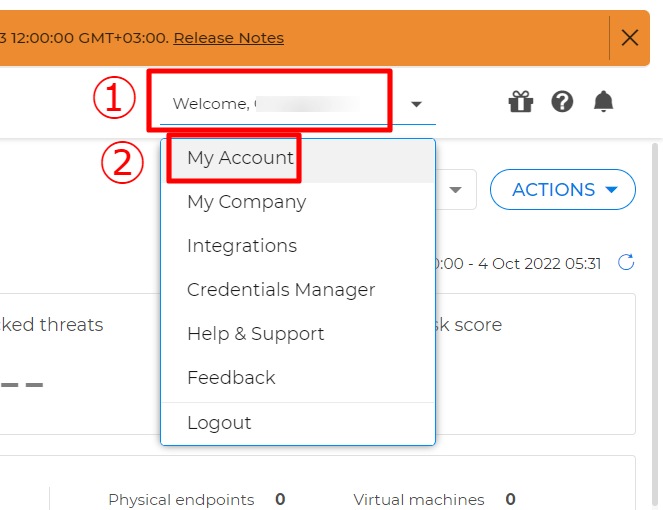
How to get API Key
- Next, go to the API Key section under Control Center API. Click + Add to create an API key.
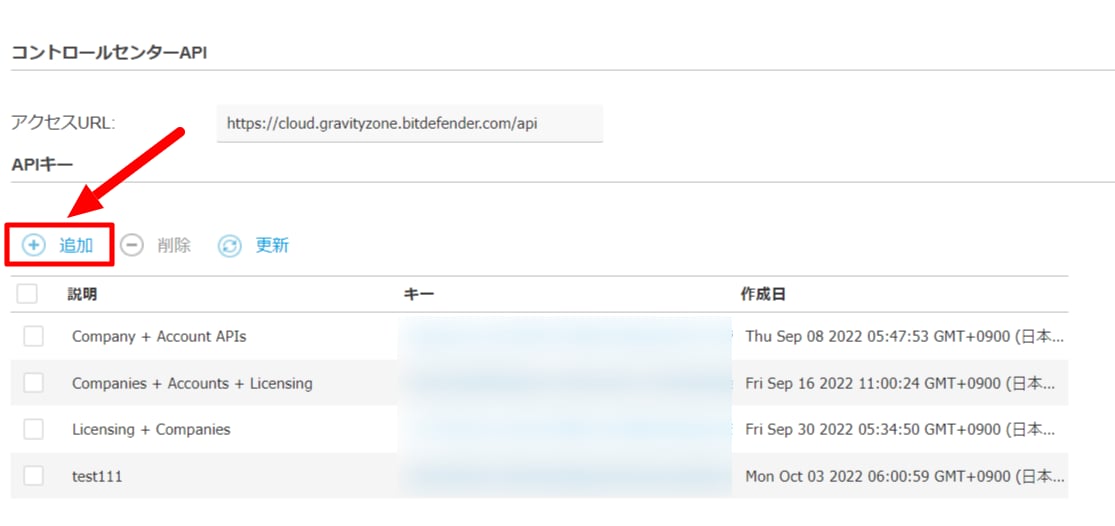
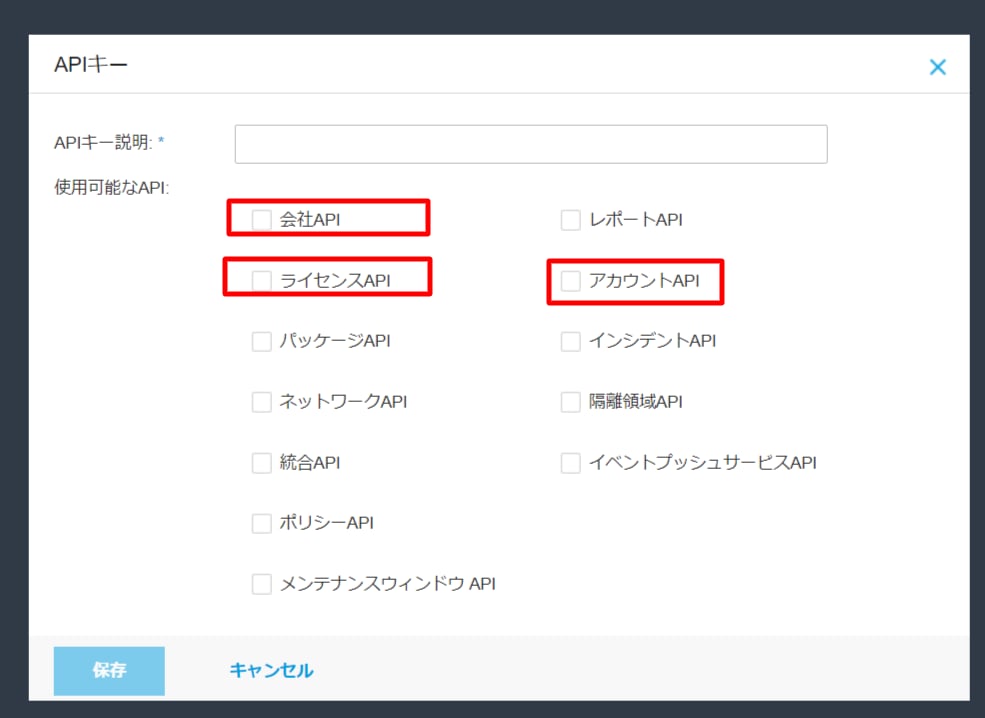
- Enter the API Key Description, select Company API, Licensed API, or Account API as the Enabled APIs, and click Save.
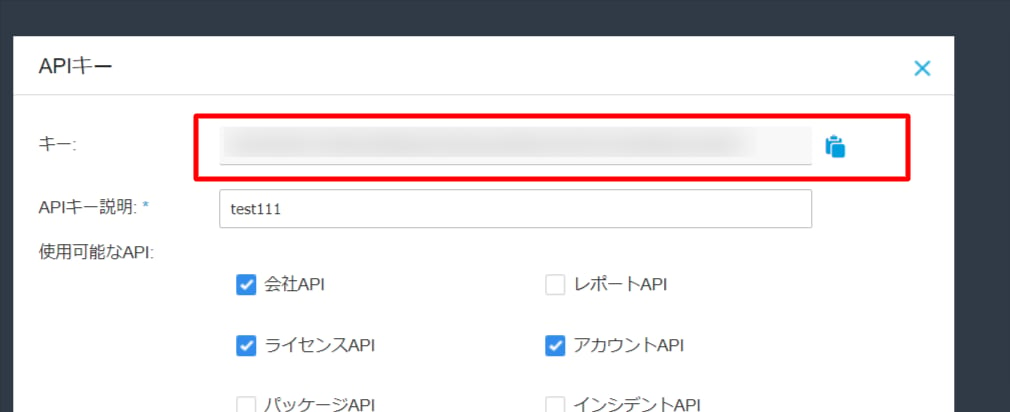
- The API key will then be added to the list. Click on the Key part of the API key you created to display the details of the API key.

- The key will be the API key required for the integration, so save it.
- Log out and log in again with a different account than the one that created the API key.
- Issue the API key again following the same procedure as steps 1 to 4 and save it (it will be the Other API key in Admina by Money Forward).
To retrieve the list of accounts, you will need the API key generated for another account. This is because the account that generated the API key will not be included in the list of accounts.
Integration Setup
On the Integration screen of Admina by Money Forward, search for Bitdefender.